# 2026-june-july-product-update-new-live-rendering-tool,-design-and-render-simultaneously
> Discover new features like live rendering, enhanced floor plan editing, and 3D scene imports. Improve efficiency with updated tools. Start designing today!
- **URL**: https://www.coohom.com/helpcenter/2026-june-july-product-update-new-live-rendering-tool%2C-design-and-render-simultaneously
- **Locale**: en_US
- **Updated**: 2026-08-14
## Content
This Render \& Light, Drawing Design and other tools bring new functions, welcome to experience and give feedback!
Function update reading instructions:
* Some functions are gradually being opened, and will be marked in the article as "Available to some users, gradually opening up".
* Some functions can only be used by users with relevant permissions, and will be marked in the article as "Available to some users".
* For enterprise functions, please contact the corresponding CSC for consultation.
1. Functions for All Users
==========================
Key Update Details
------------------
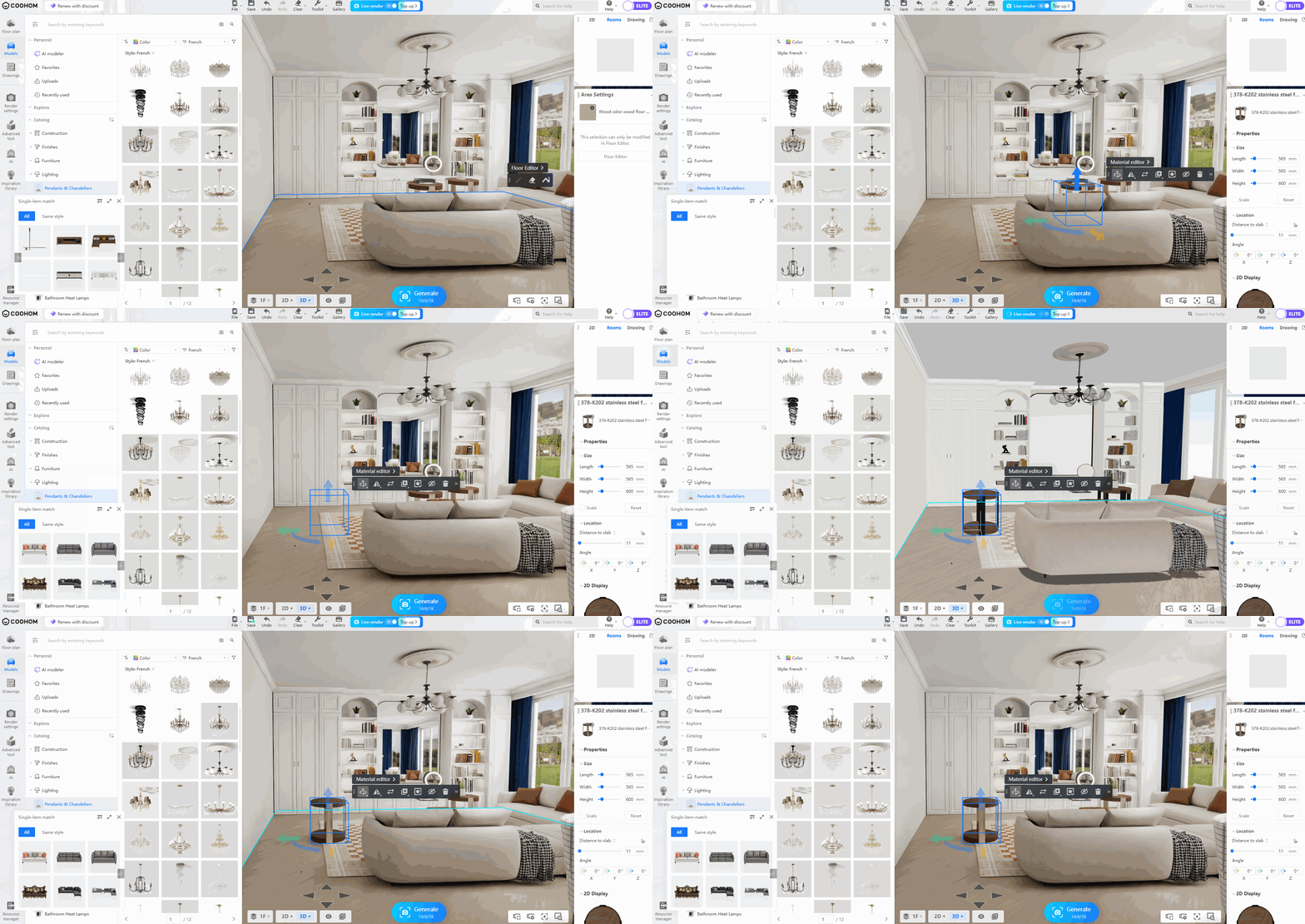
**\[Render \& Light\] Live rendering supports designing and rendering simultaneously (Available to individual users), [Click here for details and learn how to use](https://www.coohom.com/helpcenter/render-live-render-design-and-render-simultaneously?hl=en&kjl_source=hc)**
What you see is what you get, design more efficiently. Live render enables you to preview effects while adjusting the plan, allowing inspiration to take shape quickly.
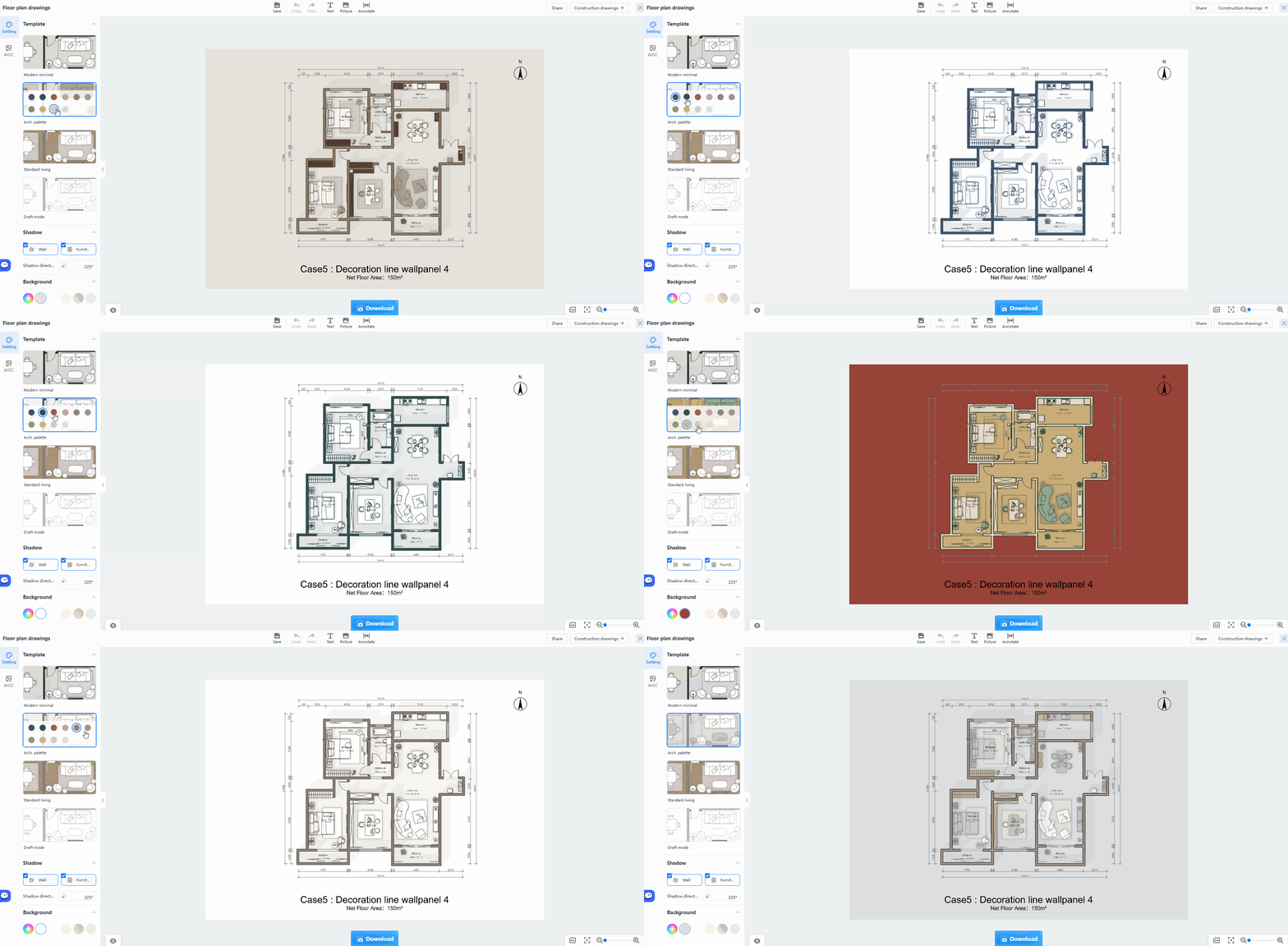
**\[Drawing Design\] Updated the floor plan drawings interface to make template selection, shadow orientation adjustment, and on-canvas editing of the plan name and area easier to access (Available to individual users), [Click here for details and learn how to use](https://www.coohom.com/helpcenter/floor-plan-drawings-one-click-generate-floor-plan-drawings?hl=en&kjl_source=hc)**
In floor plan drawings, you can now select a style template and set the shadow direction from the left panel, or edit the plan name directly on the canvas for a more efficient workflow.
Function Update Summary
-----------------------
**\[Elite Team Space\]**
* **New:** The team owner can copy the team space's projects to personal space (Available to newly upgraded Elite users), [Click here for details](https://www.coohom.com/helpcenter/elite-team-space-copy-projects-to-personal-space?hl=en&kjl_source=hc)
**\[Drawing Design\]**
* **Optimization:**Updated the floor plan drawings interface to make template selection, shadow orientation adjustment, and on-canvas editing of the plan name and area easier to access (Available to individual users), [Click here for details](https://www.coohom.com/helpcenter/floor-plan-drawings-one-click-generate-floor-plan-drawings?hl=en&kjl_source=hc)
**\[Kitchen \& Closet Design\]**
* **New:** The 3DGS import realistic scene function supports uploading point cloud files (Available to some users), [Click here for details](https://www.coohom.com/helpcenter/kitchen-closet-3dgs-import-realistic-scene-function-operation-guide?kjl_source=hc#chapter3_0)
**\[Render \& Light\]**
* **New:** Live rendering supports designing and rendering simultaneously (Available to individual users), [Click here for details](https://www.coohom.com/helpcenter/render-live-render-design-and-render-simultaneously?hl=en&kjl_source=hc)
**\[Model Materials\]**
* **New:** June 2026 model topics overview, [Click here for details](https://www.coohom.com/helpcenter/june-2026-model-topics-overview?kjl_source=hc)
* **New:** July 2026 model topics overview, [Click here for details](https://www.coohom.com/helpcenter/july-2026-model-topic-overview?kjl_source=hc)
2. Functions for Enterprise Users
=================================
For details on enabling and using enterprise functions, please consult your corresponding CSC.
Key Update Details
------------------
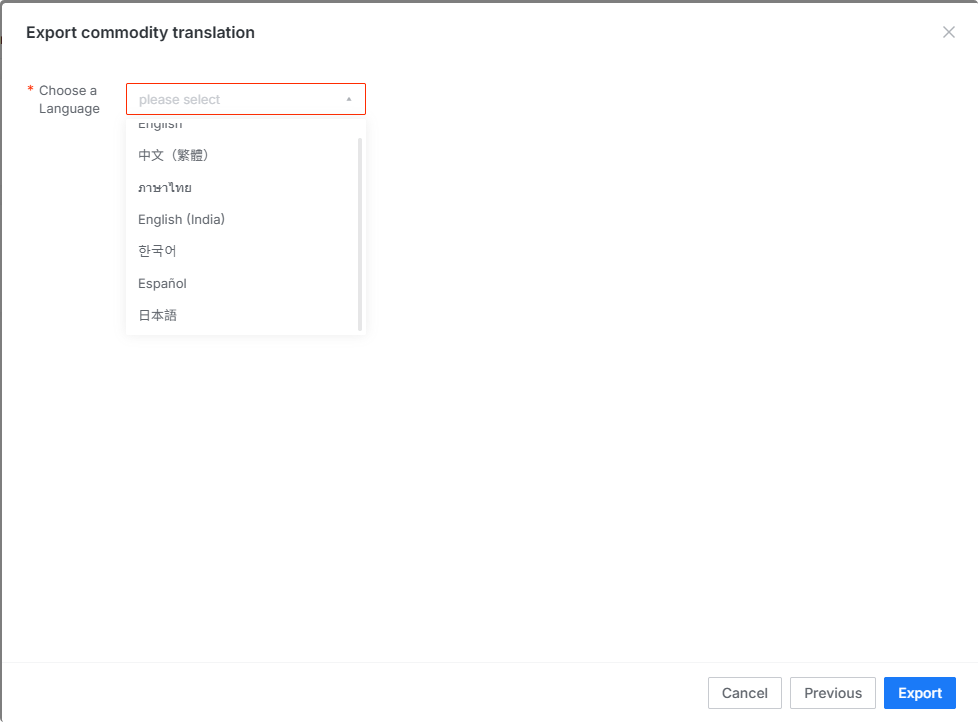
**\[Enterprise Catalog\] UGC multilingual translation supports Spanish and Japanese (Available to some users), [Click here for details and learn how to use](https://www.coohom.com/helpcenter/enterprise-ugc-multi-language-translation-function-usage-guide?kjl_source=hc#chapter2_0)**
When using the multi-language translation feature to export/import products, you can now select Spanish and Japanese.
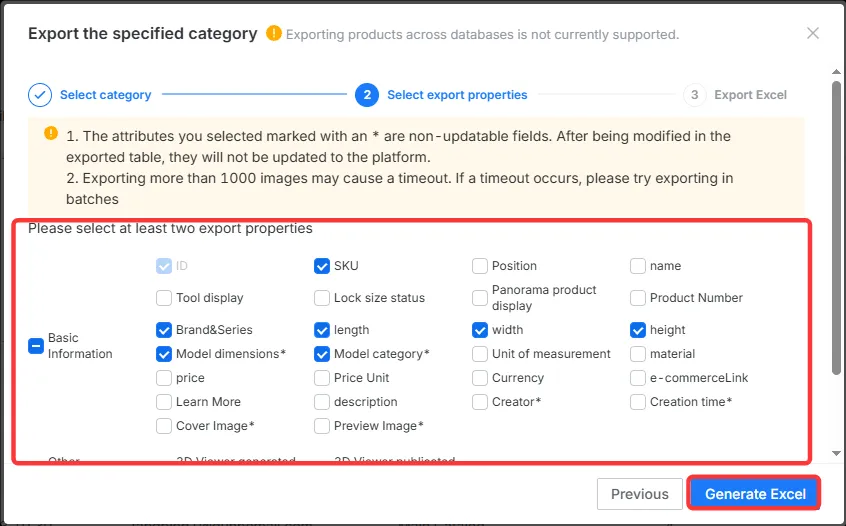
**\[Enterprise Catalog\] Enterprise Library products support importing and exporting batch maintenance information, and adding new fields such as model size and rendering classification during the process (Available to some users), [Click here for details and learn how to use](https://www.coohom.com/helpcenter/enterprise-batch-maintain-enterprise-catalog-product-information?hl=en&kjl_source=hc)**
The import and export functions for enterprise catalog products allow you to summarize, tally, and modify enterprise products in batches. This feature lets you add or edit details for multiple products at once. You can edit product details using existing fields in the template, or add custom fields and fill in the corresponding information.