# kitchen-design-generate-stove-and-chimney-hood
> Learn how to use the stove generation tool for customizing stove and chimney hood in your kitchen cabinets. Master placement and alignment. Start designing now.
- **URL**: https://www.coohom.com/helpcenter/kitchen-design-generate-stove-and-chimney-hood
- **Locale**: en_US
- **Updated**: 2026-06-16
## Content
Use the stove generation tool to install the stove and chimney hood on the corresponding cabinets.
⭐Before reading the article, it is recommended to watch the video tutorial first for easy getting started\~
\[Video URL\](https://www.youtube.com/watch?v=AwhMBLBtshA)
For Users
=========
All Users
Entrance
========
Select **Kitchen&Bath** to enter the customization interface.
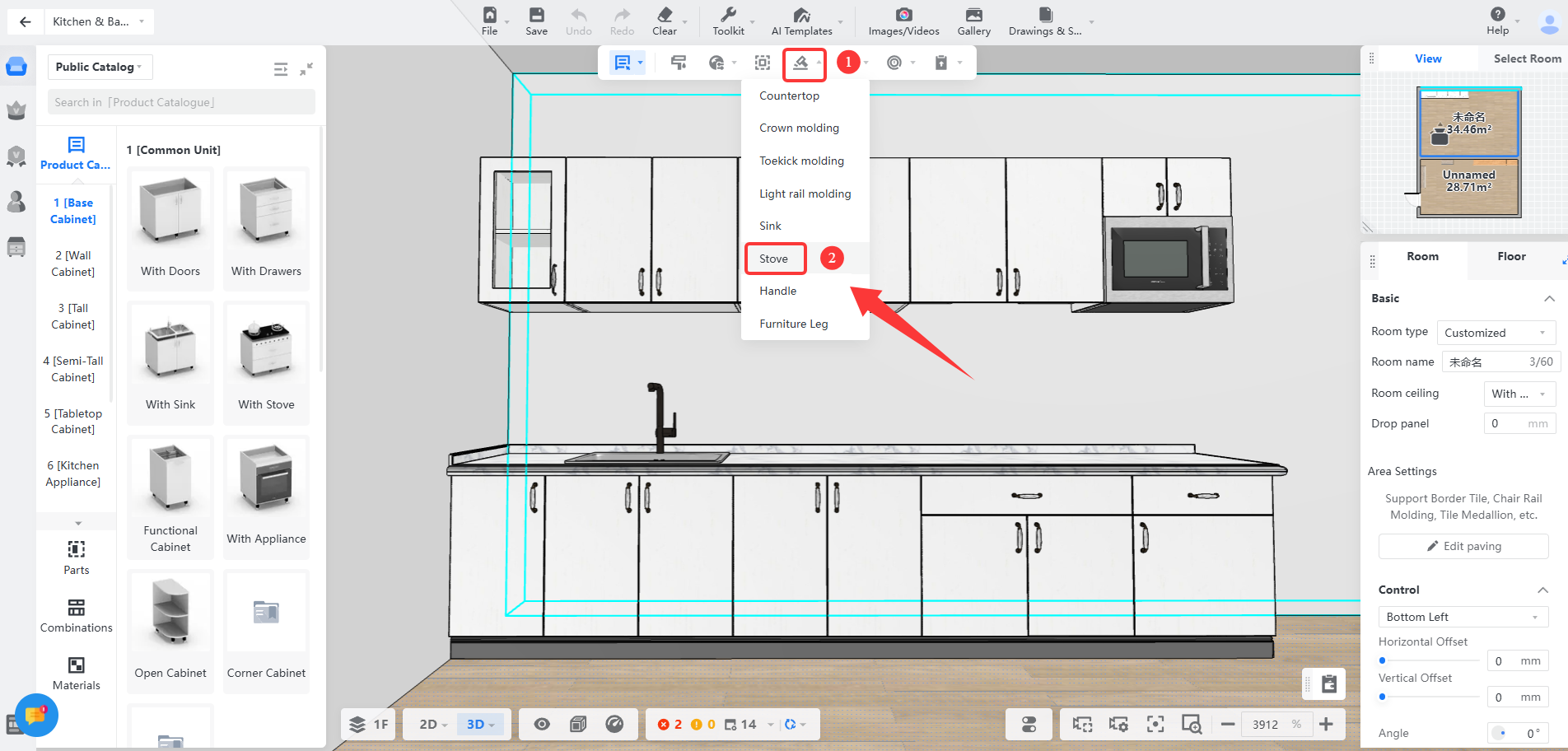
**Entrance One:** Select the **Generate-Stove** from the top toolbar.
**Entrance Two:** Select the cabinet, and select **Generate-Stove** in the floating toolbar.
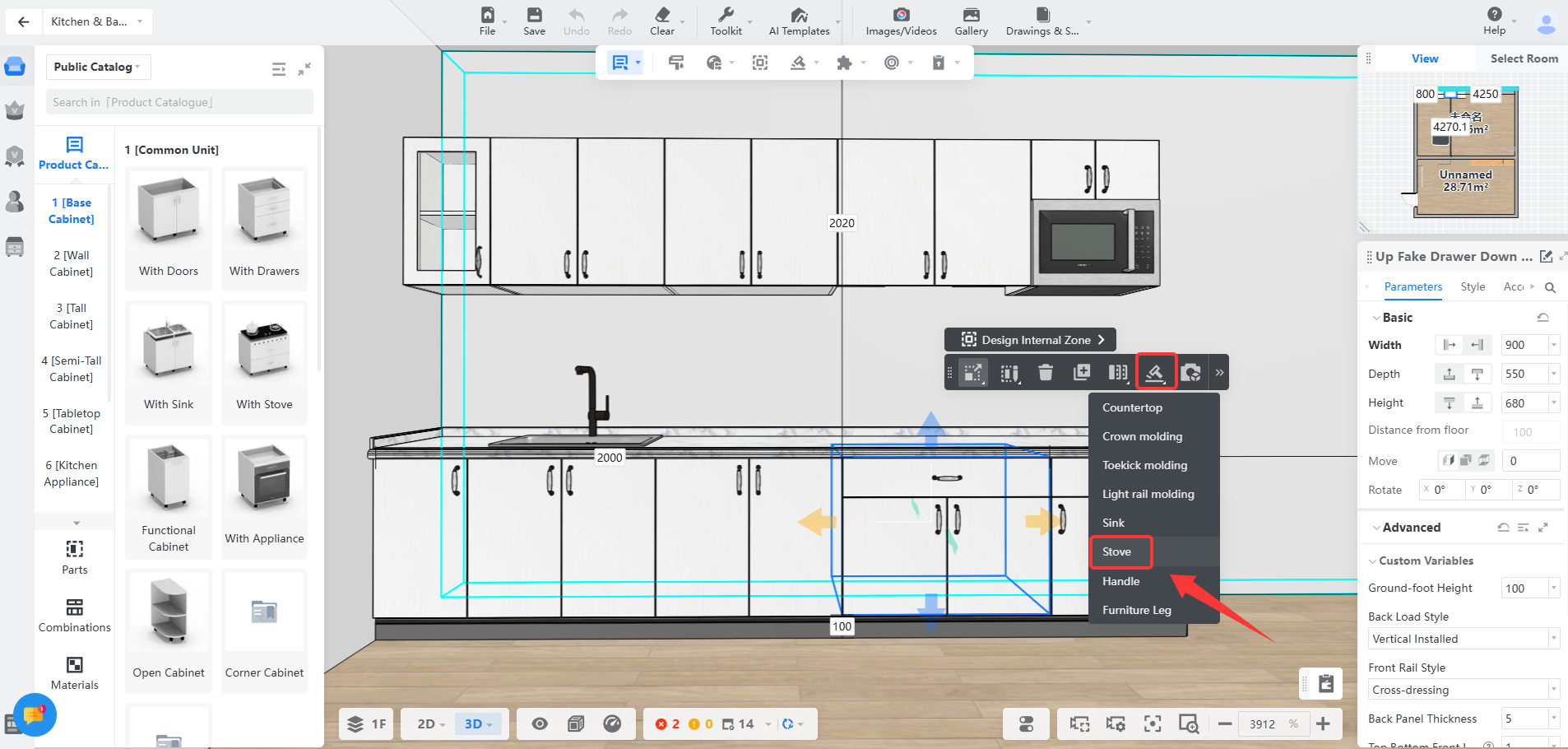
Generate Stove
==============
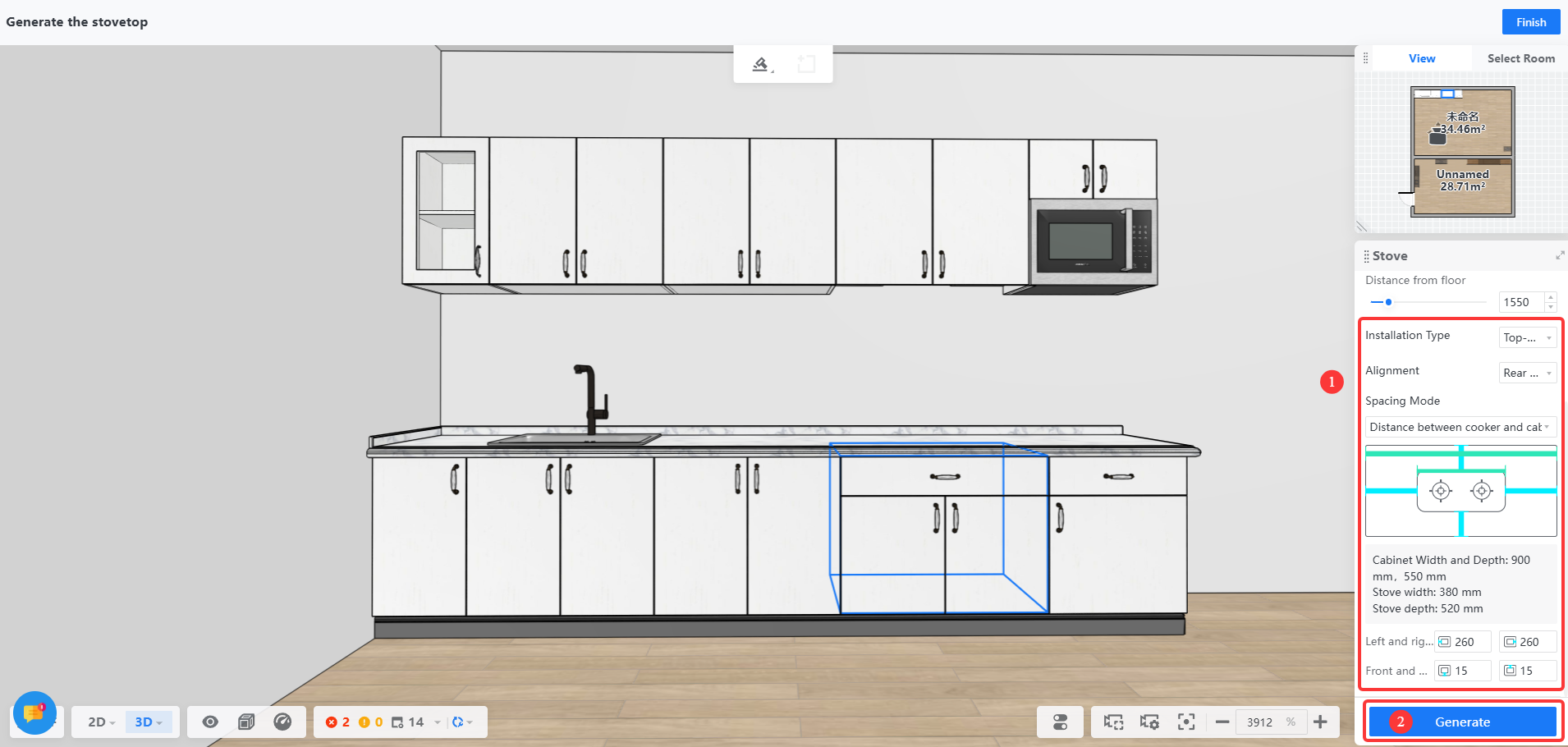
1. Select the cabinet that needs to be generated. In the basic parameters on the right panel, select add **Stove Style and Chimney Hood Style**.
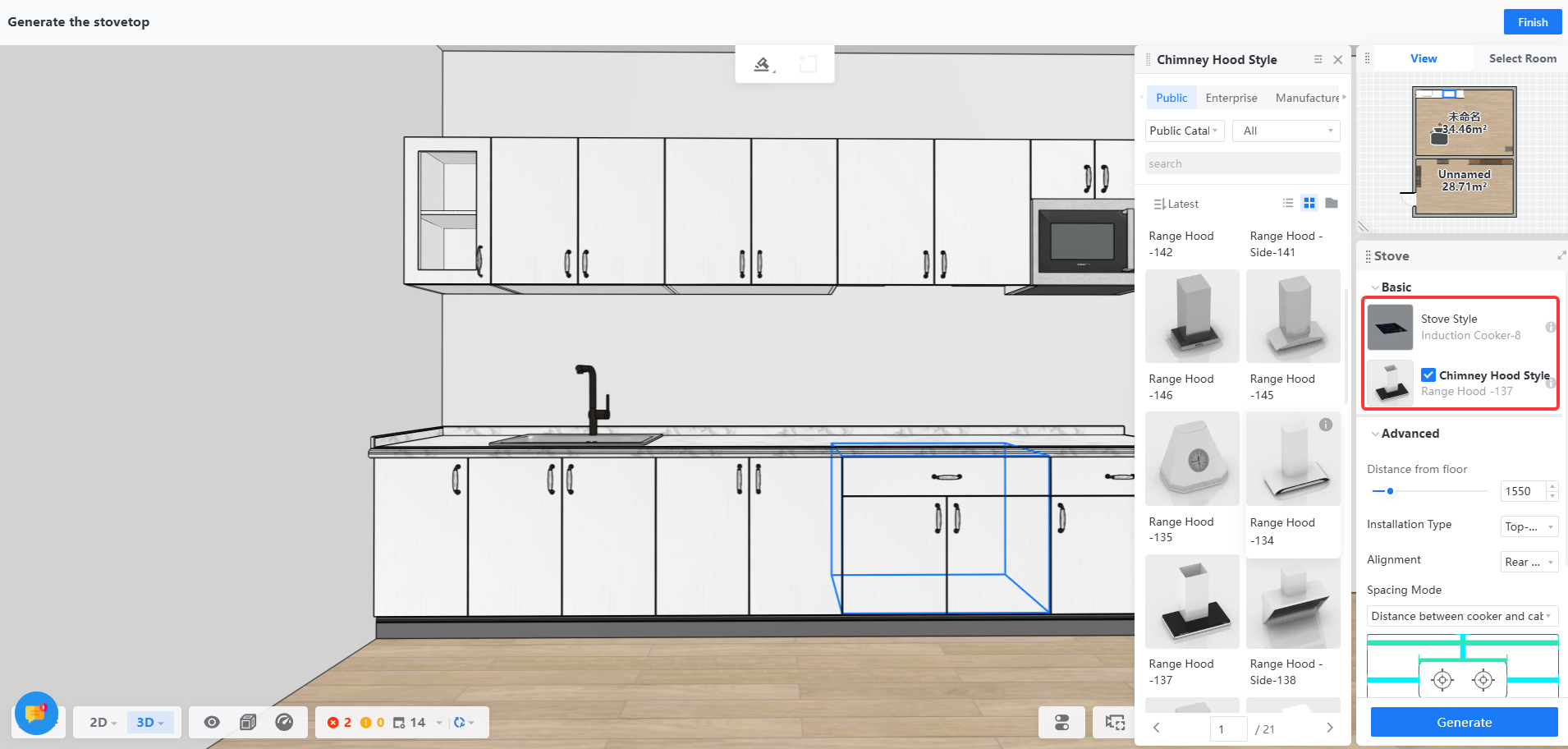
2. After selecting the appropriate style, determine the**Installation Type** **and** **Alignment** , modify the stove margin at the **Spacing Mode** , and then click **Generate**.
**Note: If the Generate button turns gray, you need to check whether the cabinet that needs to be generated is selected!**
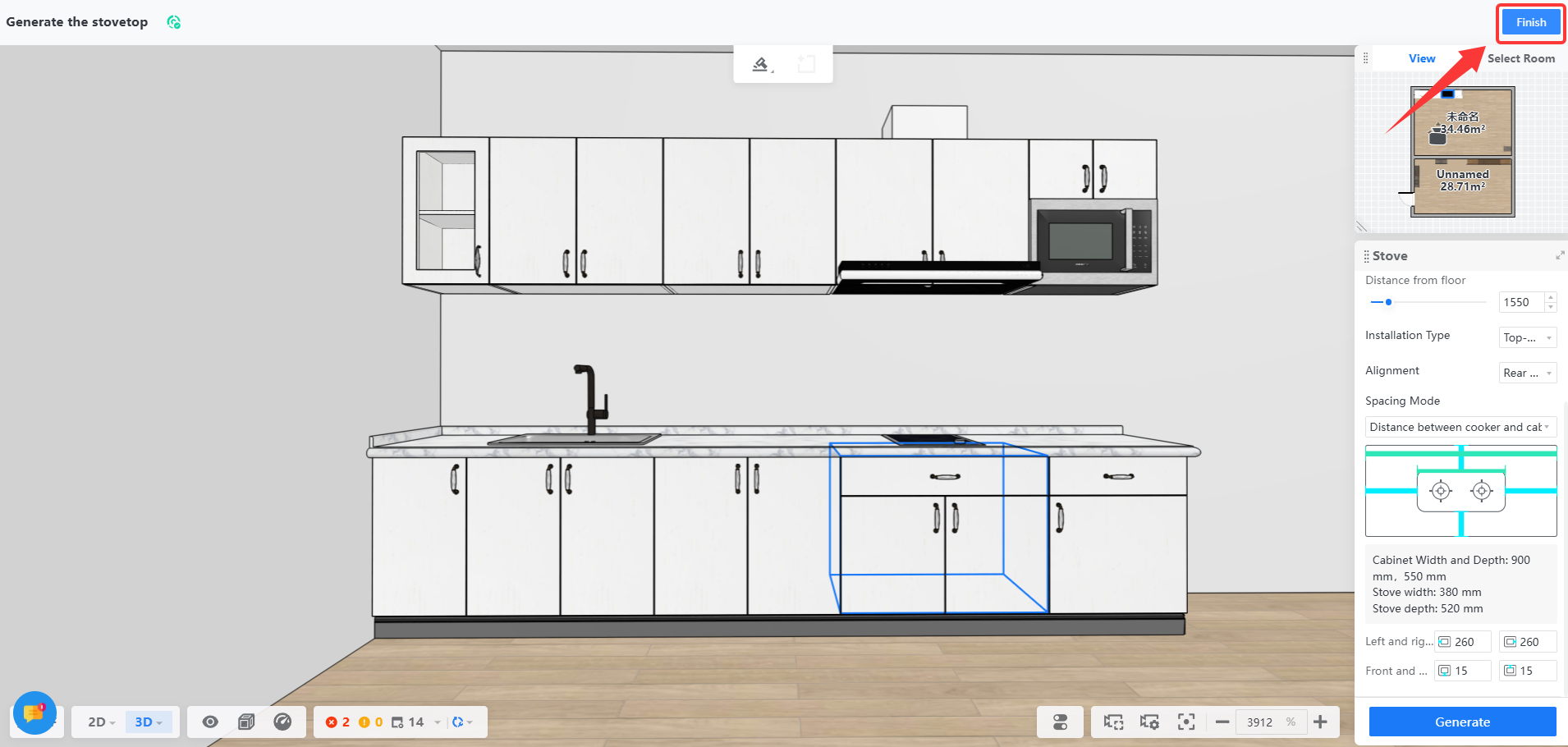
3. After generating the stove and chimney hood, click **Finish** to exit the generate stove interface.
Q\&A
====
**Q:**How to modify the stove size?
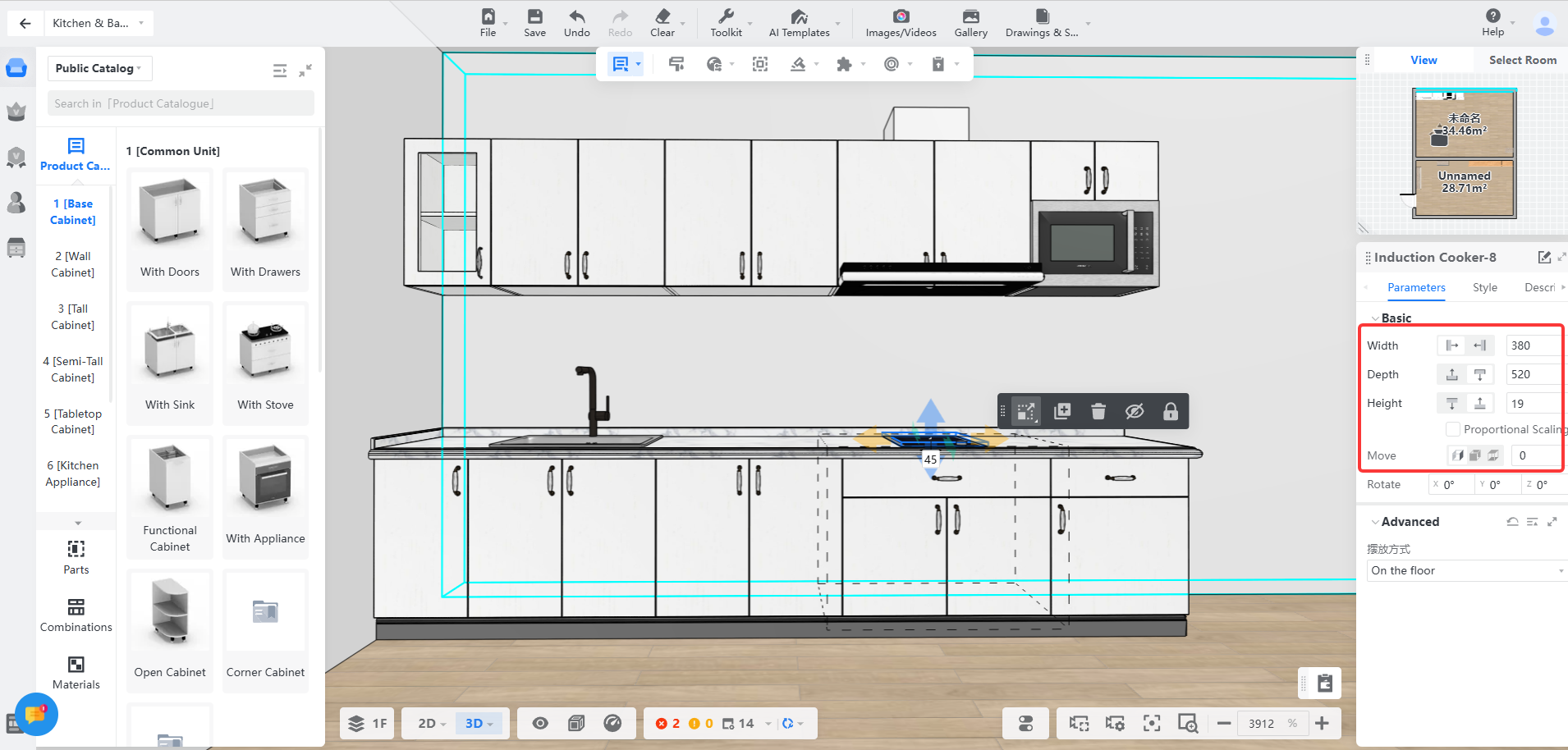
**A:** Exit the generation environment and click to select the **stove** to modify the **size and position** of the stove in the parameter panel.