# closet-design-use-scale-to-quickly-adjust-a-model-size
> Easily adjust cabinet gaps and dimensions with fuzzy stretching in six directions using our intuitive software. Enhance your design workflow. Start designing now.
- **URL**: https://www.coohom.com/helpcenter/closet-design-use-scale-to-quickly-adjust-a-model-size
- **Locale**: en_US
- **Updated**: 2026-06-11
## Content
The model can be fuzzy stretched in six directions, which is suitable for designers to quickly adjust the gap between cabinets, fuzzy stretch/reduce the size of the cabinet.
⭐Before reading the article, it is recommended to watch the video tutorial first for easy getting started\~
\[Video URL\](https://www.youtube.com/watch?v=zOQs56MC7K4)
For Users
=========
All users
Scale
=====
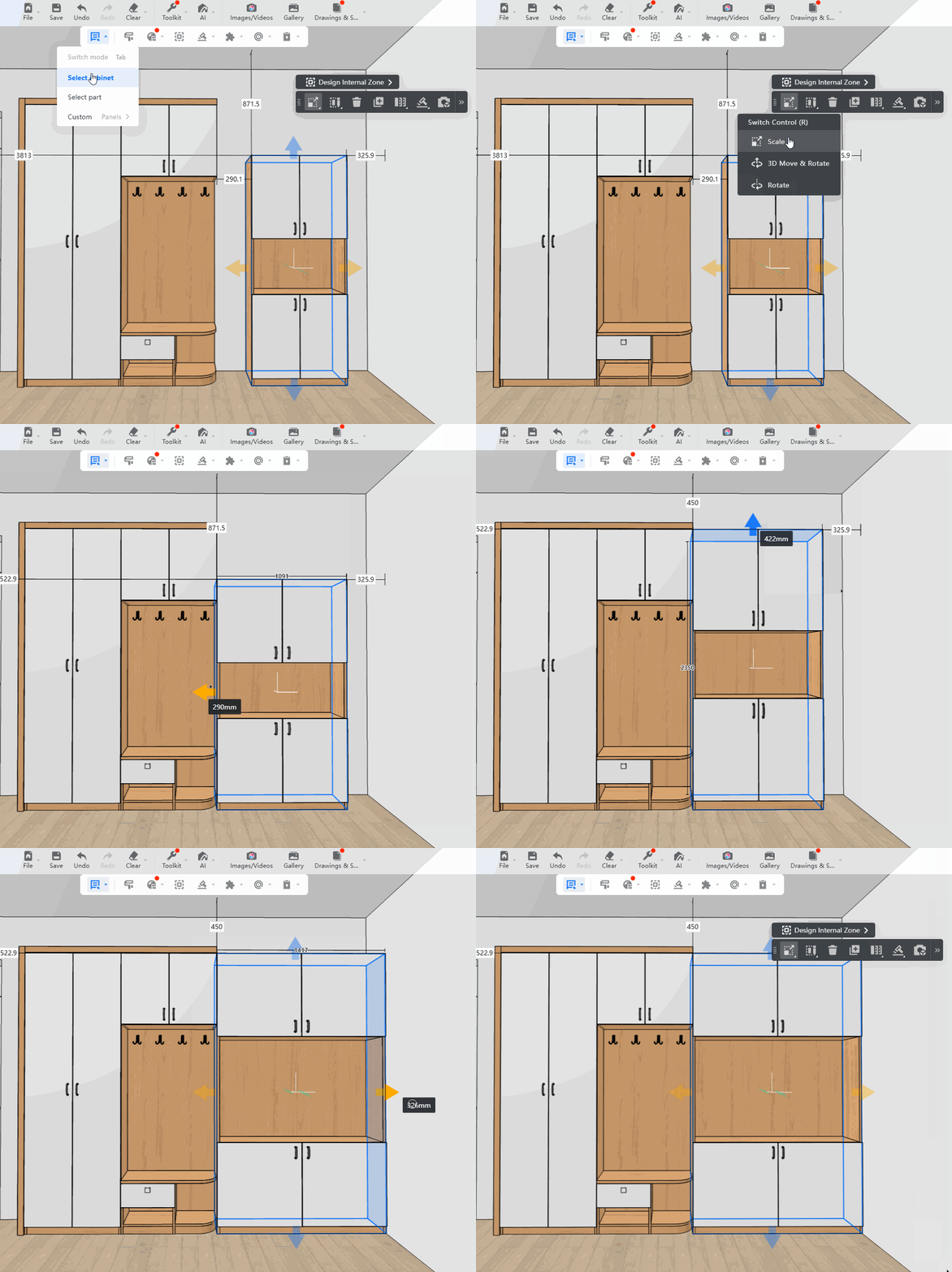
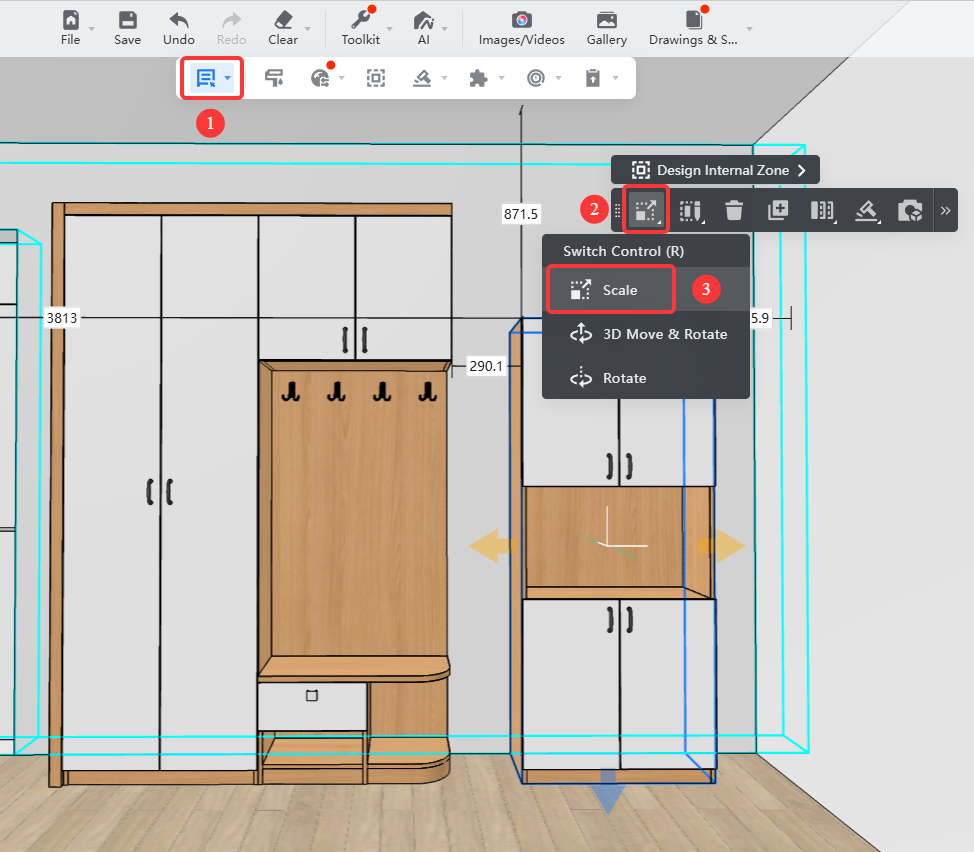
1、Switch to **Select cabinet**.
2、Select the cabinet, select **Scale** in theswitch control.
3、By dragging the direction arrow, the model can be extended, reduced or enlarged in the direction of the selected arrow.
4、When the mouse is stretched to the boundary of other models or walls, there will be an adsorption alignment effect.