# closet-design-use-rotate-to-adjust-a-model-angle
> Learn how to rotate cabinet models along the X, Y, and Z axes for perfect placement. Enhance your design process with simple 360° rotation. Start designing now!
- **URL**: https://www.coohom.com/helpcenter/closet-design-use-rotate-to-adjust-a-model-angle
- **Locale**: en_US
- **Updated**: 2026-06-11
## Content
In the design process, some cabinet models need to be placed at an angle. The rotation can control the model to rotate along the X, Y, and Z axes. Custom models and accessories support 360° rotation operation, which is convenient and fast.
⭐Before reading the article, it is recommended to watch the video tutorial first for easy getting started\~
\[Video URL\](https://www.youtube.com/watch?v=u640wh4d8Rk)
For Users
=========
All users
Rotate
======
1、Switch to **Select cabinet**.
2、Select the cabinet, select **Rotate** in theswitch control.
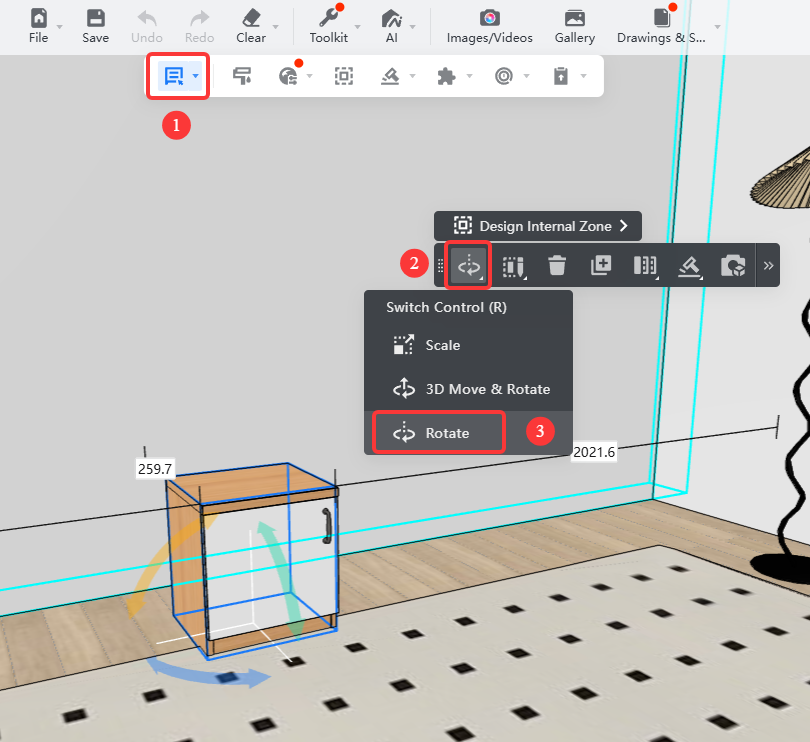
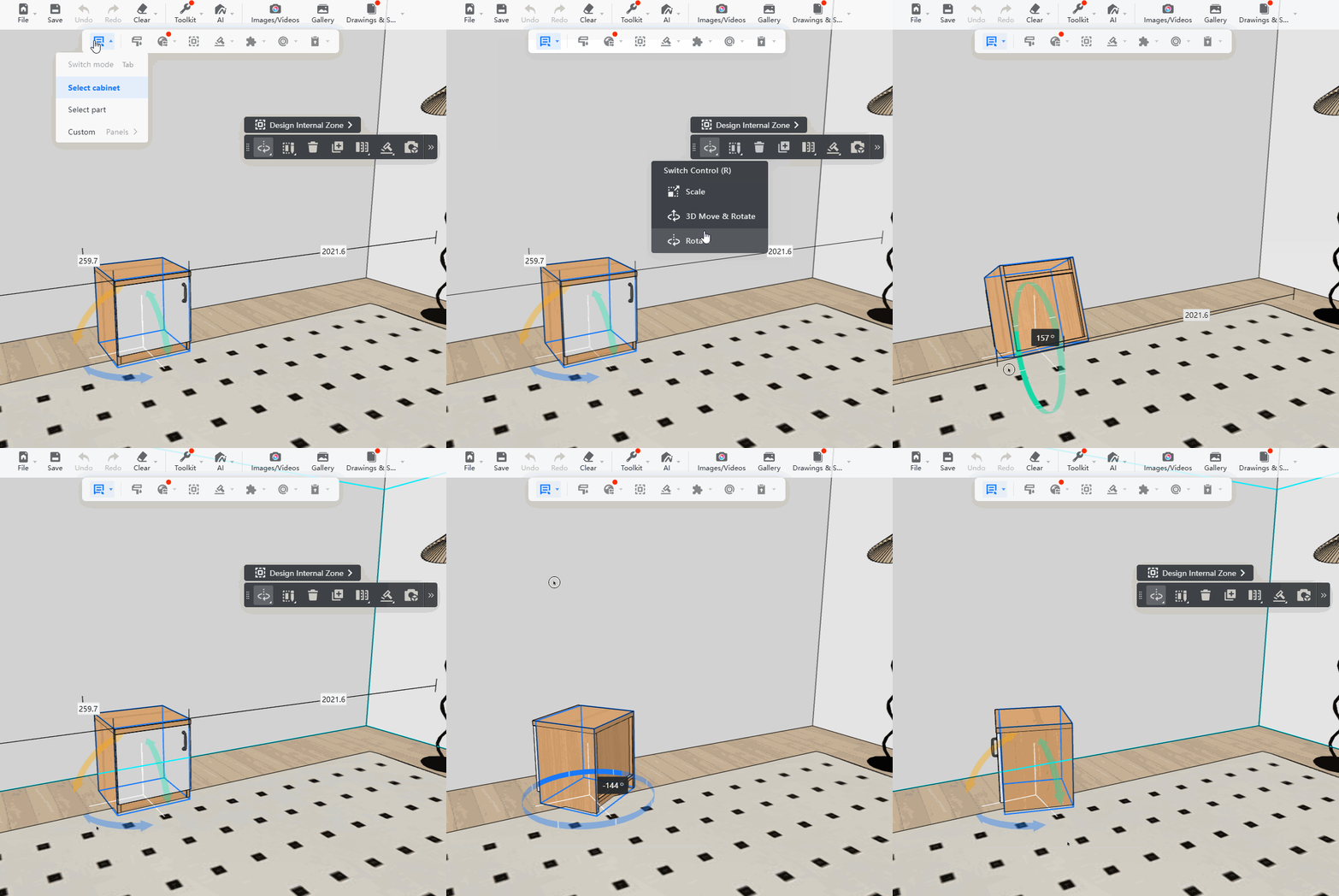
3、After switching, the corresponding **X/Y/Z axis direction** can be **rotated 360°**.
Limit Cabinet Rotation to the Z Axis
====================================
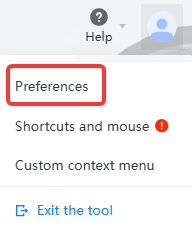
1、Move the mouse to the avatar in the upper right corner, expand the bar and select **Preferences**.
2、In the pop-up floating window, set **Customize-Rotate around Axis** to off.
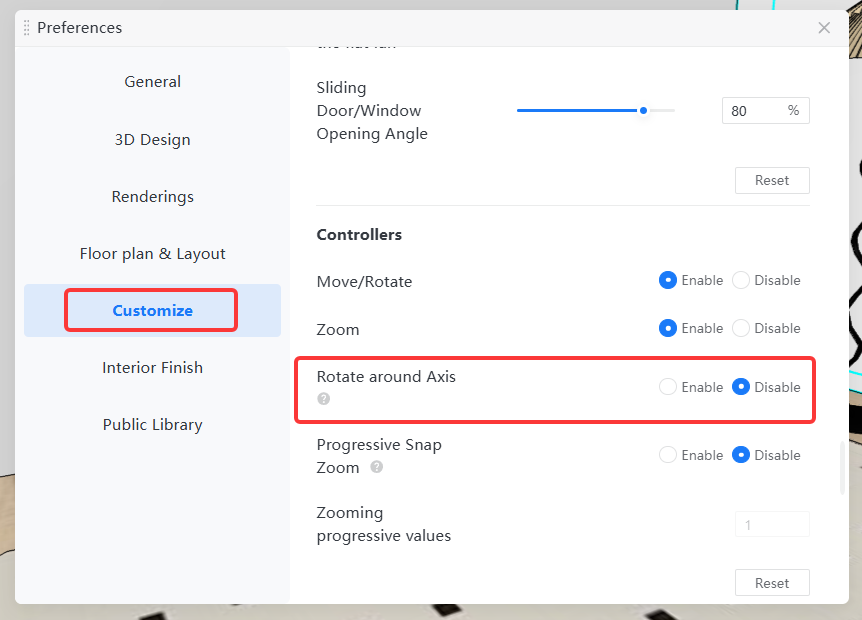
3、When the **Rotate around Axis** is turned off, the rotation arrows will not appear when the model is selected, and the angle input box along the X/Y axis of the model will be disabled on the parameter panel. However, the model can still be rotated along the Z axis by **3D Move & Rotate** or **inputting the Z axis angle on the parameter panel**.
* The demo operation is as follows: