# how-to-switch-between-quality-performance
> Effortlessly toggle between quality and performance modes in Coohom to optimize your design process. Enhance your workflow today by following simple steps.
- **URL**: https://www.coohom.com/helpcenter/how-to-switch-between-quality-performance
- **Locale**: en_US
- **Updated**: 2026-06-11
## Content
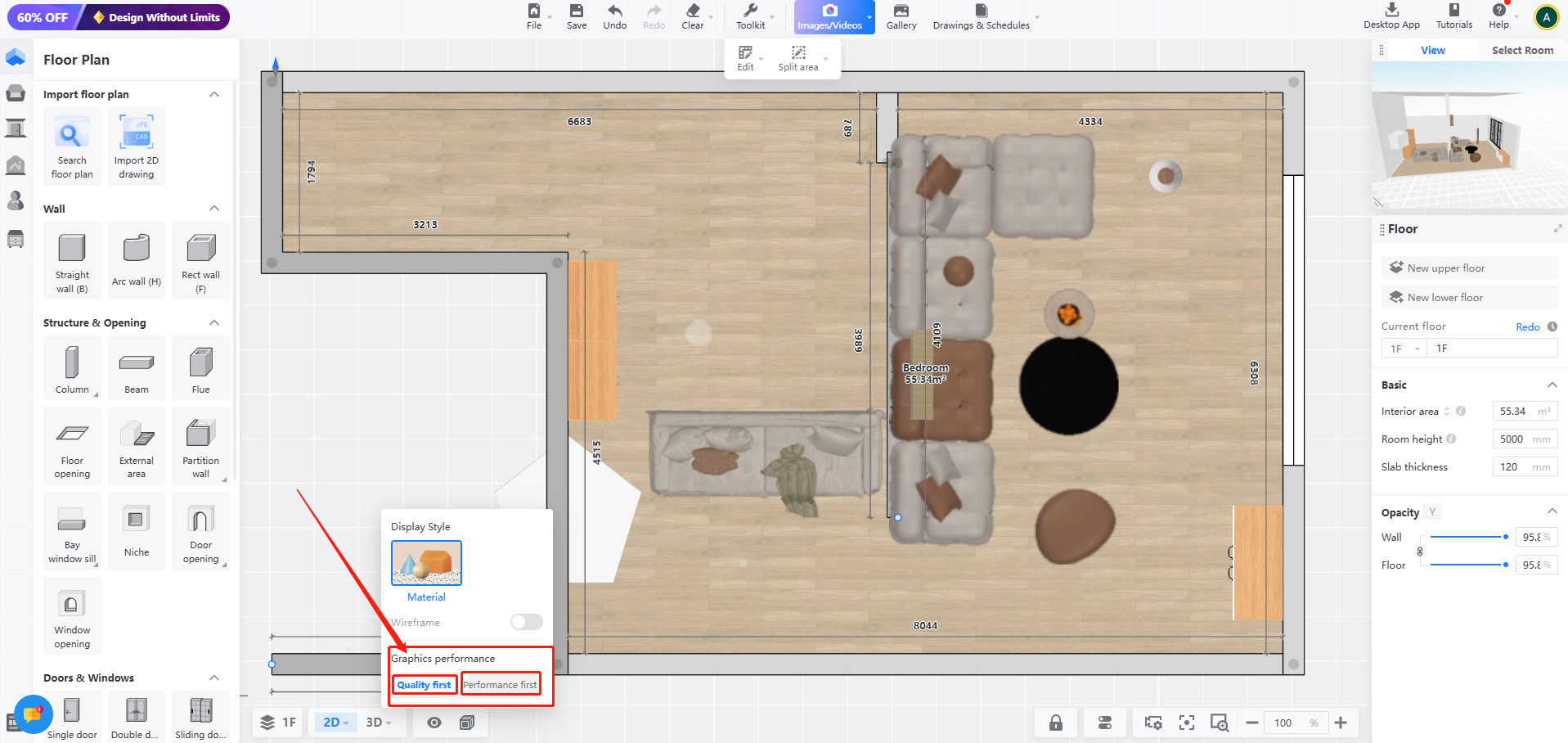
Coohom give you ability to switch between quality / performance while working in your design. To get the function of swithching quality and performance please find the following steps.
**step1: access 2D View or 3D view**
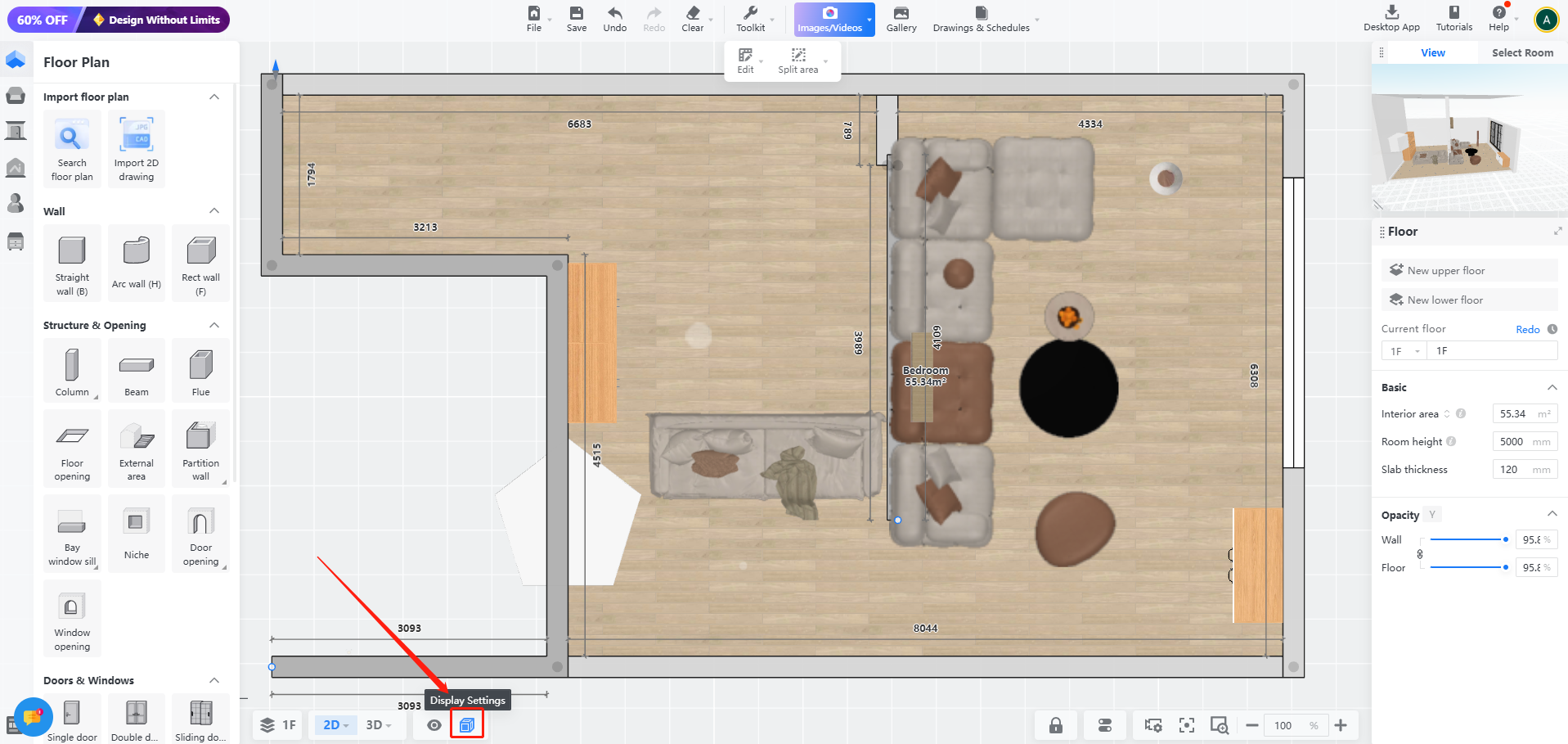
The first step to change the mode from quality to performance Or vice versa is to click on 2D View or 3D View to find Display setting button at the bottom left of the page.
**step2: You can select one of the options qulaity and performance as you like**