# why-is-my-project-starting-to-lag-and-become-slow
> Learn to reduce project lagging in Coohom by simplifying models and enhancing performance. Follow these steps to streamline your design process. Start designing now.
- **URL**: https://www.coohom.com/helpcenter/why-is-my-project-starting-to-lag-and-become-slow
- **Locale**: en_US
- **Updated**: 2025-12-03
## Content
Some users will come to service team to complain that their project starting to lag and become slow that make difficulty during design.
Target User: All users
----------------------
*** ** * ** ***
To solve this issue:
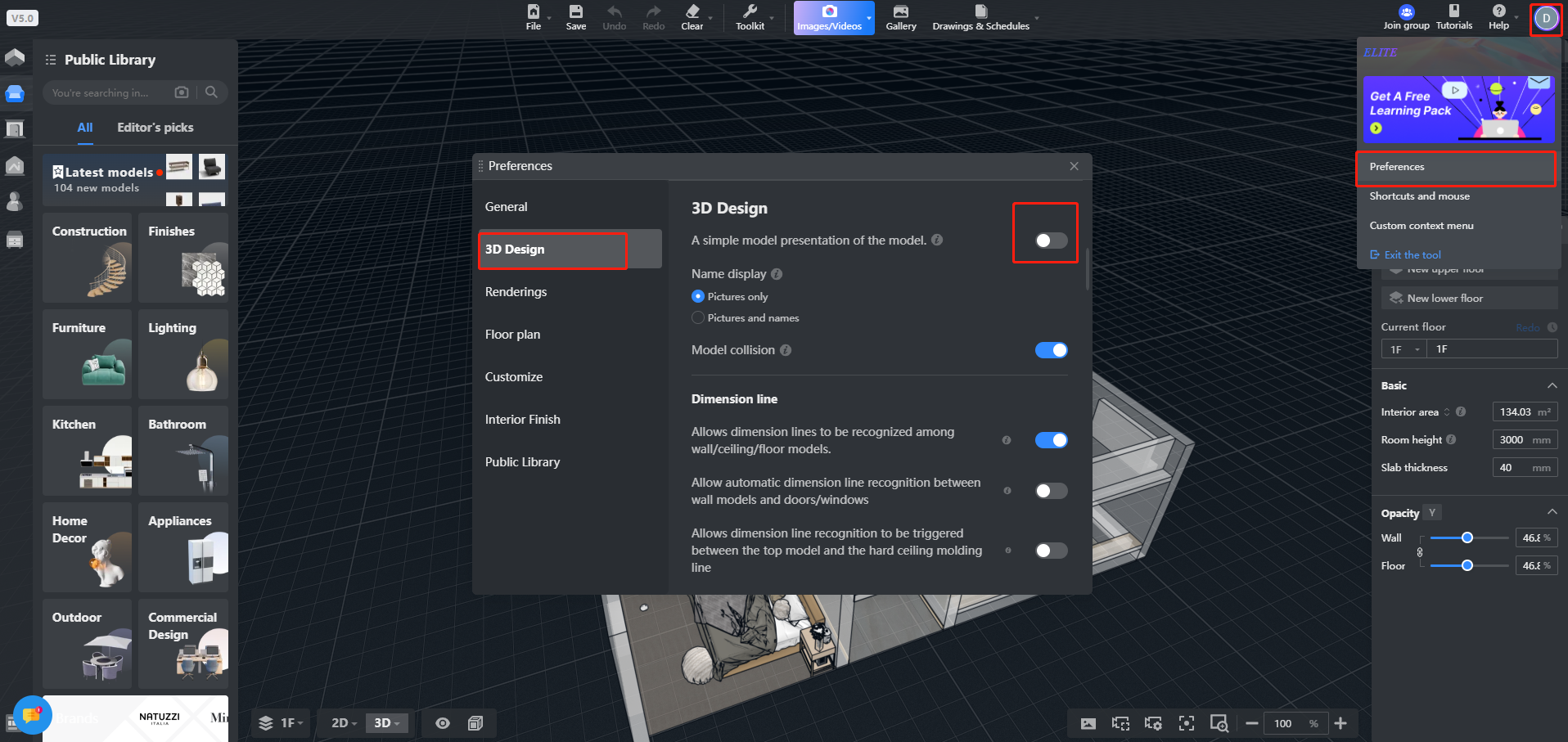
step1: select the simplified model display mode in Profile icon-preference-3D Desgin as shown in the screenshot below.
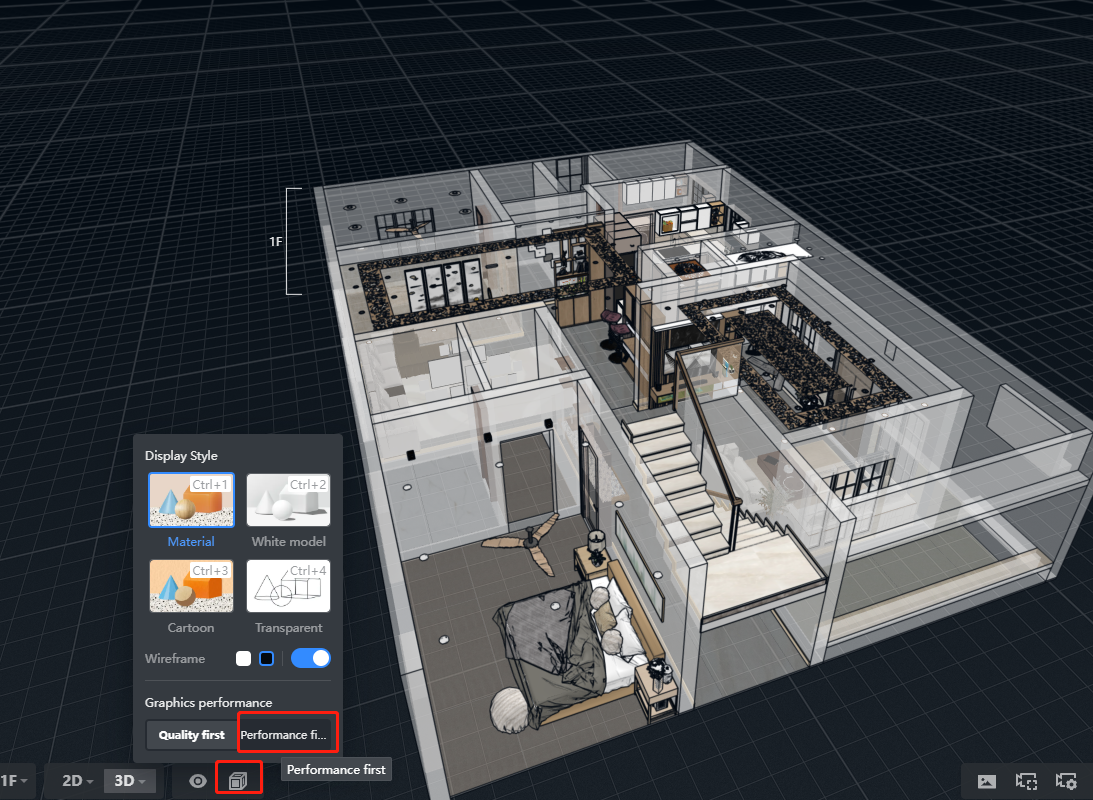
Step2:Select performance first from display mode as shown in the screenshot below.
*What is the reason for this?*
*When the project is too big or has too many complex models can cause this kind of lagging.*