# why-is-desktop-app-doesn-t-work-after-install-it
> Solve Coohom desktop app errors by deleting the config-v2.json file to fix the "room under repair" issue. Ensure smooth operation. Try these steps now!
- **URL**: https://www.coohom.com/helpcenter/why-is-desktop-app-doesn-t-work-after-install-it
- **Locale**: en_US
- **Updated**: 2025-12-03
## Content
Some users comes to service team to complain that the desktop app doesn't work after install it and get a message of room under repair.
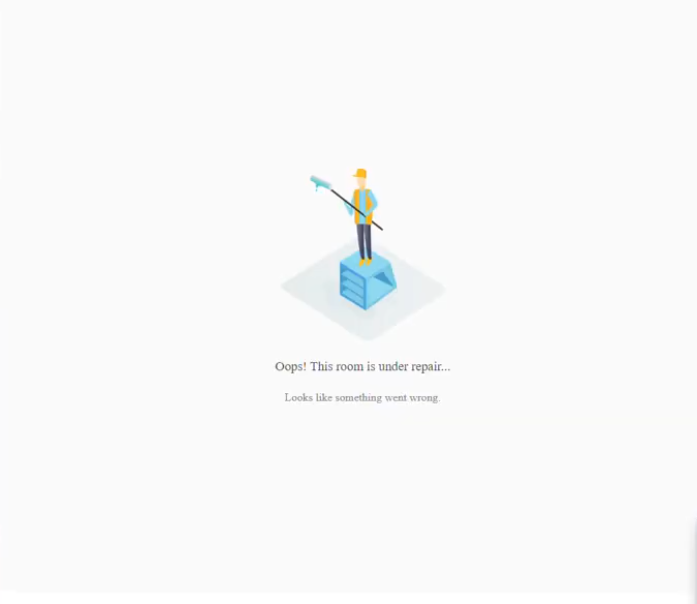
Target User: All users
----------------------
*** ** * ** ***
To solve this issue:
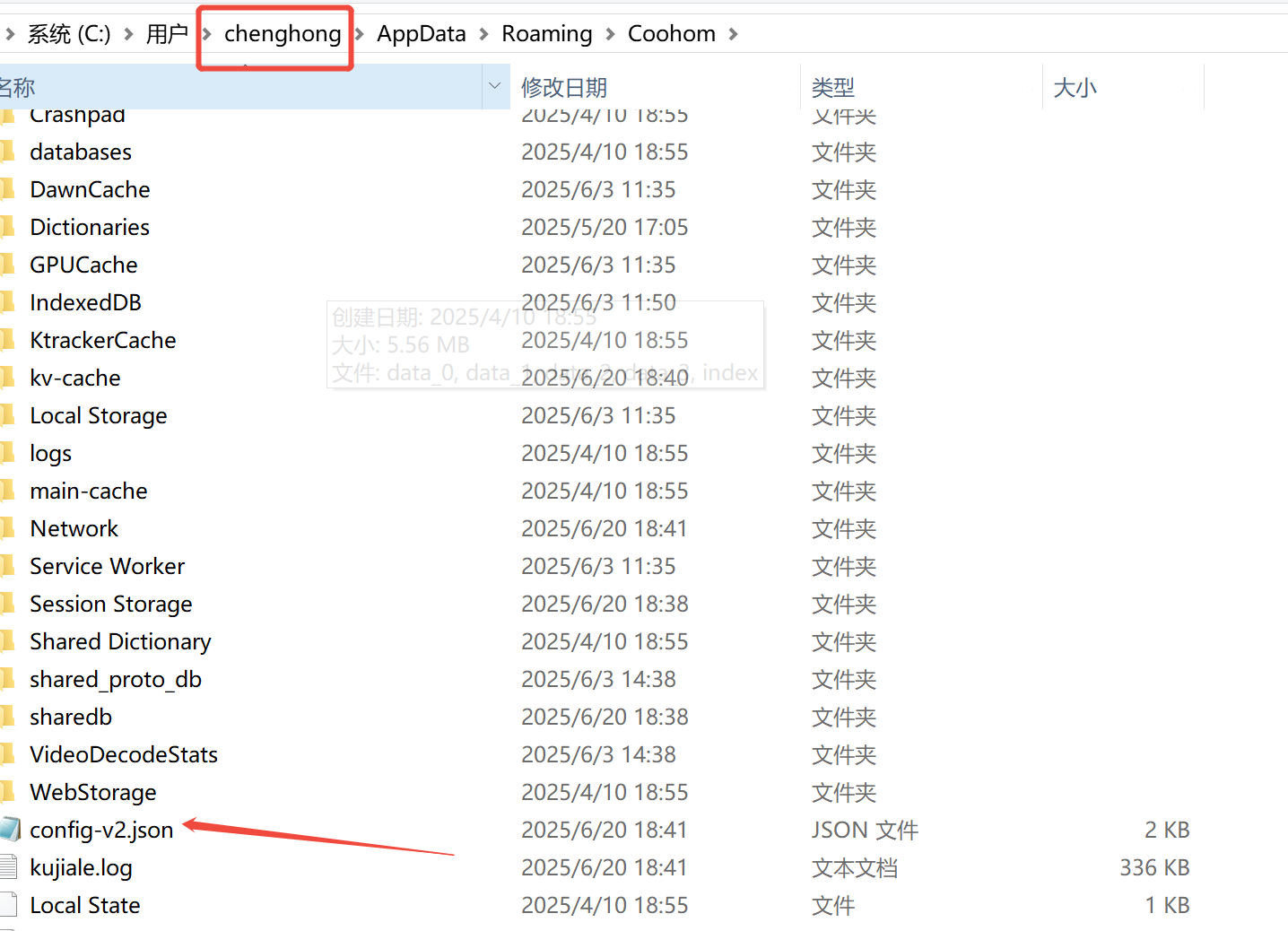
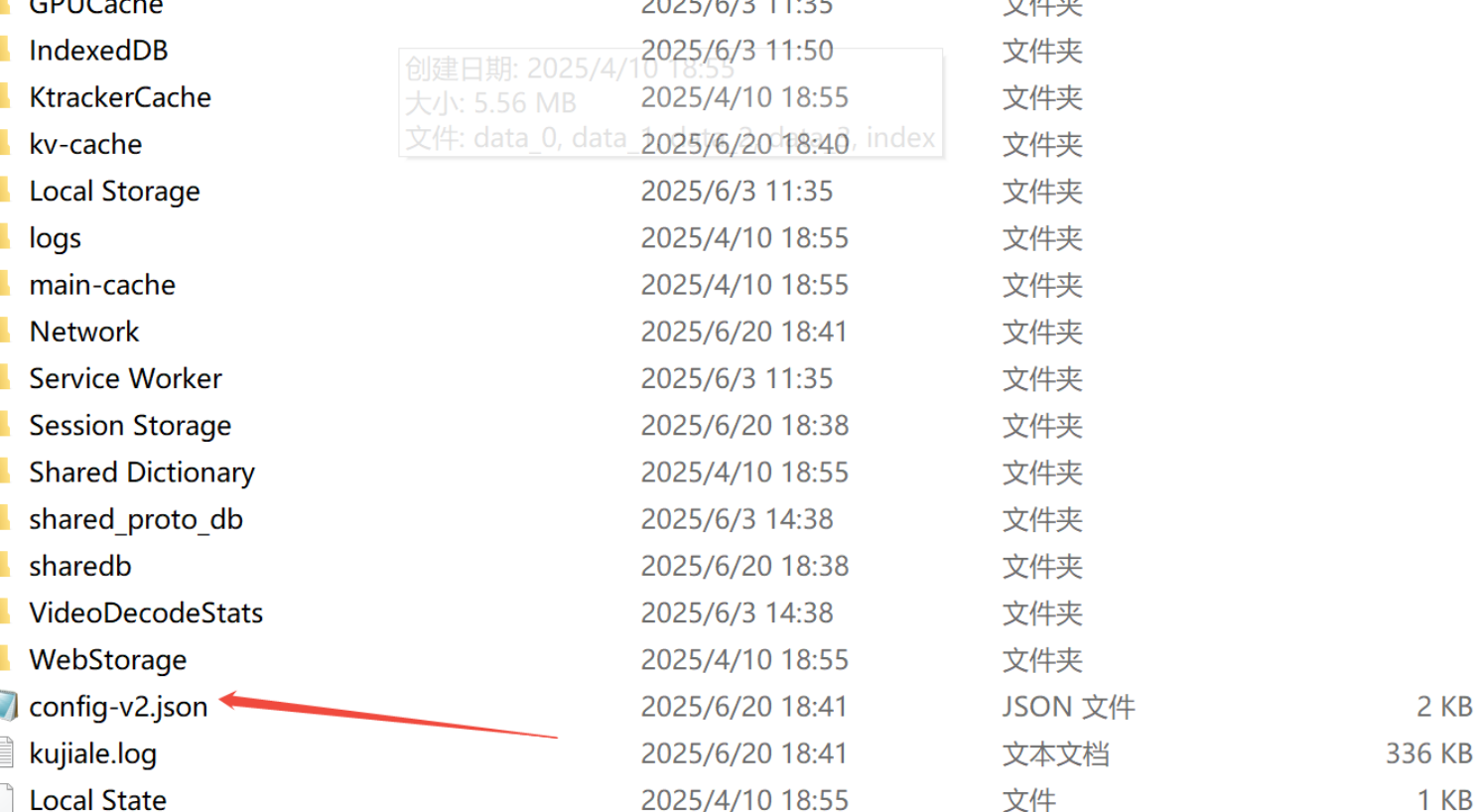
**You need to delete the "config-v2.json" file in the following file path.**
**How to find this file:**
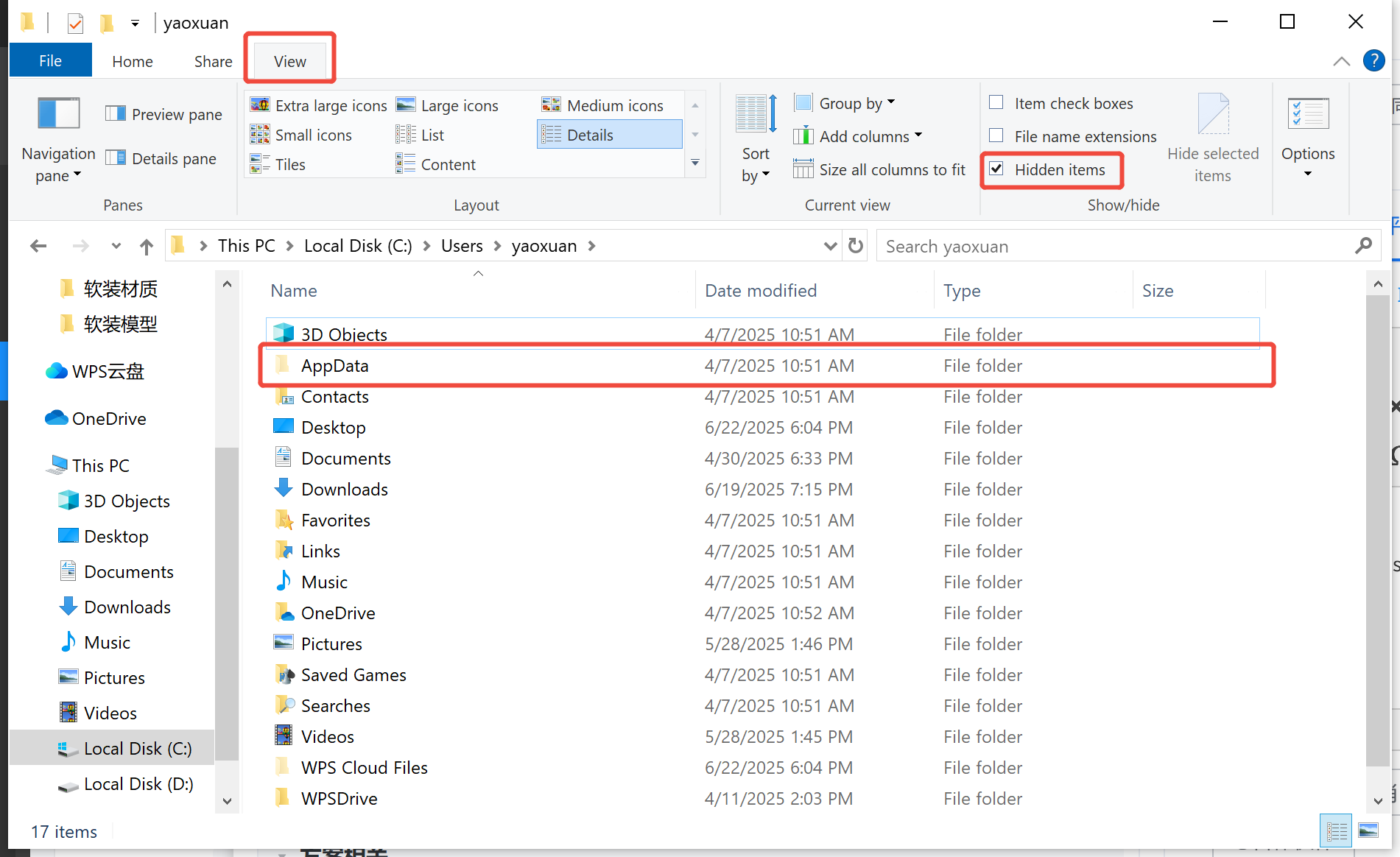
**step1: post in the C folder as per route below:C:\\Users\\xxx(your system name)\\AppData\\Roaming\\Coohom**
also you can click 'view',tick the 'Hidden items'and you will find the appdata folder in C:\\Users\\xxx(your system name)
Step2: **delete the "config-v2.json"**
**Step3: reboot coohom and try again.**