# model-materials-inspiration-library-usage-guide
> Effortlessly find and reuse favorite models in interior design projects. Learn to filter spaces, drag models, and save favorites. Start designing now!
- **URL**: https://www.coohom.com/helpcenter/model-materials-inspiration-library-usage-guide
- **Locale**: en_US
- **Updated**: 2026-10-13
## Content
Want to efficiently get inspiration for your desired space and easily reuse favorite models and interior finish? This guide will help you complete everything in one go! From filtering inspiration spaces to various ways of flexibly picking and dragging out models, and then to one-click favorites of preferred designs, every step is clear and easy to understand. Follow the steps below to quickly unlock practical operations in the inspiration library.
⭐Before reading the article, it's recommended to watch the video tutorial first to get started quickly.
\[Video URL\](https://www.youtube.com/watch?v=iixn3C8PnLU)
For Users
=========
All Coohom individual designers
Open the Inspiration Library
============================
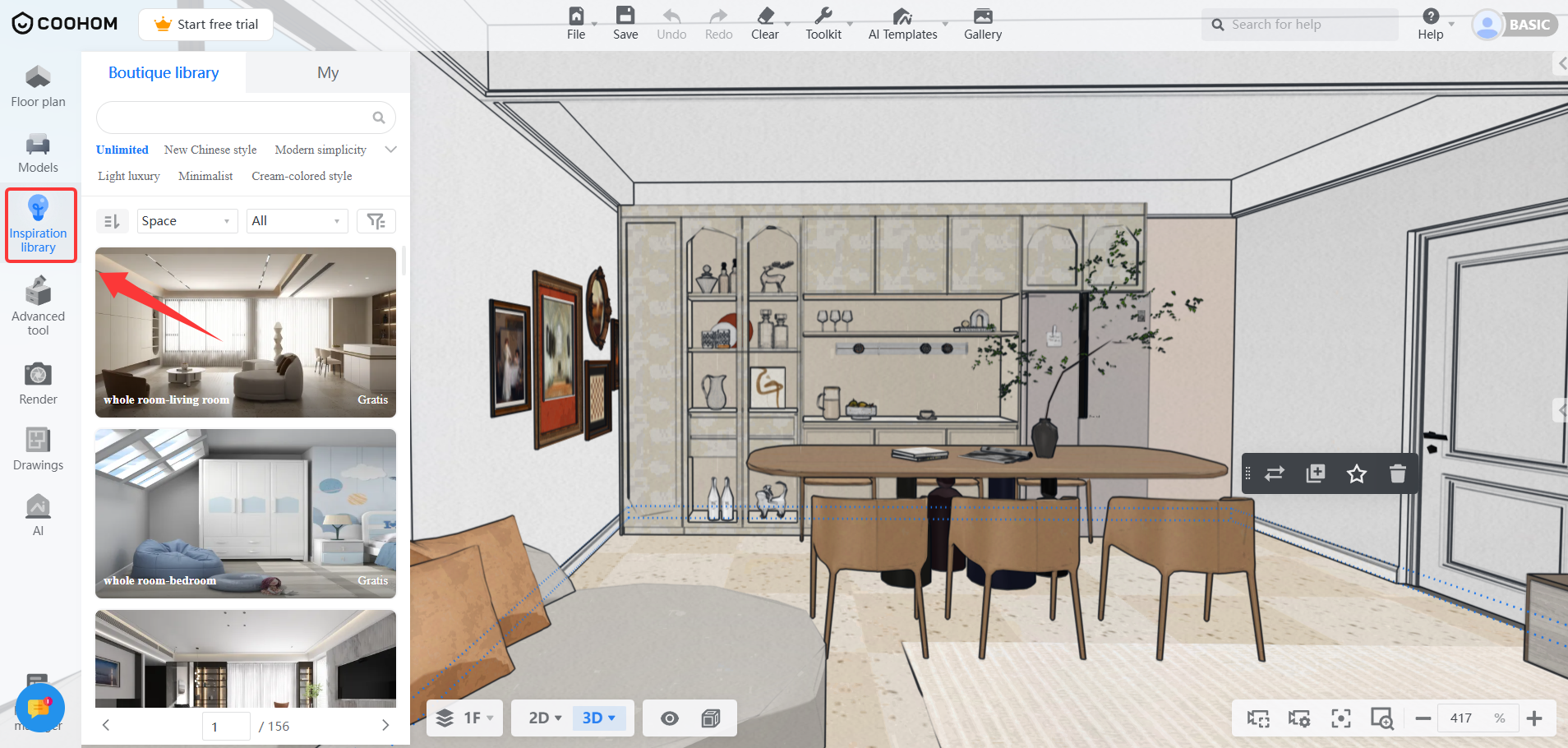
Enter the interior design tool, choose **Inspiration Library** from the left sidebar.a
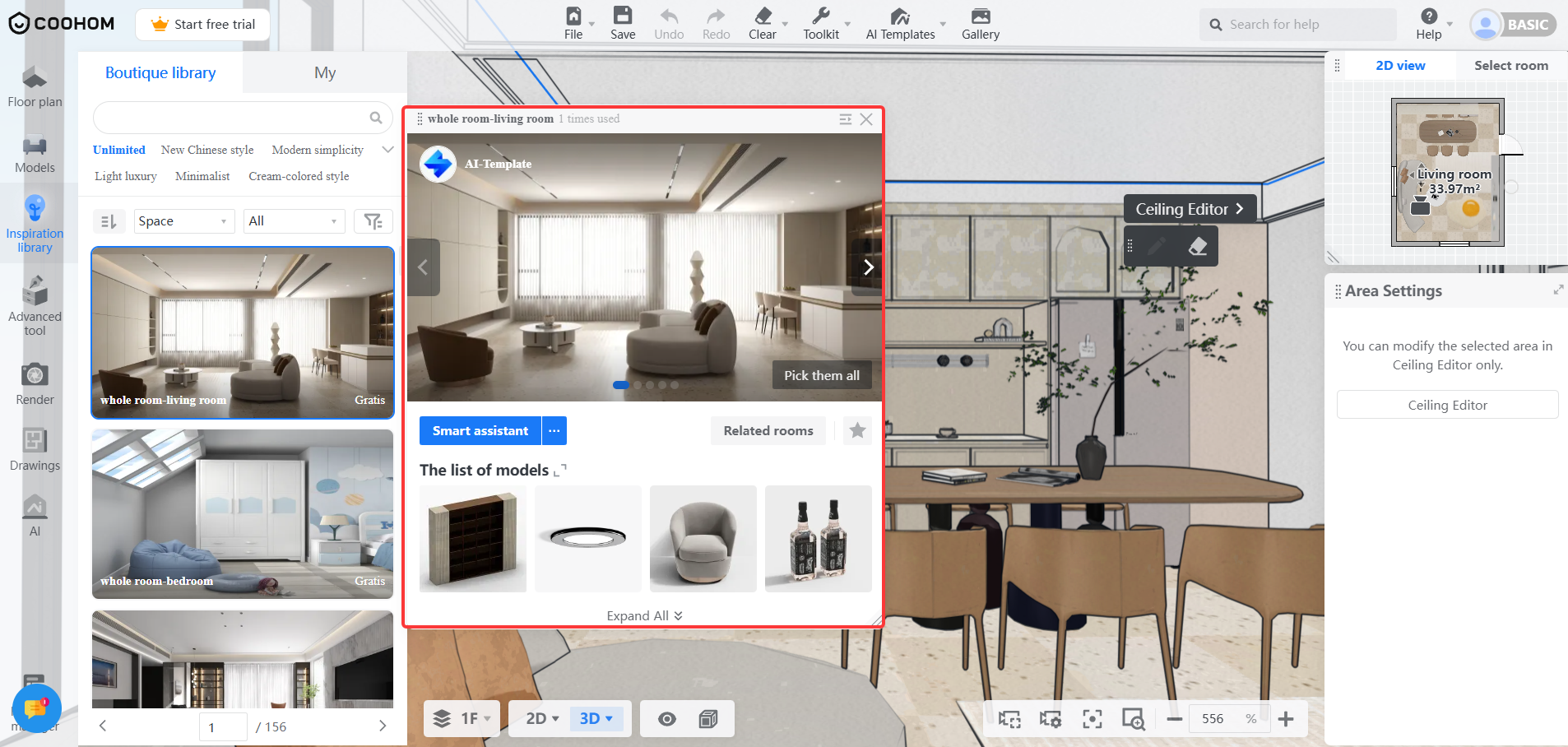
Click any project from **Boutique Library** to expand the details page.
Filter Inspiration Spaces
=========================
Select Inspiration Space Style
------------------------------
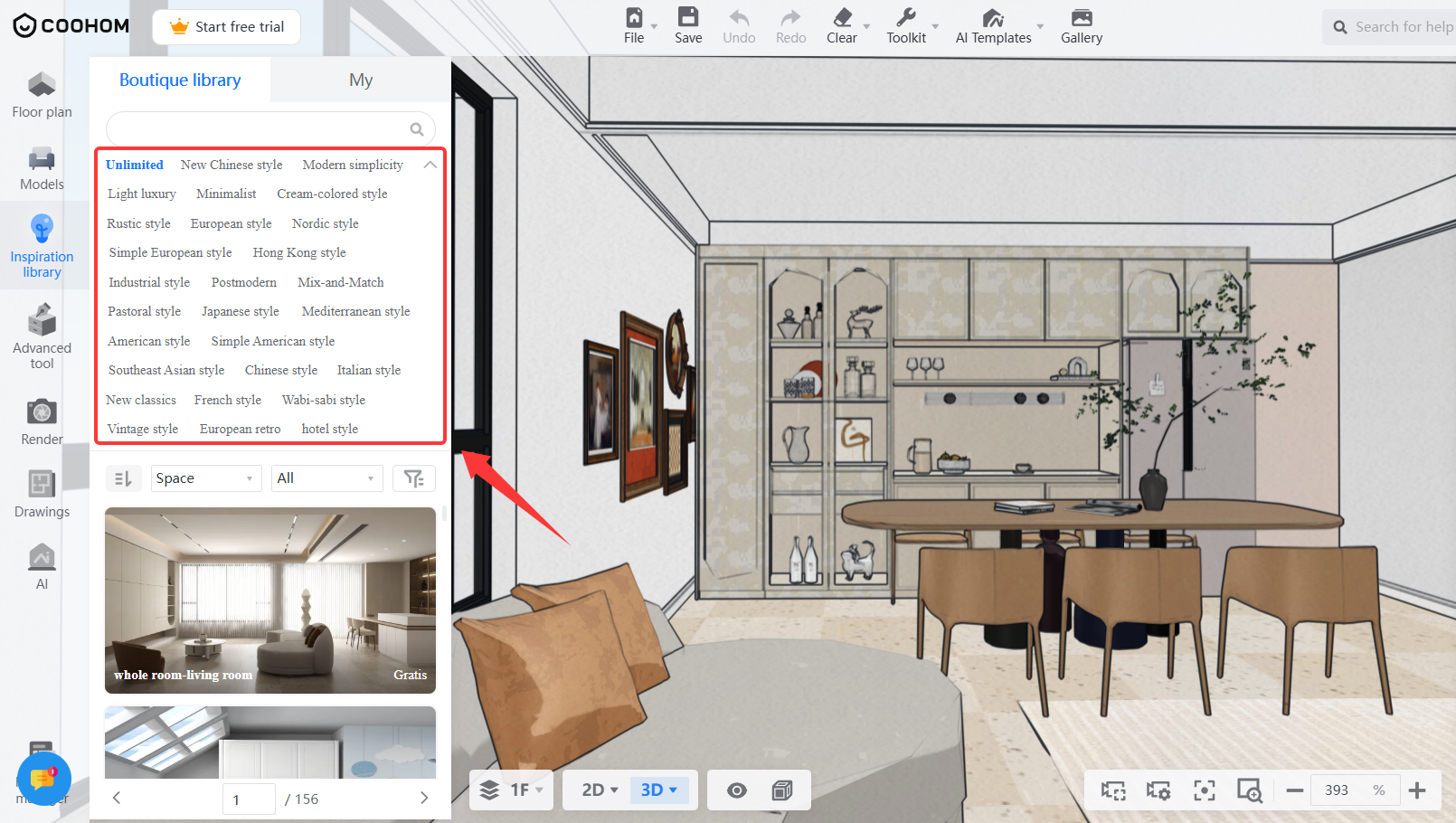
Select your favorite **Inspiration Space Style**: French style, New Chinese style, European style...
Select Inspiration Space Type
-----------------------------
Select the **Space Type** you need to design: living room, bedroom, kitchen...
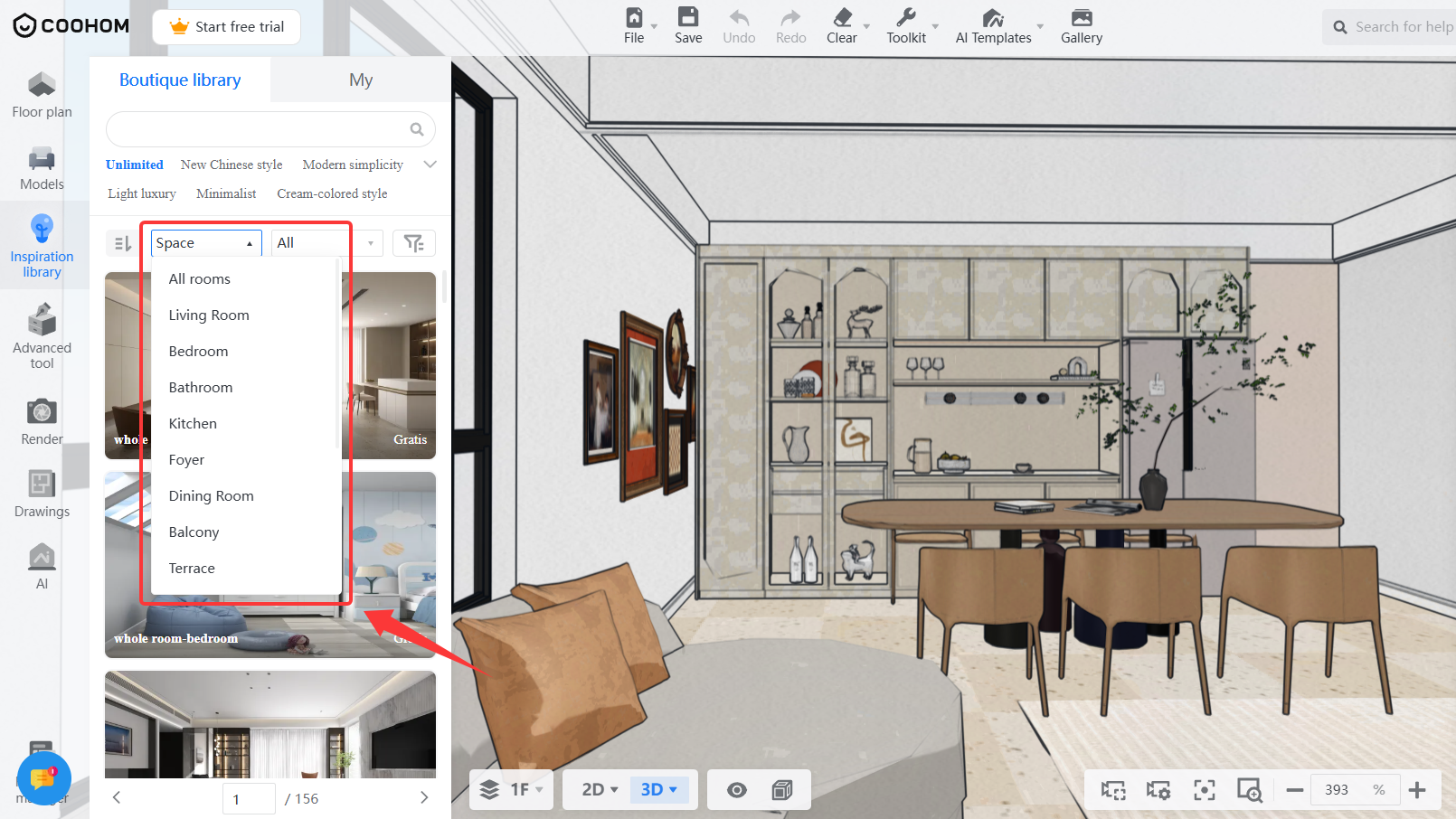
Enter Keywords to Search Inspiration Spaces
-------------------------------------------
You can also input style types related to the space, which can help you quickly find the most suitable inspiration space.
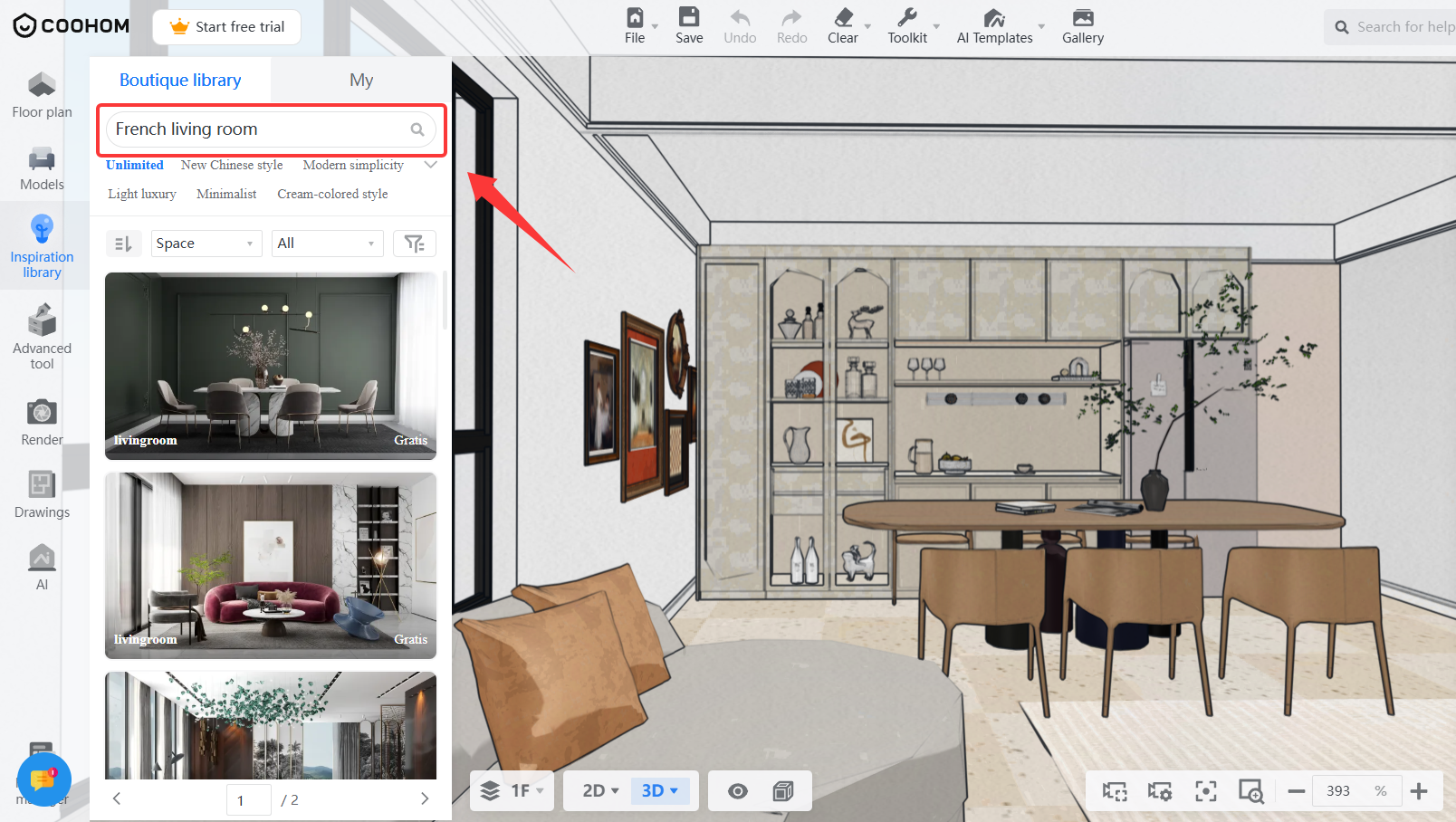
Pick and Drag Out Models
========================
Pick Models
-----------
There are two ways to pick models: you can click on the models in the inspiration space above or choose models from the model list below to drag them out.
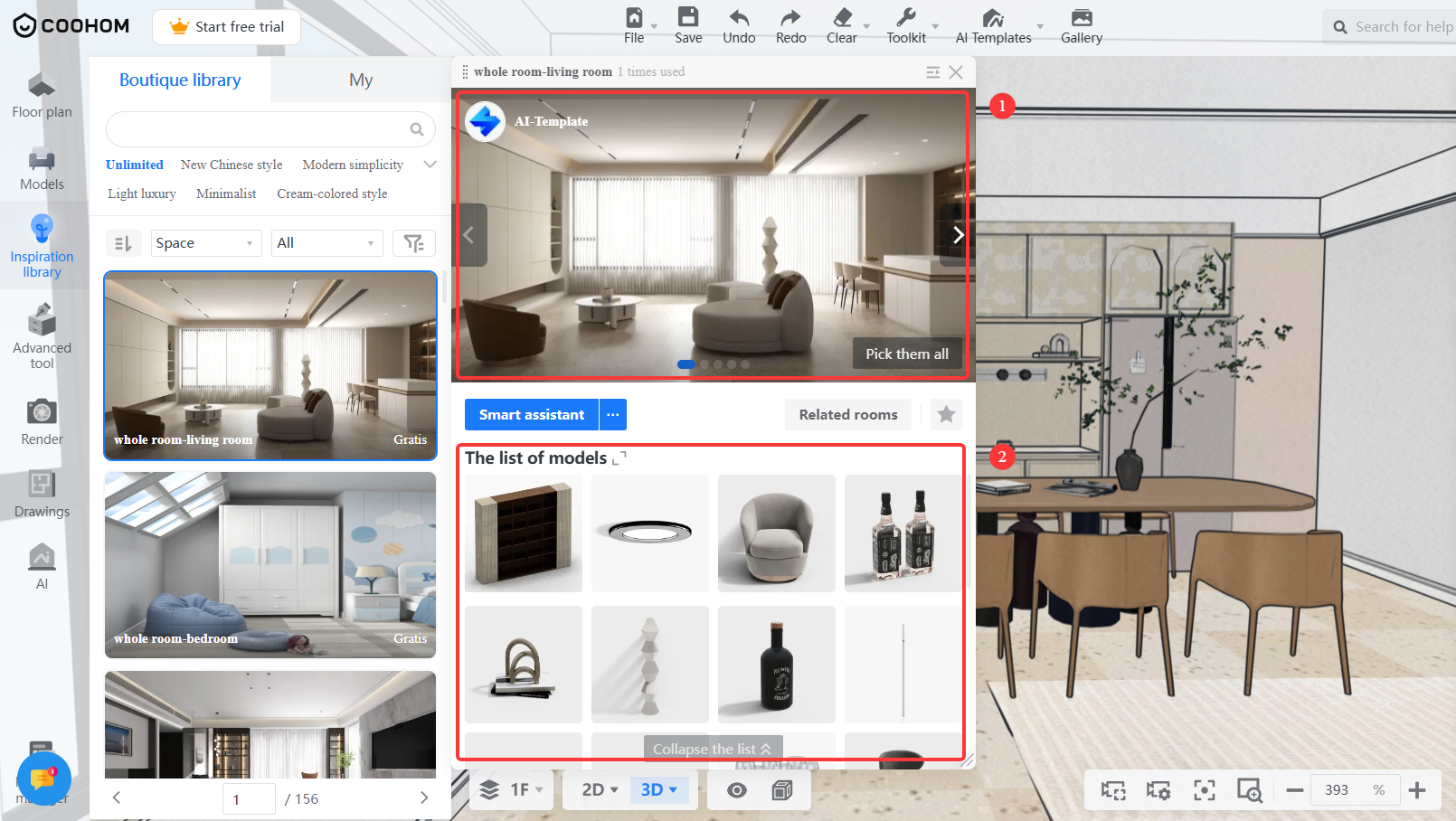
Pick Interior Finish
--------------------
Click on the interior finish you like in the above inspiration space, then click the ceiling, wall, and floor in the project where you want to apply them.
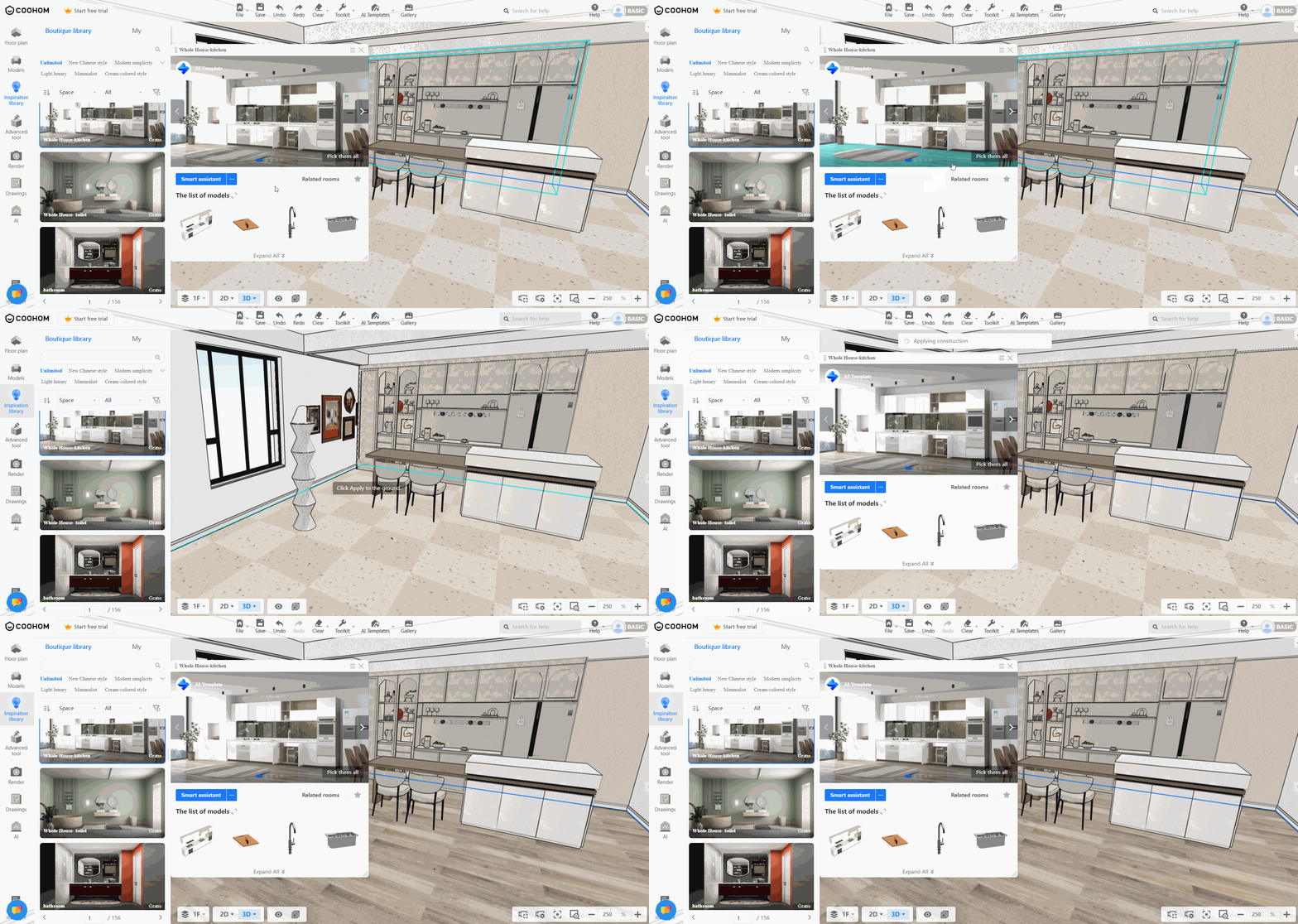
Single Select Model Drag Out
----------------------------
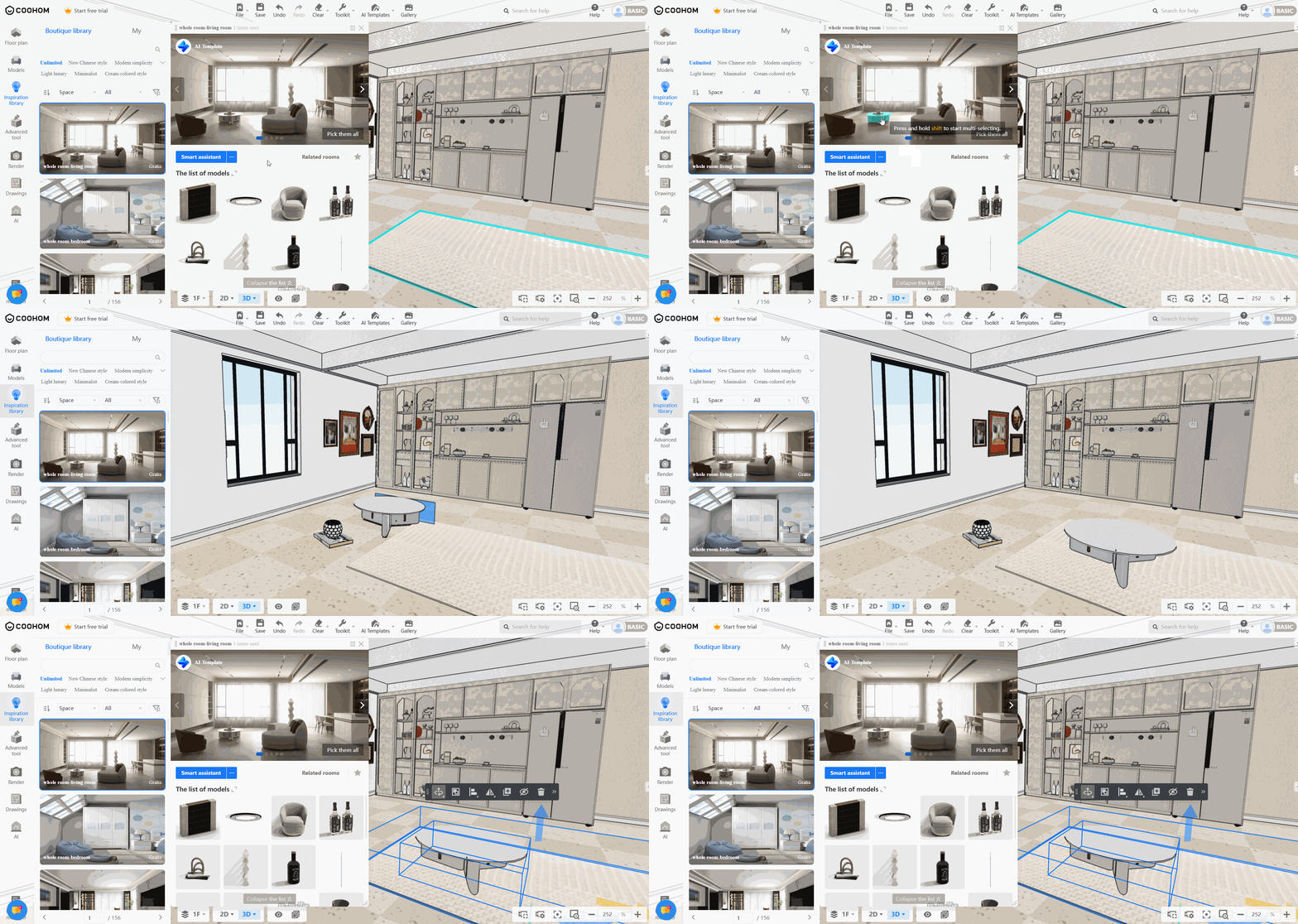
Hover over the model location in the inspiration space, and once the model is highlighted, click to drag out the model.
Multi-Select Model Drag Out
---------------------------
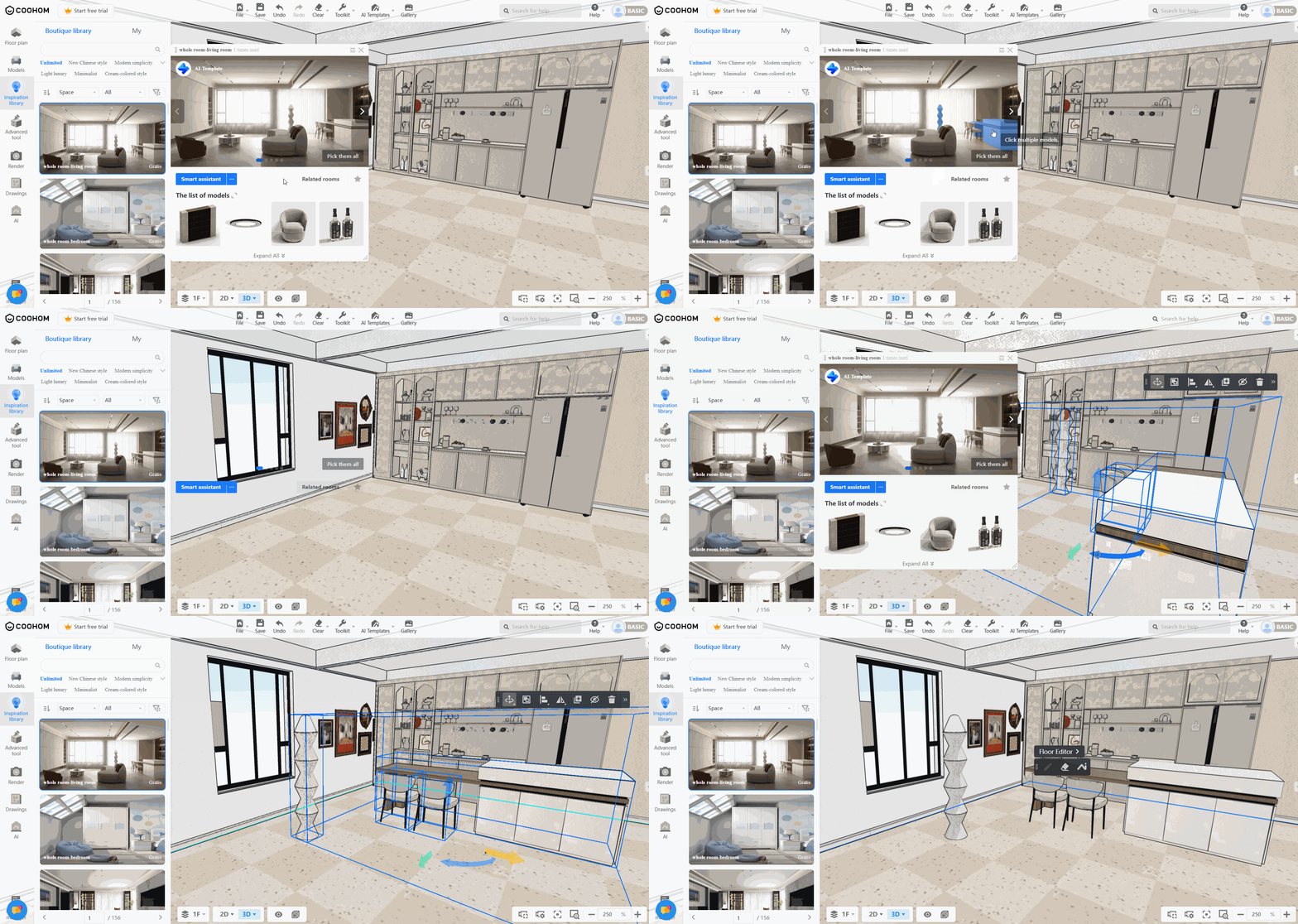
**Hold shift** to select multiple models. Release shift to drag the selected models into the project.
* **Note:** Multi-selection only supports soft furnishing models. It does not support interior finish. When interior finish is selected, holding shift will not allow the selection of other models.
Select All Models Drag Out
--------------------------
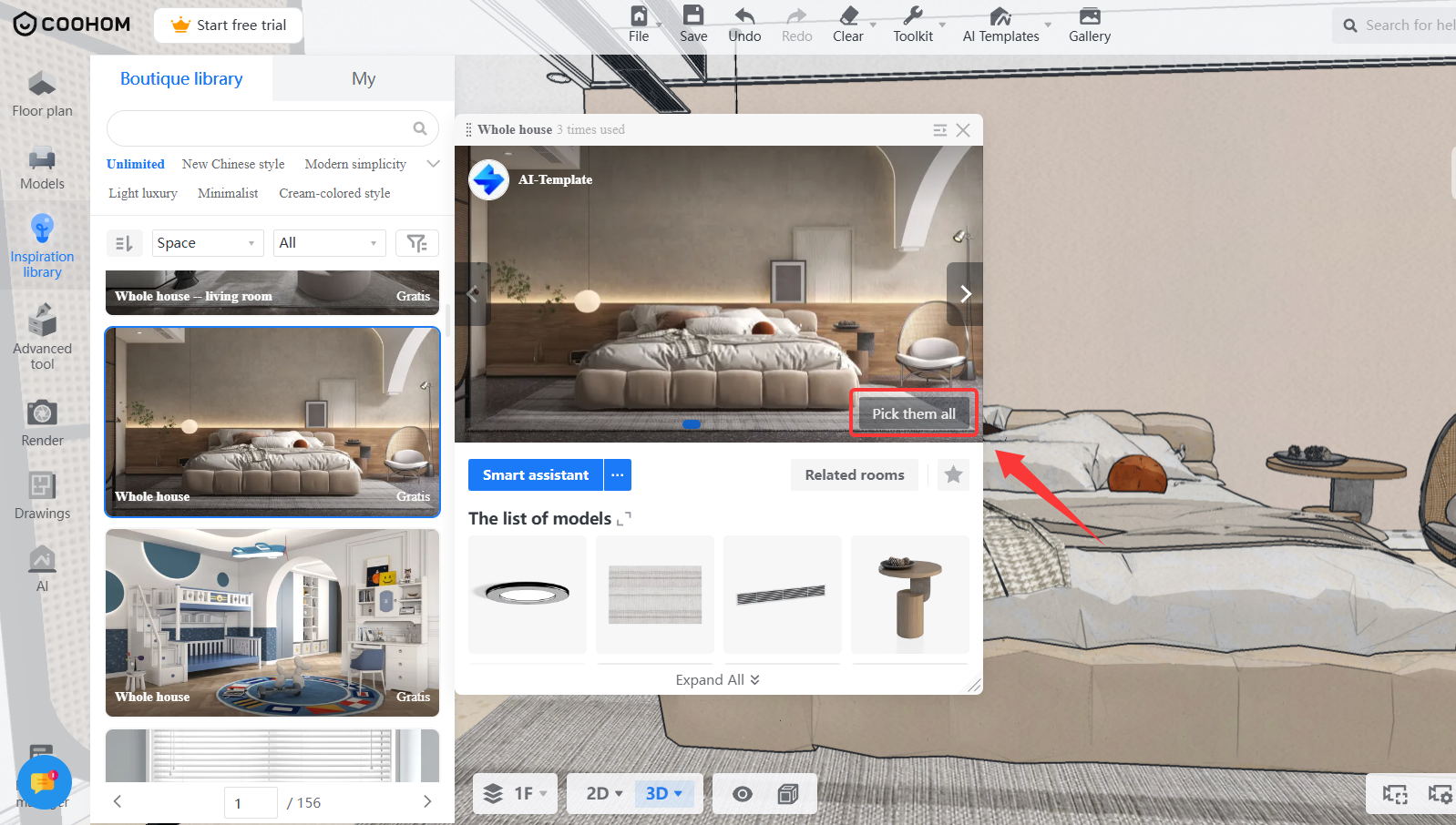
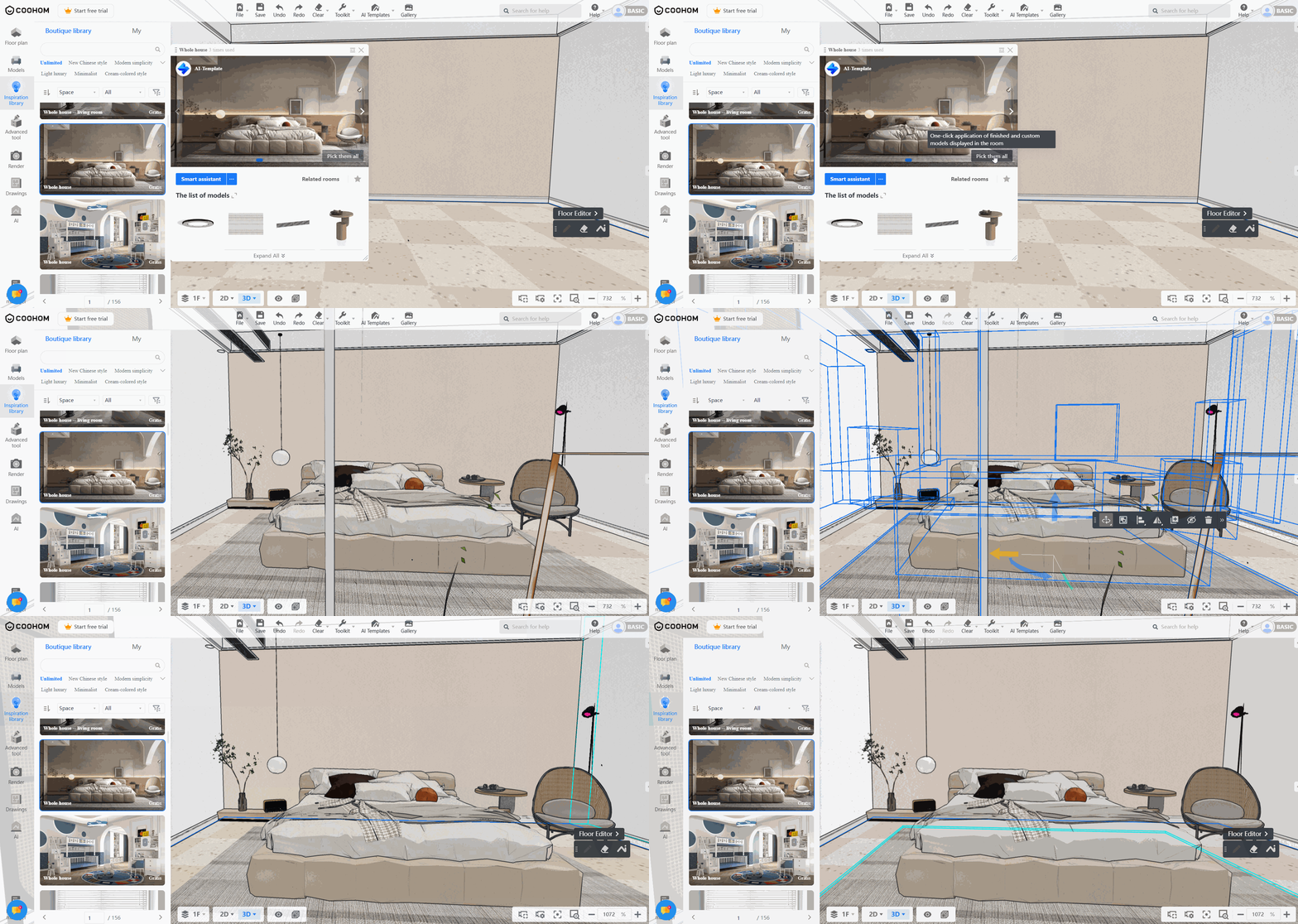
Click **Pick them all** in the space to pick and drag out all models from the inspiration space with one click.
* **Note:** When all models are selected, their relative positions will remain consistent with the inspiration space. Adjustments may be needed after dragging them out.
Favorite Inspiration Spaces
===========================
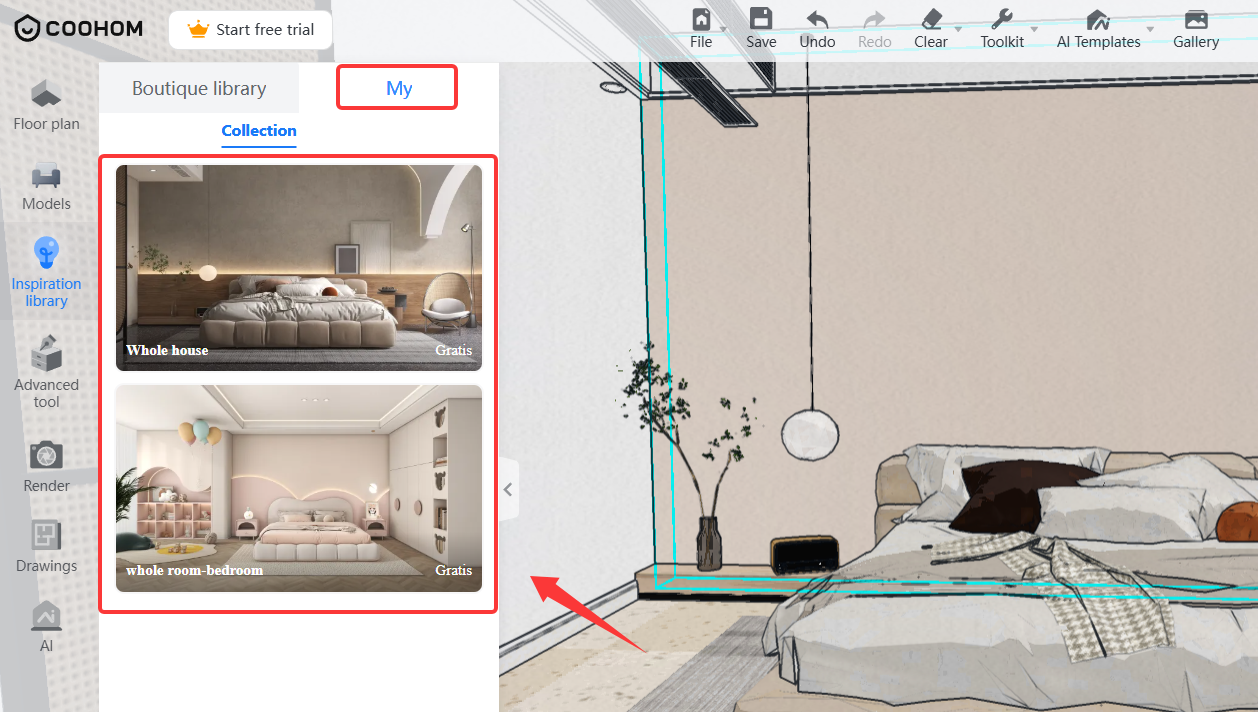
You can click on **Favorites** from the left sidebar or from the details page, click the ⭐ button below your favorite inspiration space to add it to your favorites with one click.
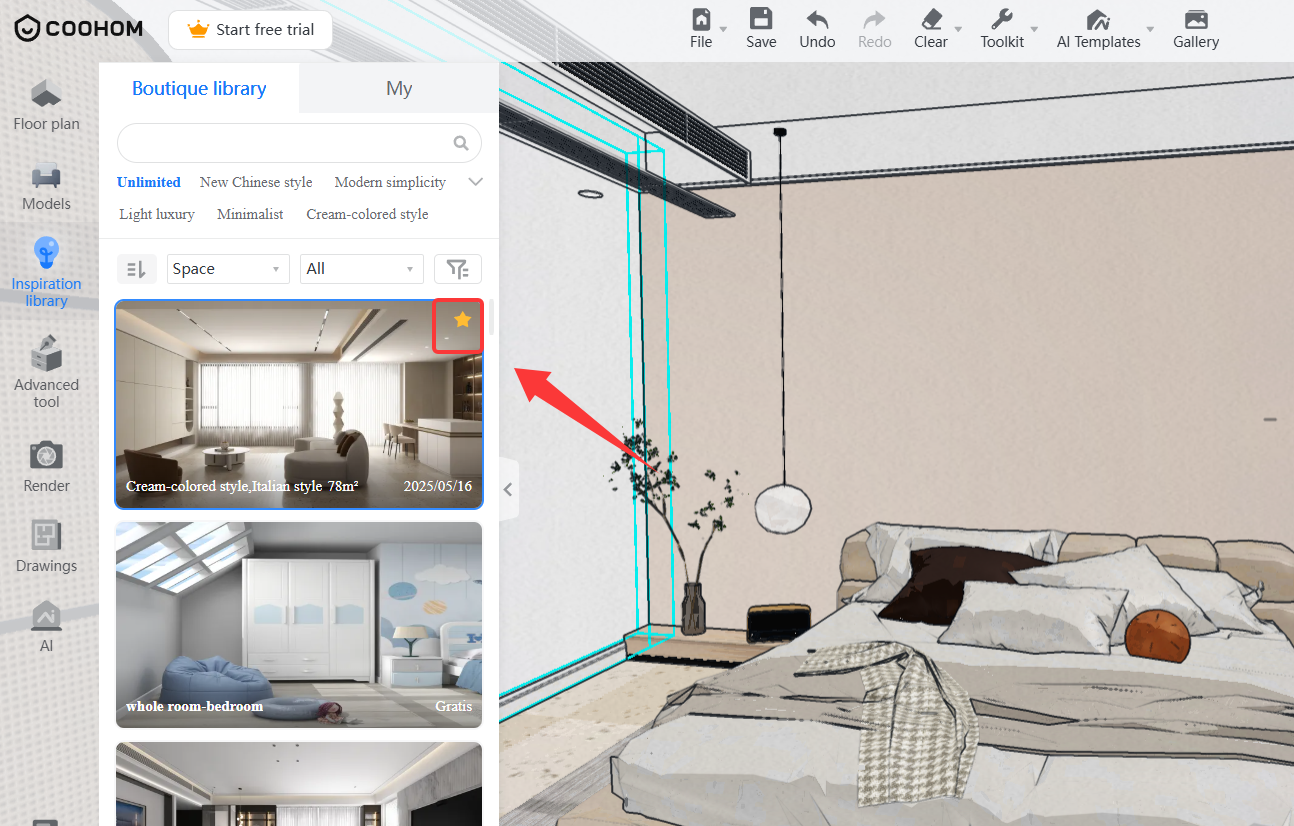
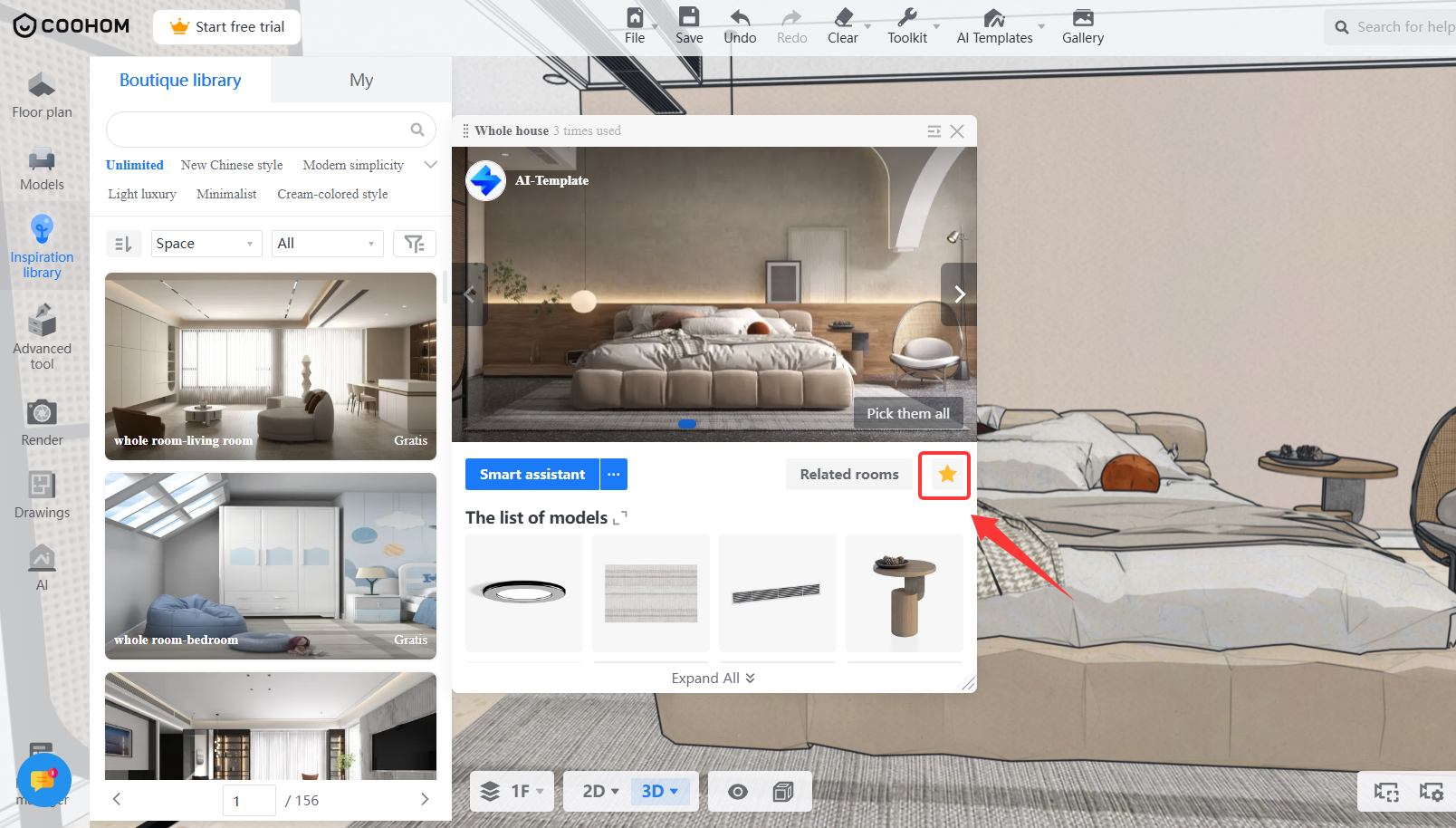
Once favorited, you can view the spaces you've added to favorites in **My.**