# how-to-resolve-render-failed-error-in-video-rendering
> Learn how to resolve Coohom's render failed error and optimize high-quality video creation using real-time lighting templates. Start rendering seamlessly now!
- **URL**: https://www.coohom.com/helpcenter/how-to-resolve-render-failed-error-in-video-rendering
- **Locale**: en_US
- **Updated**: 2026-05-21
## Content
Dear Coohomers,
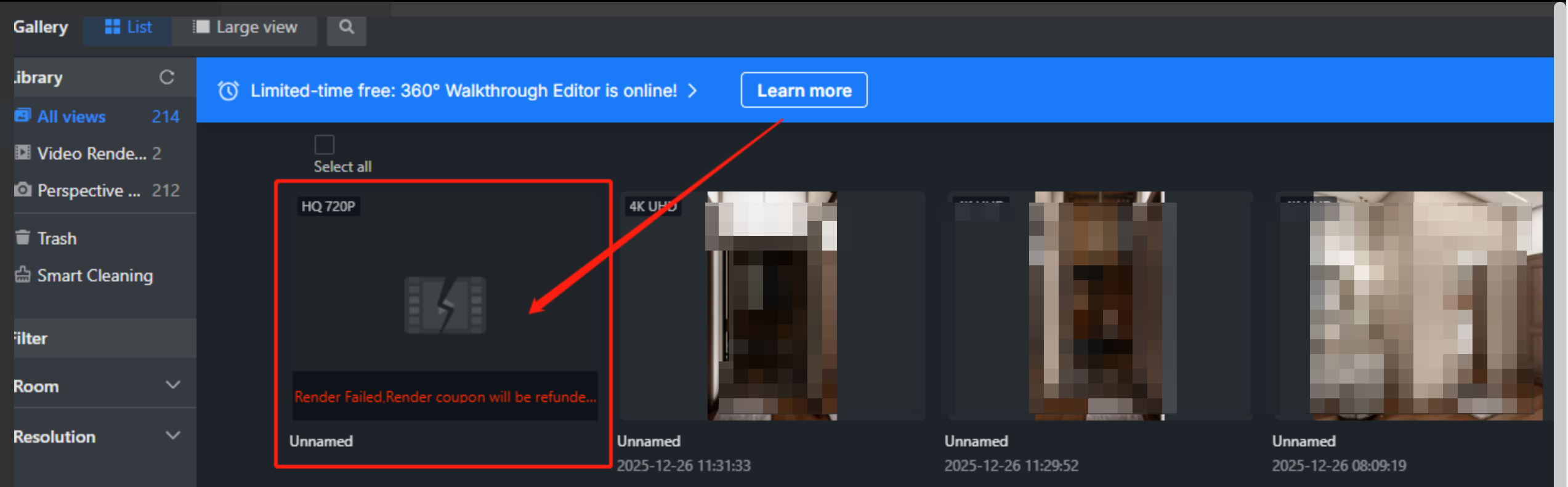
If you have encountered the error message **"Render Failed. Render coupon will be refunded to your account."** while using the Coohom rendering tool, you are not alone. This issue commonly arises when attempting to render high-quality (HQ) videos and can be frustrating when your project is interrupted. Understanding the cause of this error and applying the appropriate resolution will help you complete your renders smoothly.
Users: All Users
----------------
*** ** * ** ***
### Possible Cause of the Error
The primary reason for the render failure, especially with HQ videos, is that the rendering engine of certain lighting templates is running low on memory. High-quality video rendering is resource-intensive, and when the system's memory is insufficient, the rendering engine may crash mid-process. This interruption triggers the error message, and as a courtesy, Coohom refunds the render coupon to your account.
### Recommended Resolution
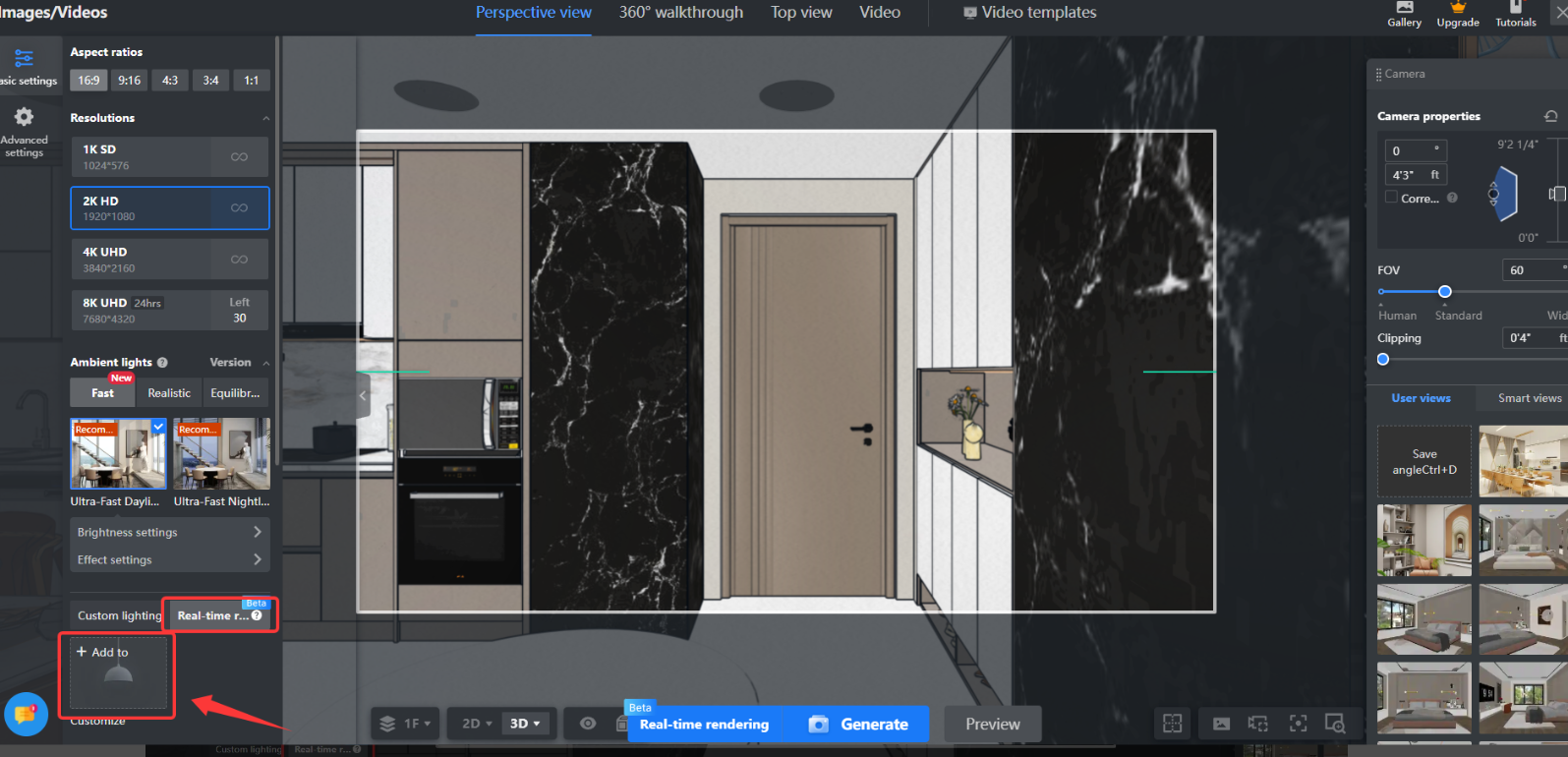
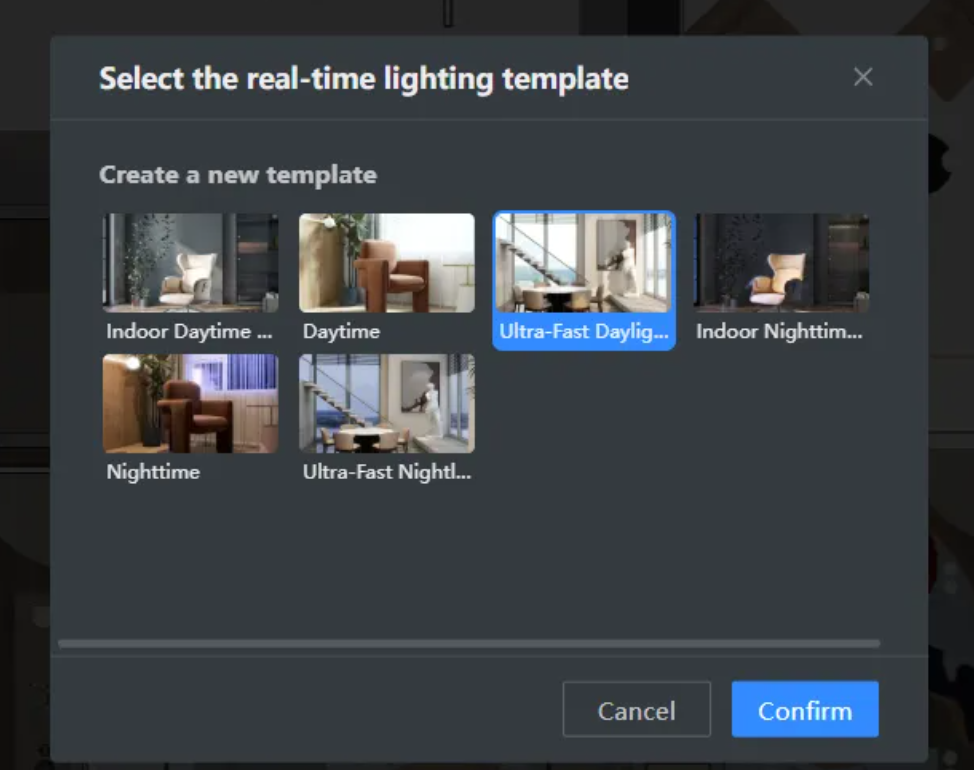
To fix this problem and successfully render your video, please switch your project to use the **Real-Time Lighting template** which is of 3.0 or above lighting template. The rendering engine of real-time lighting templates is the **mainstream engine**that Coohom developed and can generate rendered results of best quality and with fastest speed. By redoing the render with this template, you can complete your video without easily encountering the memory-related failure.
Step 1: Select the real-time lighting template you want to use first and customize the light in image mode and save.
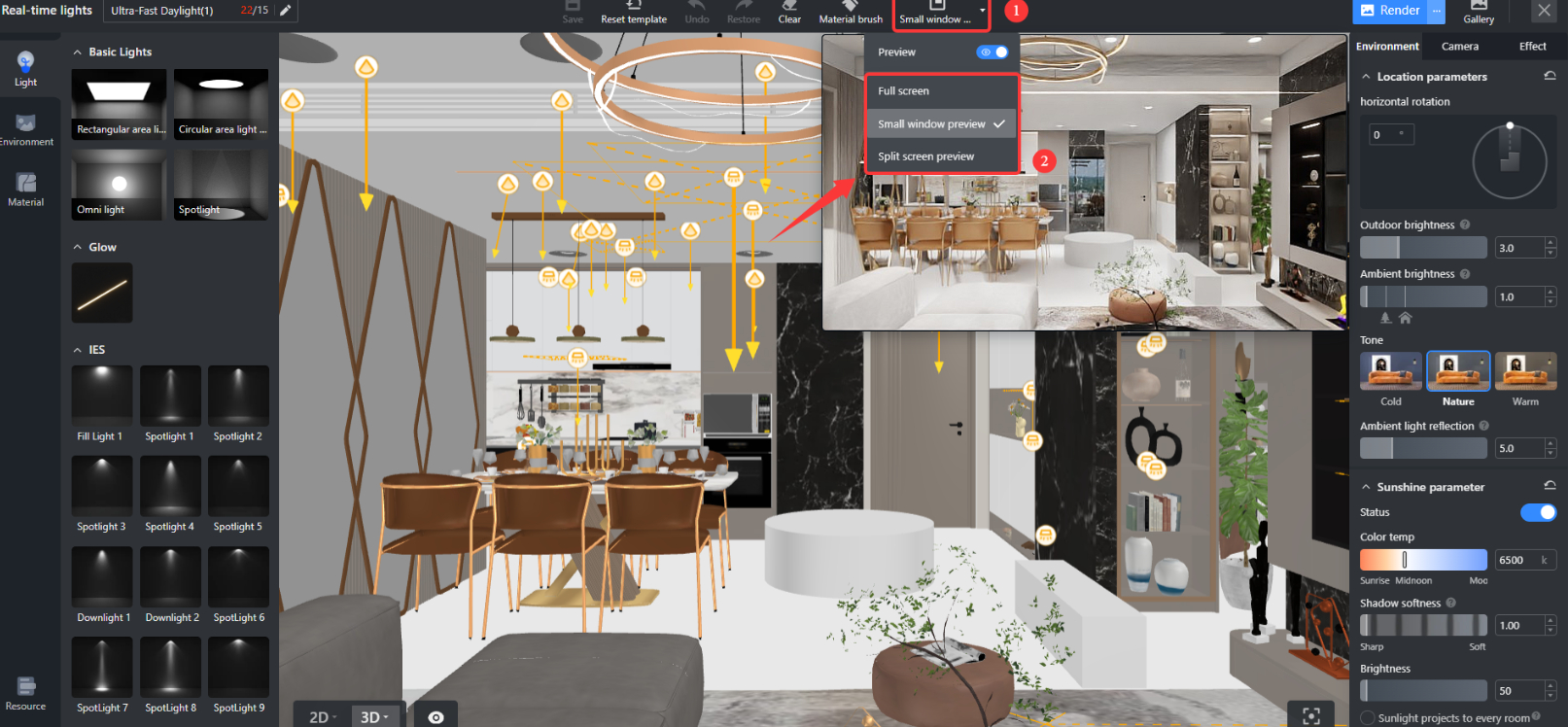
Step 2: Get out of the lighting customization mode to switch to video render interface and start generating the video.
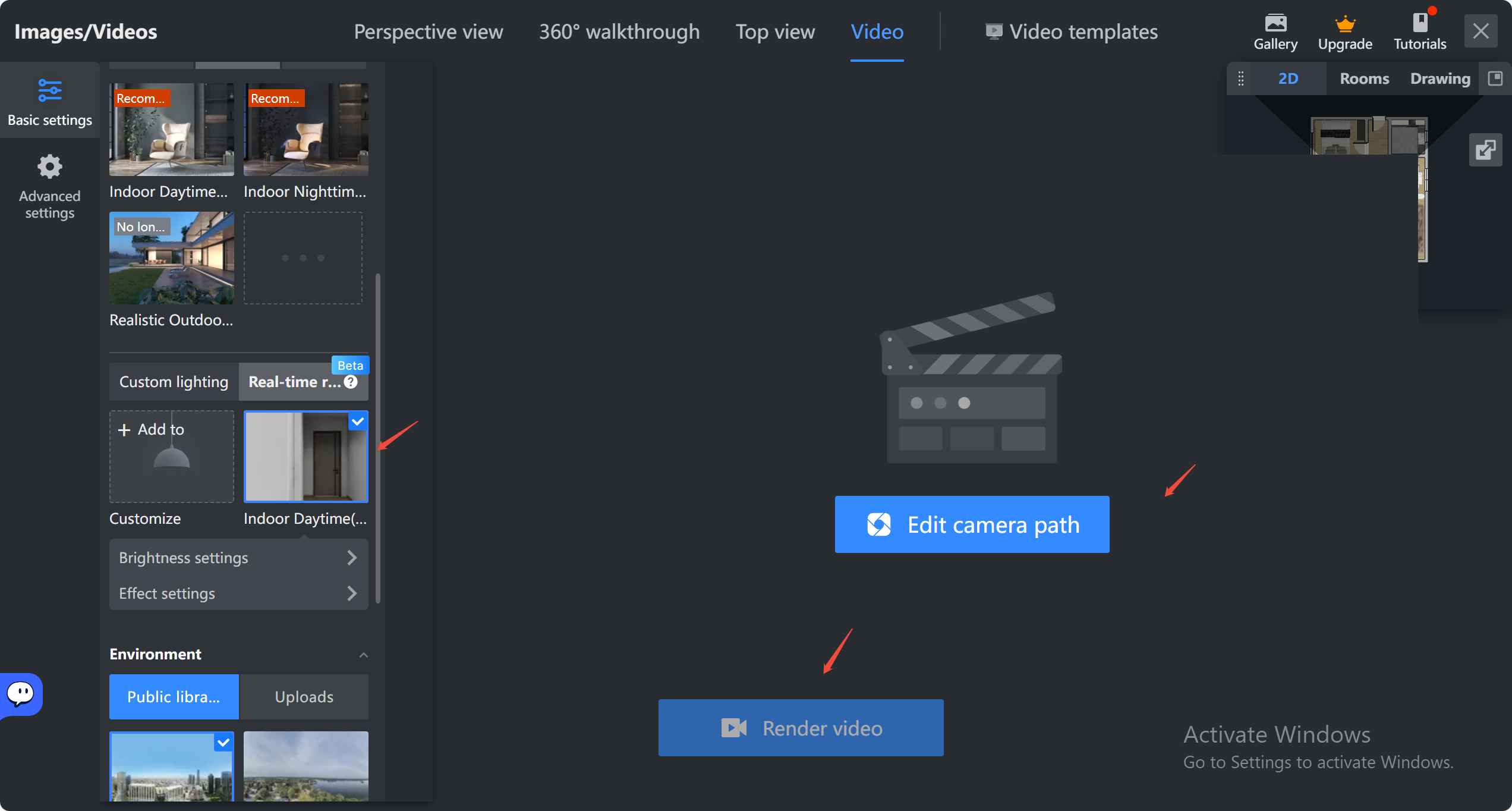
By following these steps, you can mitigate render failures and optimize the performance of the Coohom rendering tool, whether you are producing high-quality videos or quick real-time visualizations.
But there may be other factors such as large design, complex designs with lots of refined models etc that can also cause the failure of the video render. In cases that you cannot resolve by yourselves, please feel free to contact Coohom Customer Service team via: [support@coohom.com](mailto:support@coohom.com).