# enterprise-product-authorization-operation-guide
> Learn to create and authorize self-created packages for models and finishes across enterprises. Enhance collaboration and resource sharing. Start designing now.
- **URL**: https://www.coohom.com/helpcenter/enterprise-product-authorization-operation-guide
- **Locale**: en_US
- **Updated**: 2026-08-21
## Content
Enterprise users can authorize other enterprise users to access their products and grant them independent editing permissions, allowing them to maintain product information autonomously.
For Users
=========
Coohom enterprise administrators
Initiate Authorization
======================
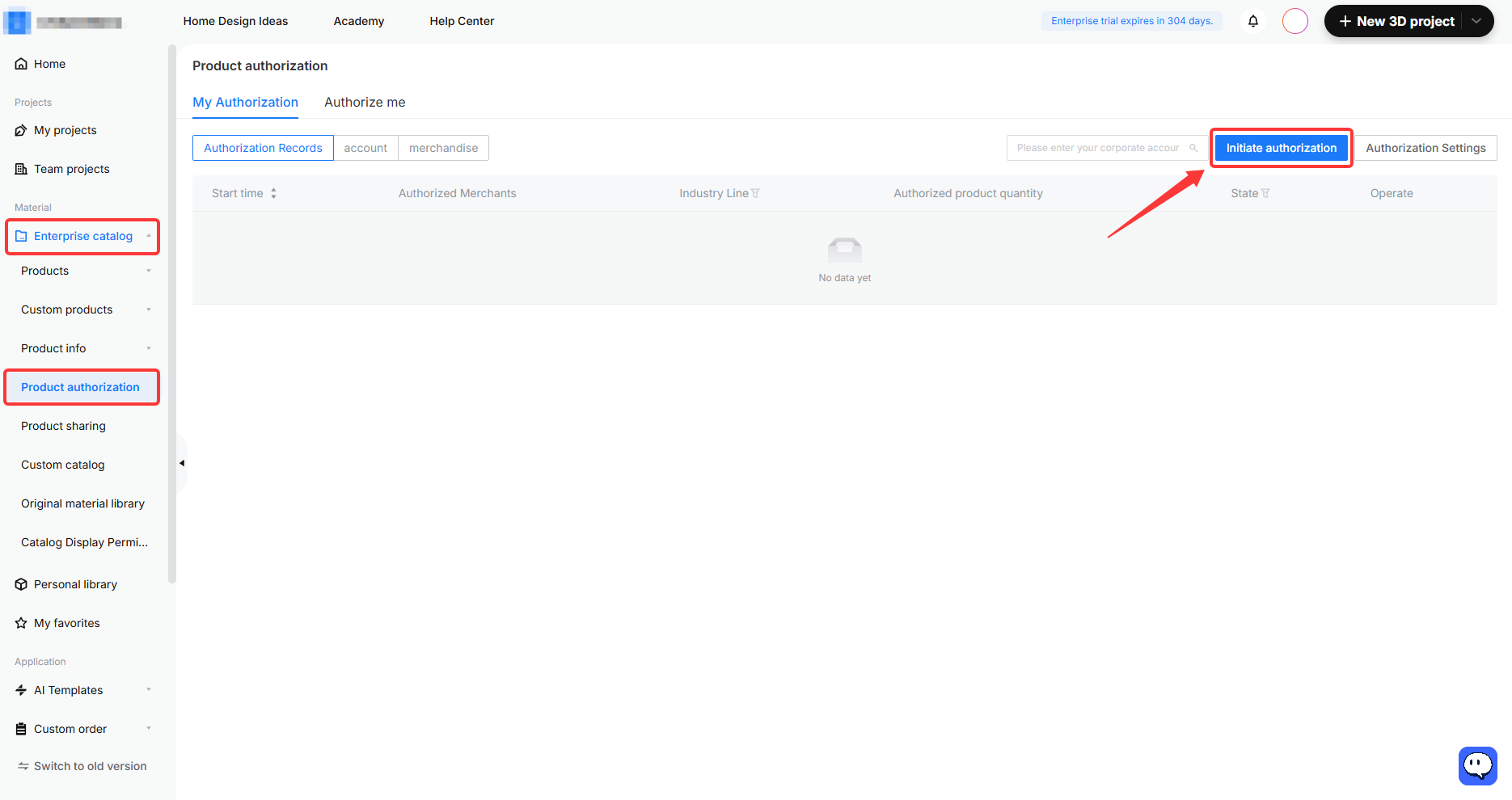
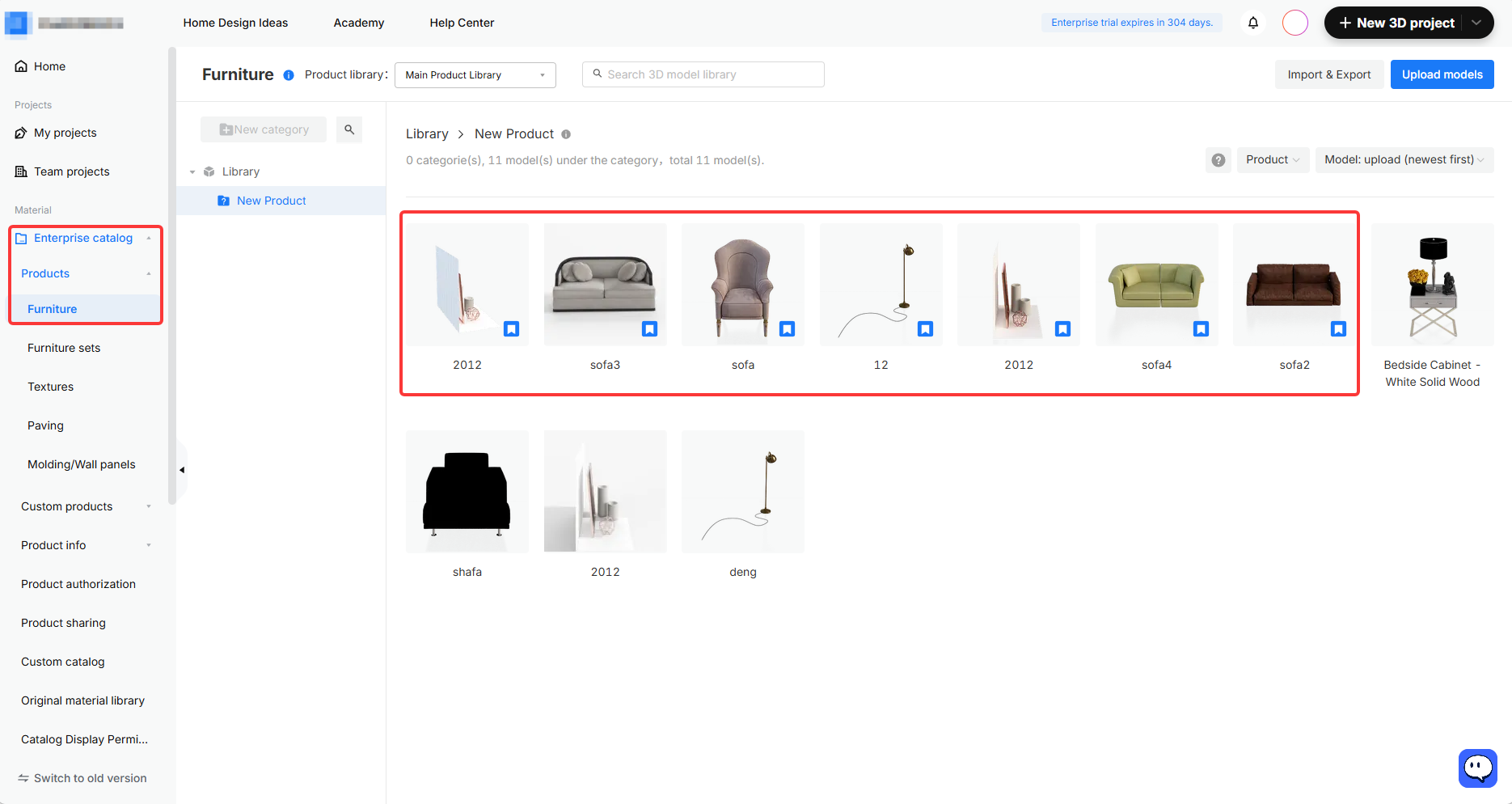
1. As the authorizing party, go to **Enterprise Catalog --- Product Authorization** in your workspace and click **Initiate Authorization** in the upper-right corner.
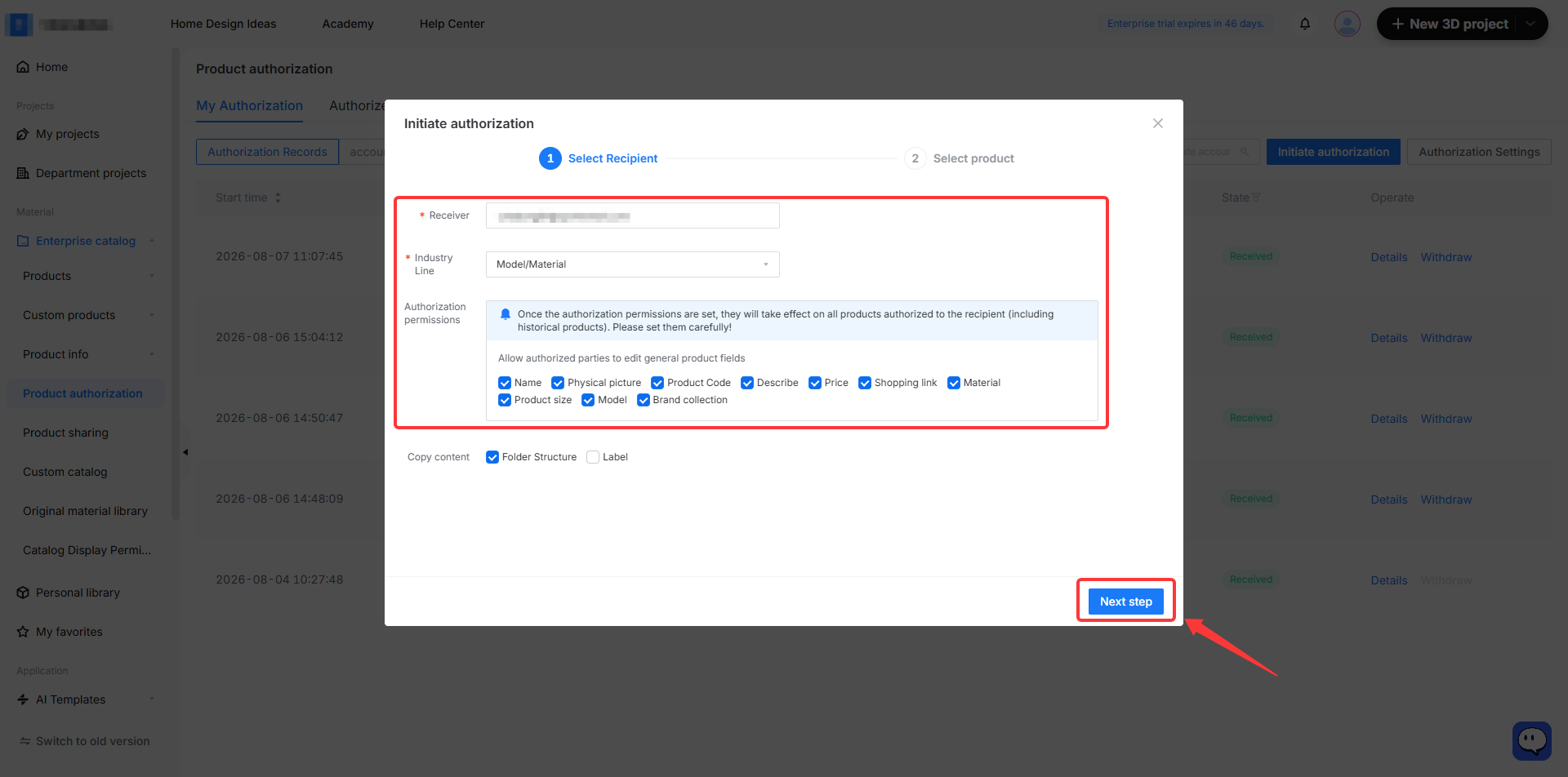
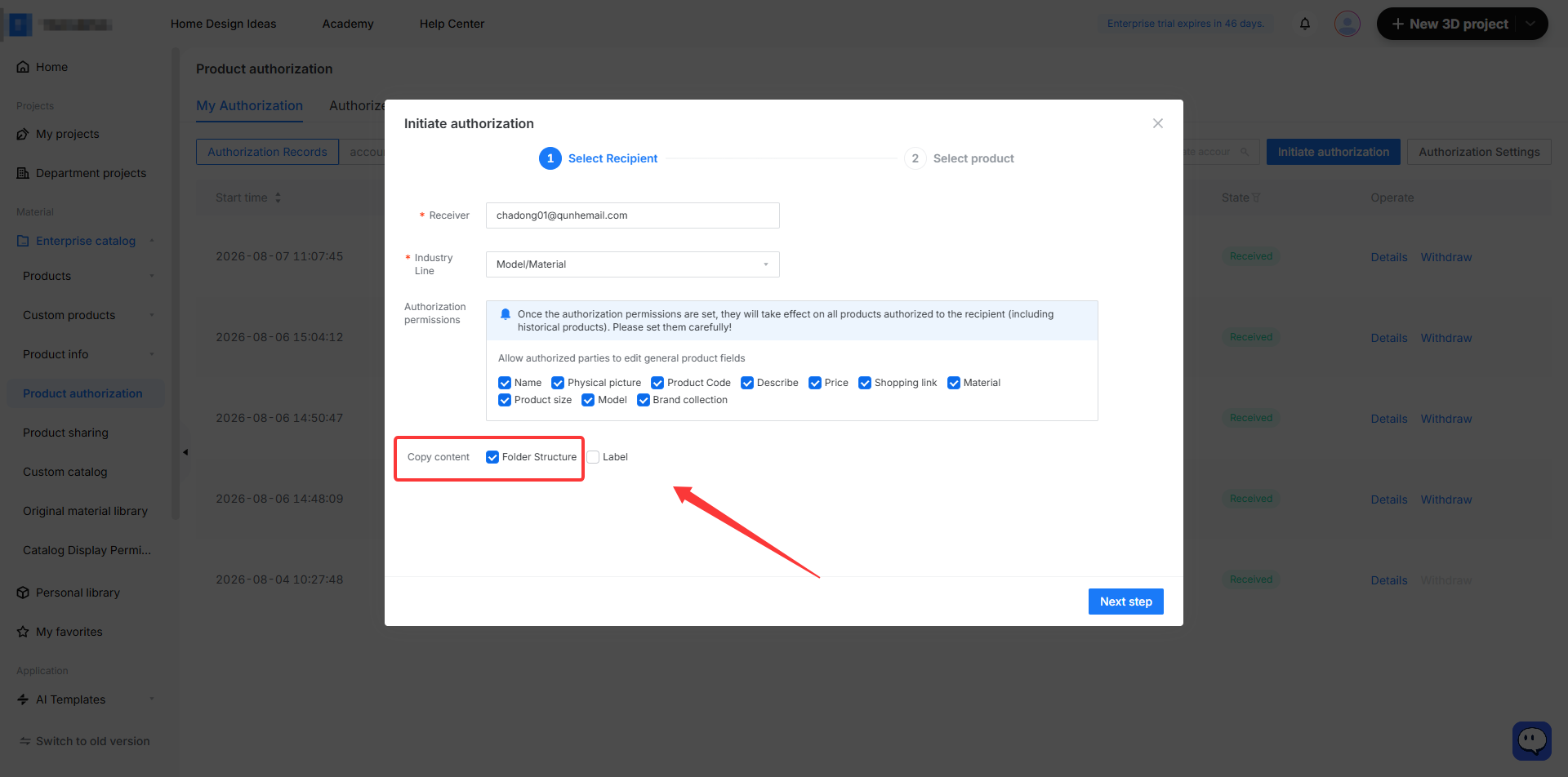
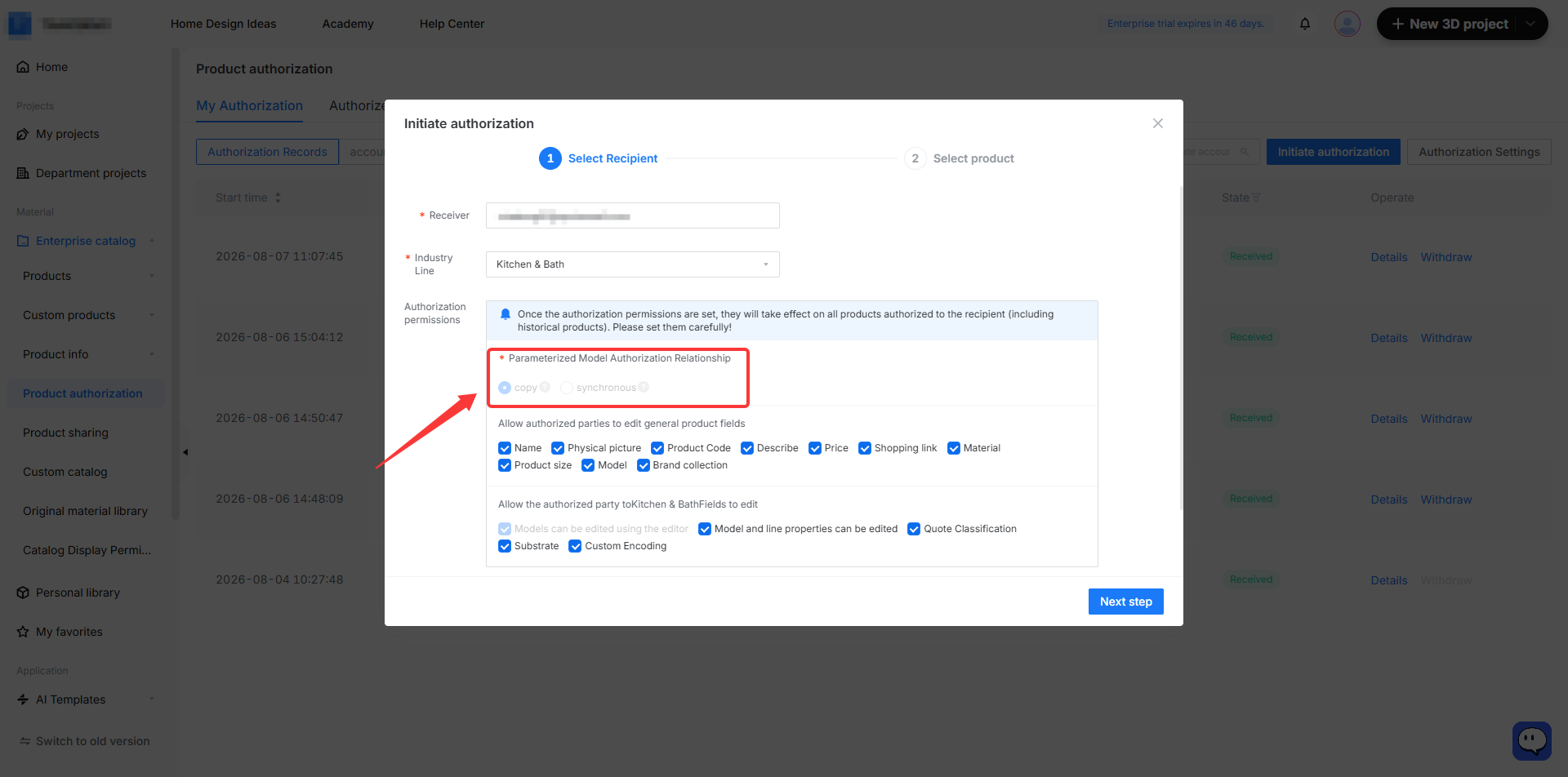
2. Enter the **Receiver** email, select the **Industry Line** for authorization, choose the **Authorization Permissions** , and then click **Next**.
* You can select the product fields that the recipient is allowed to modify as needed.
* You can also choose whether to copy the **Folder Structure** . If checked, authorized products will be placed into the recipient's root directory following the initiator's folder structure (for customized product authorization, only the copy folder structure scenario is supported).
* For customized products, you must first define the parametric model authorization relationship, which cannot be changed after the initial authorization is submitted. Two authorization relationships are currently supported:
* **Copy**: Grants the recipient the model and modification permissions. Any model changes made by the initiator will not be synced to the recipient.
* **Synchronous**: Grants the recipient the model only, with no modification permissions. Changes made by the initiator will be synced to the recipient on a T+1 basis.
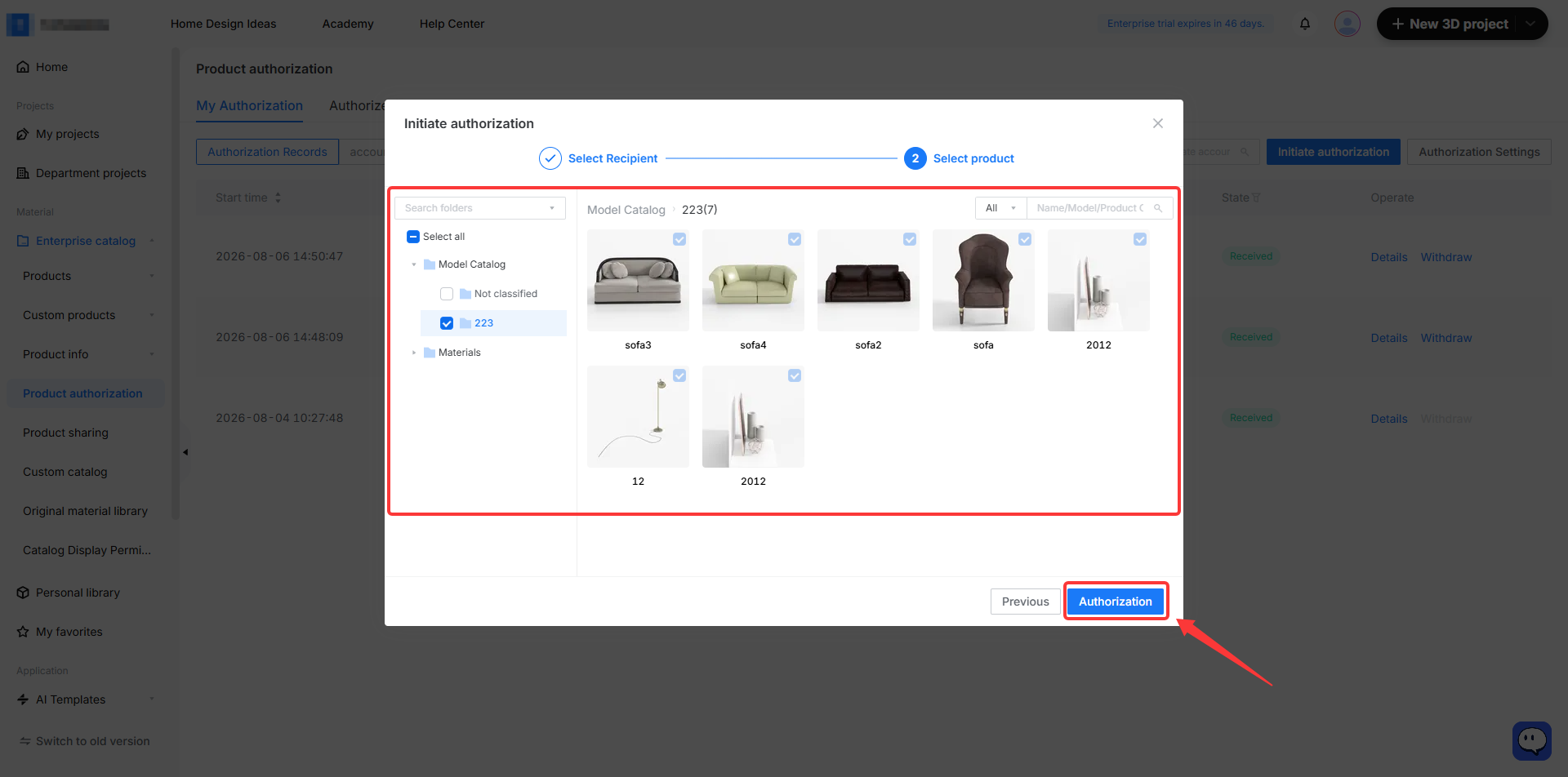
3. Select the products, you can select single or multiple products or folders. Once done, click **Authorization**.
Receiving an Authorization
==========================
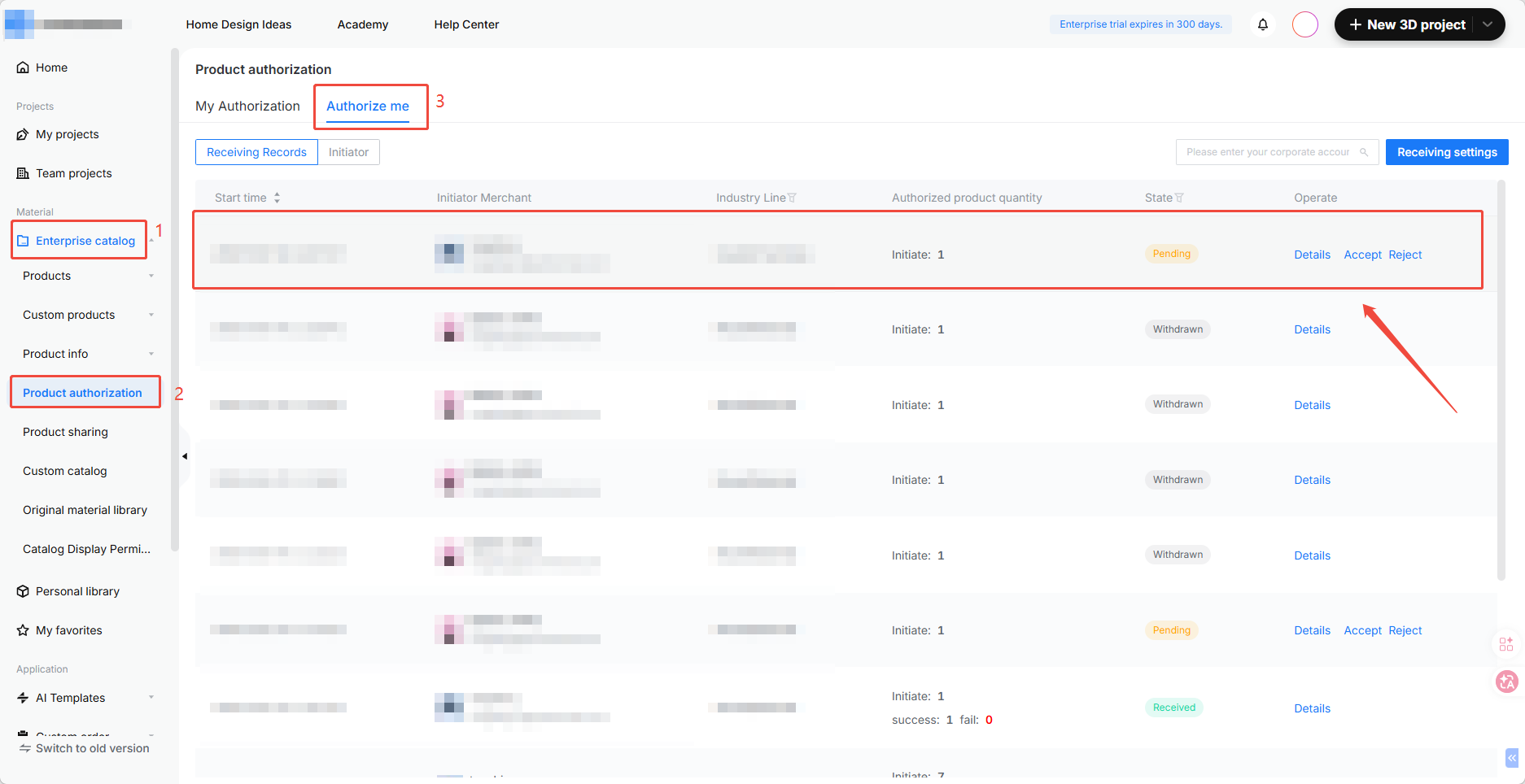
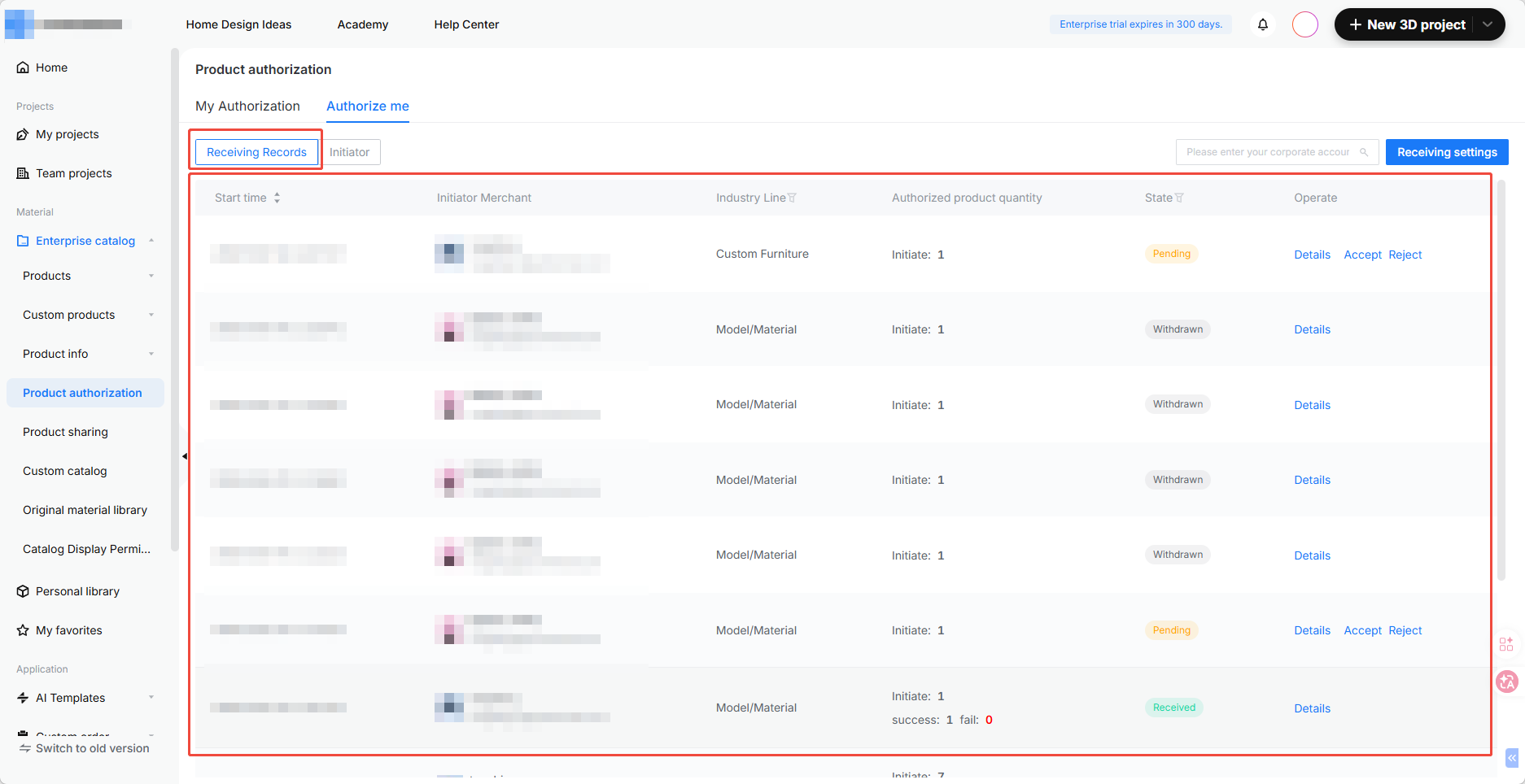
1. As the authorized party, go to **Enterprise Catalog --- Product Authorization** in your workspace and click **Authorize Me** to view authorization records.
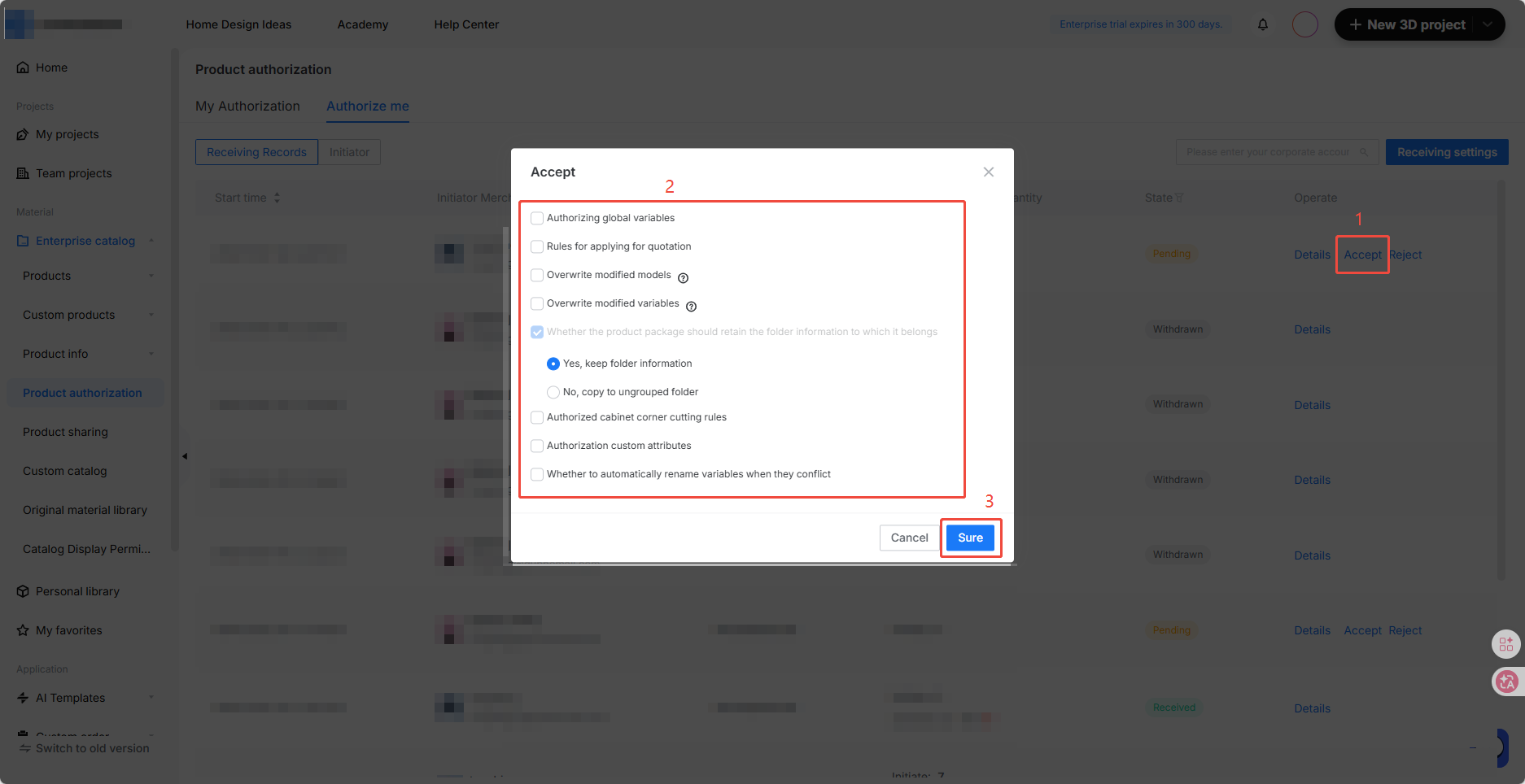
2. Click **Accept** , configure the receiving settings for the customized authorization task, and then click **Sure**.
* **Authorizing Global Variables**
* Unchecked: Global variables are not authorized.
* Checked: Global variables are authorized. This involves two scenarios:
* If reference names conflict, the global variable is downgraded to a local variable.
* If reference names conflict, the authorization is skipped for those models.
* **Overwrite Modified Models**
* If the latest version of a model was generated by the recipient's modifications, checking this option will execute the authorization and overwrite the original model. If unchecked, the authorization will not be executed.
* **Whether to automatically rename variables when they conflict**
* Product packages are authorized by default. The folder information here refers to the folder where the product package resides in the Custom Advanced Configuration --- Product Package Management.
3. After receiving successfully, you can view the received products in the corresponding catalog.
Authorization Management
========================
Used to manage initiated or received authorization records, permissions, and products. This includes models your account has authorized to other accounts, and models other accounts have authorized to your account.
My Authorization
----------------
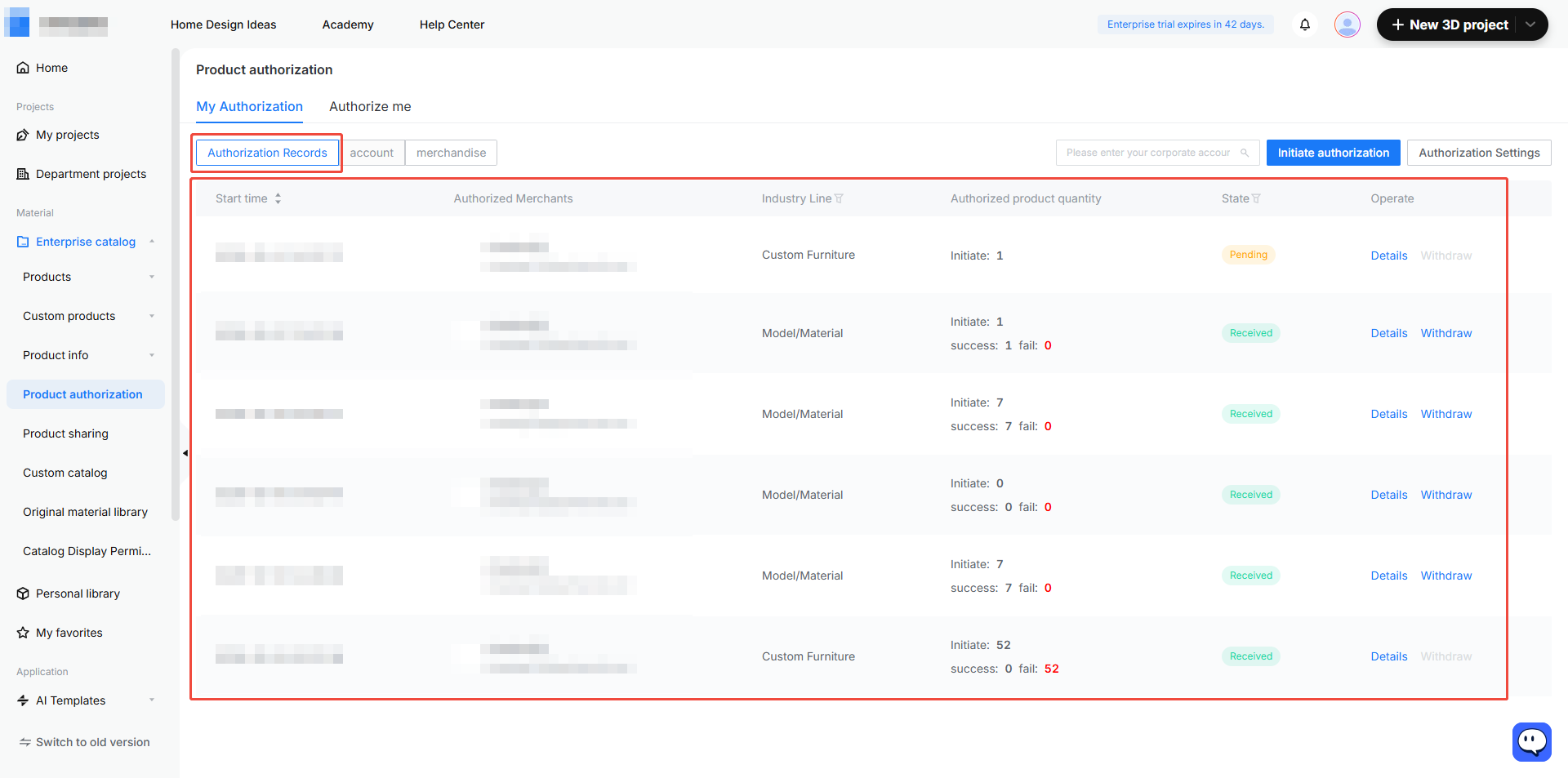
* **Authorization Records**: Displays all initiated authorizations and supports revoking them (revocation is not supported for customized industries).
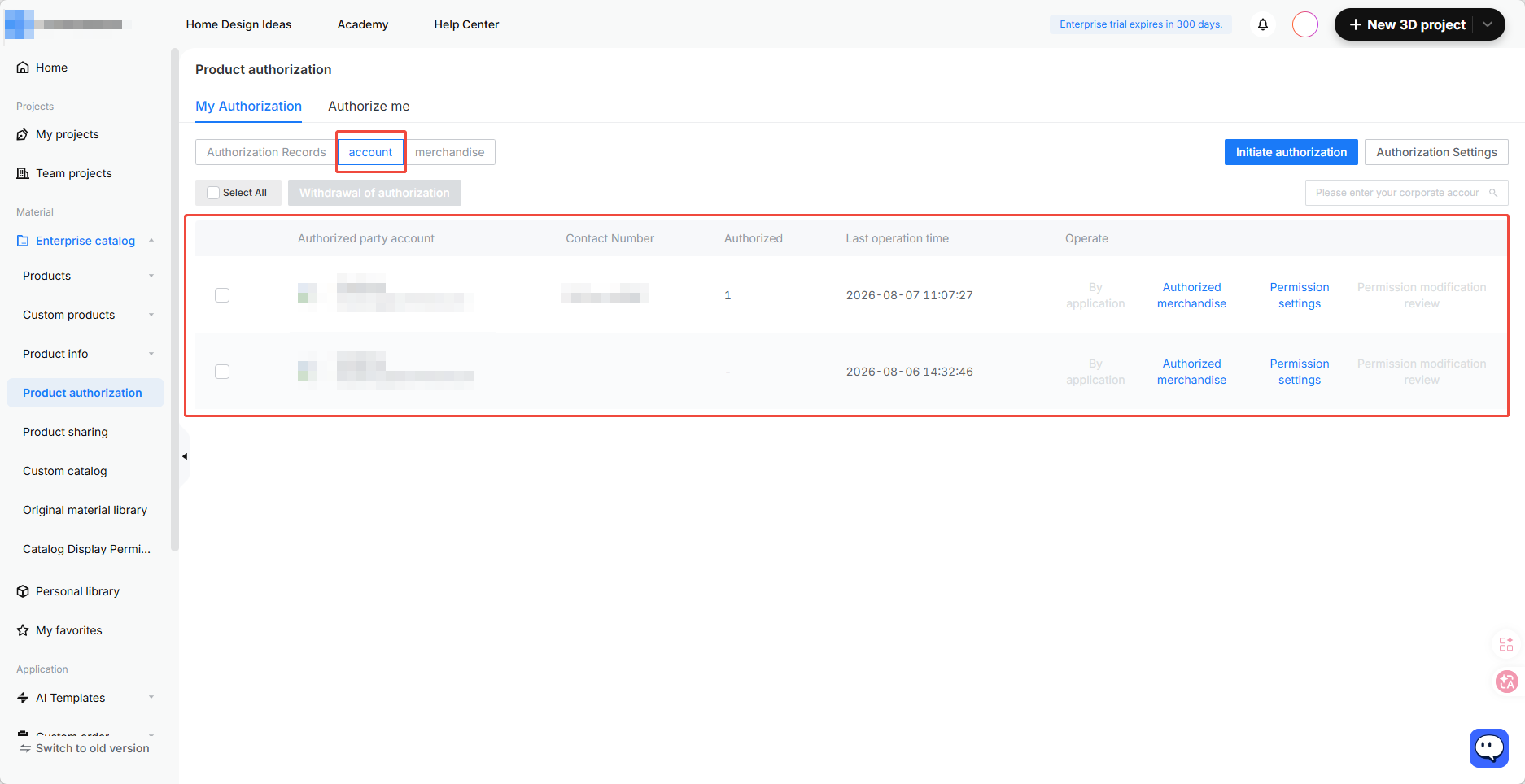
* **Account**: Displays the authorized products and permissions for a specific account (only finished products are shown).
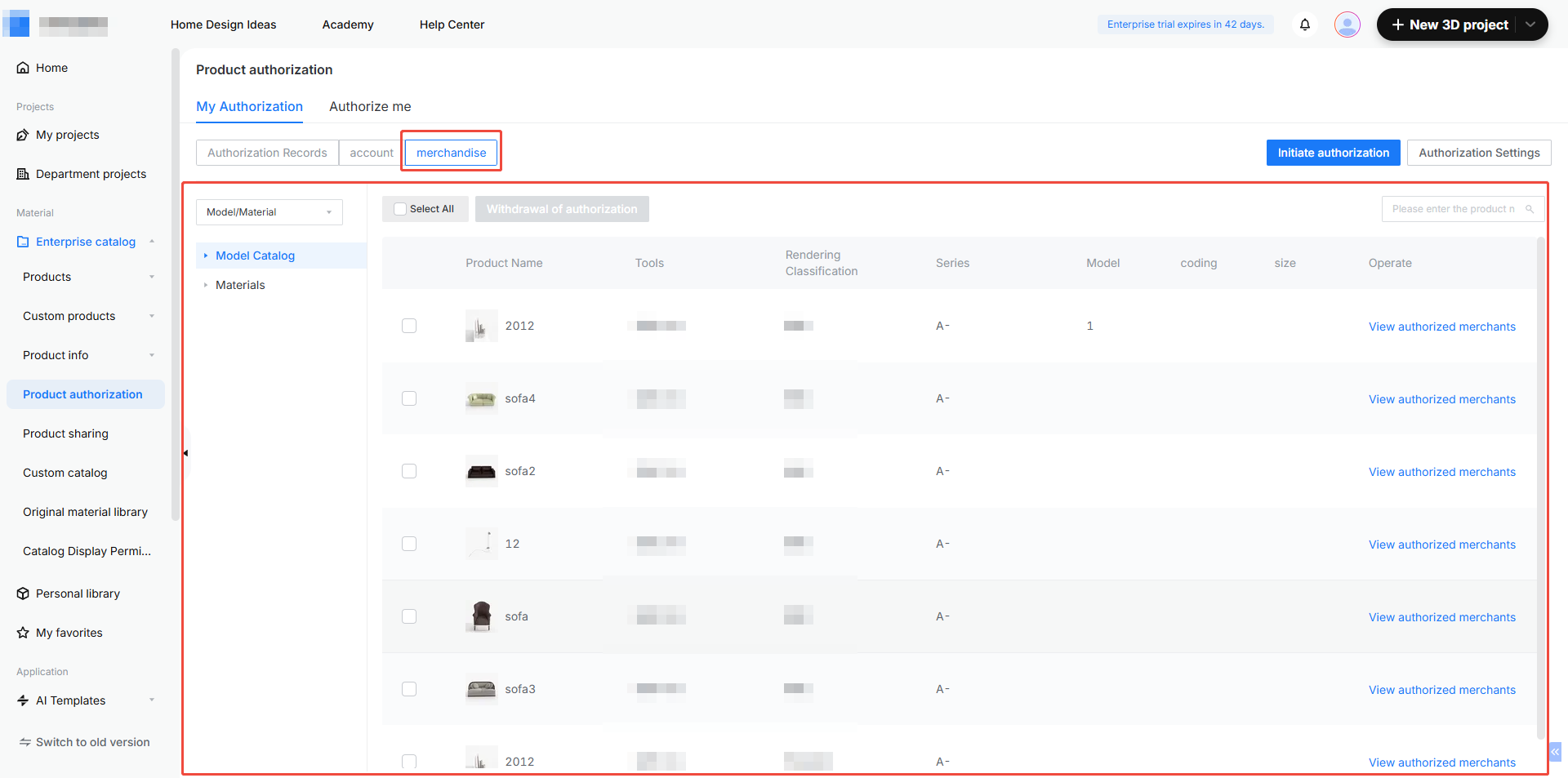
* **Merchandise**: Displays the authorized products (only finished products are shown).
Authorize Me
------------
* **Receiving Records** : Displays all records of authorizations granted to the current account.
* Supports viewing details, approving, and rejecting.
* The details page shows the authorizing account, permission settings, and authorized model information.
* Products in customized industries must be manually received to take effect, requiring parametric model settings to be configured.
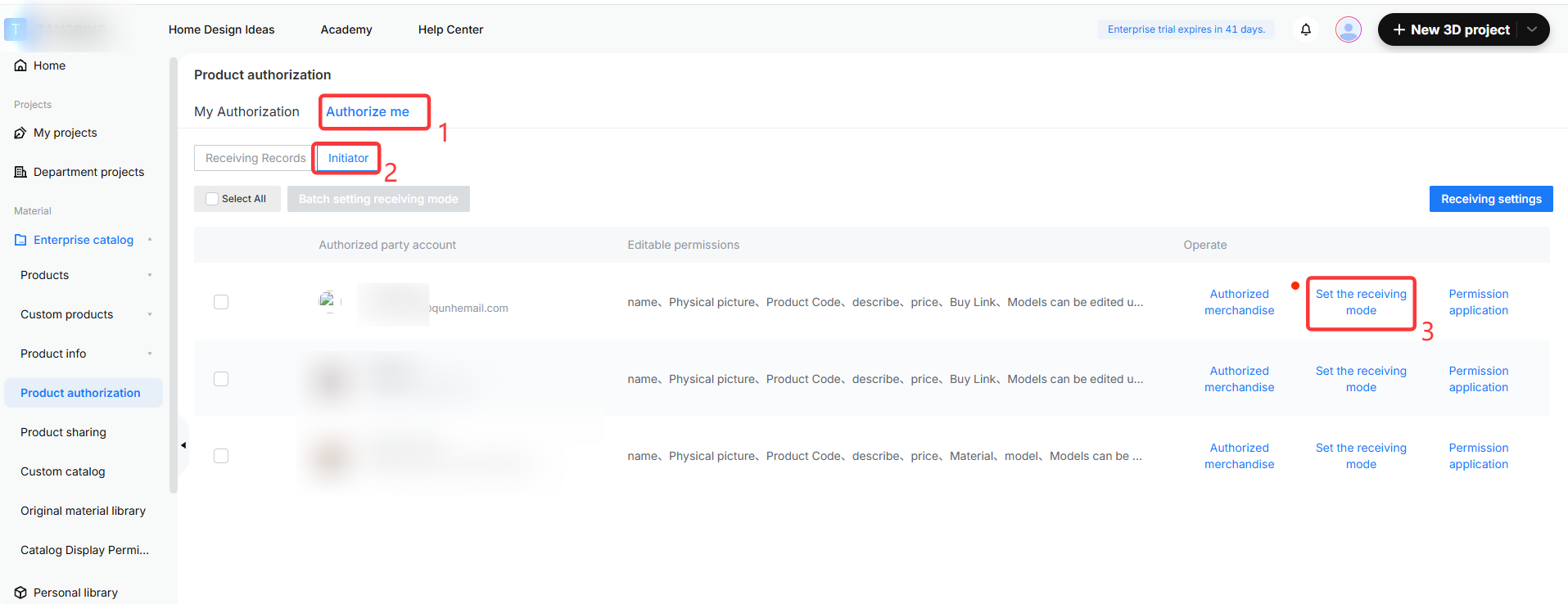
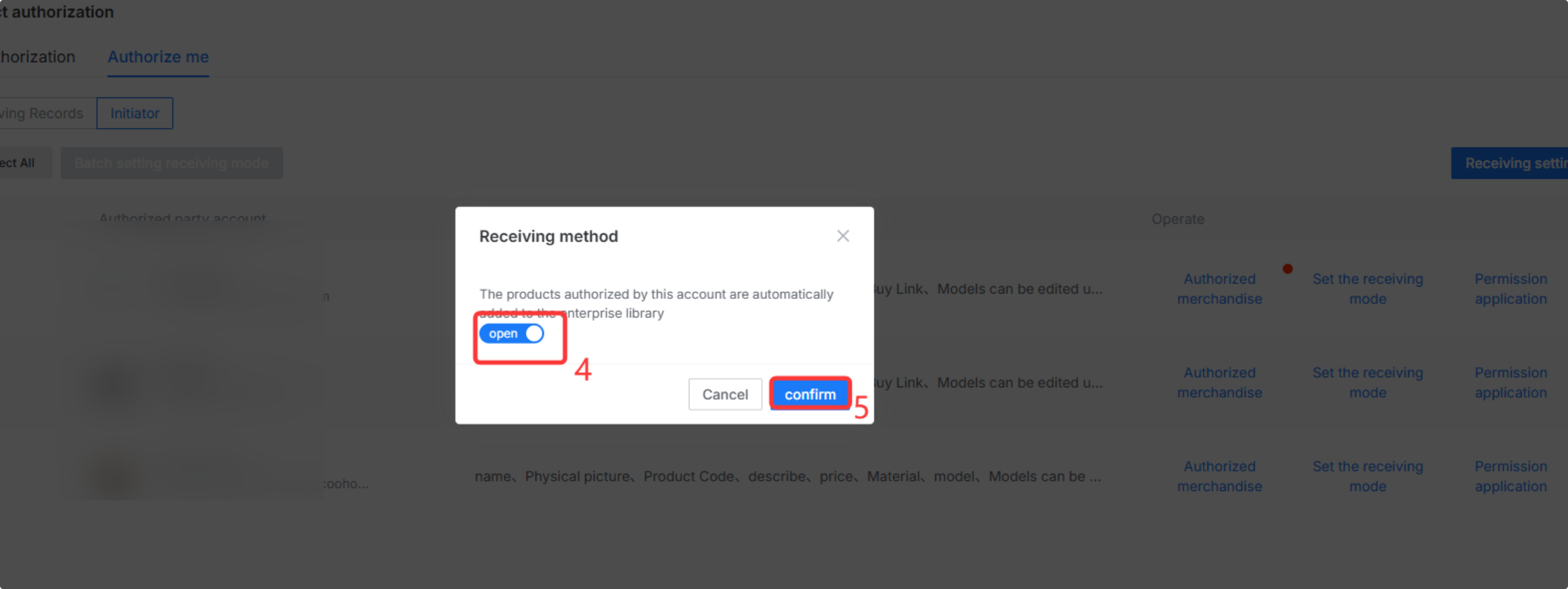
* **Initiator**: Displays authorizations initiated to the current account at the account level. You can set up automatic receiving for individual accounts (automatic receiving only supports finished product models).
FAQ
===
**Q1:** Why do I need to select an industry line before authorizing?
**A1:** Authorization permissions and logic vary across different industry lines, so authorization must be handled separately. Only one industry line can be selected at a time.
**Q2:** Can an authorized model be edited again?
**A2:** If the custom authorization is set as a copy, it can be edited again. Finished products cannot have their materials edited, but permitted fields can still be modified.
**Q3:** Why can't a request in "Pending" status be revoked?
**A3:** After an authorization request is initiated, the system requires some processing time. Once processing is complete, revocation will be supported.
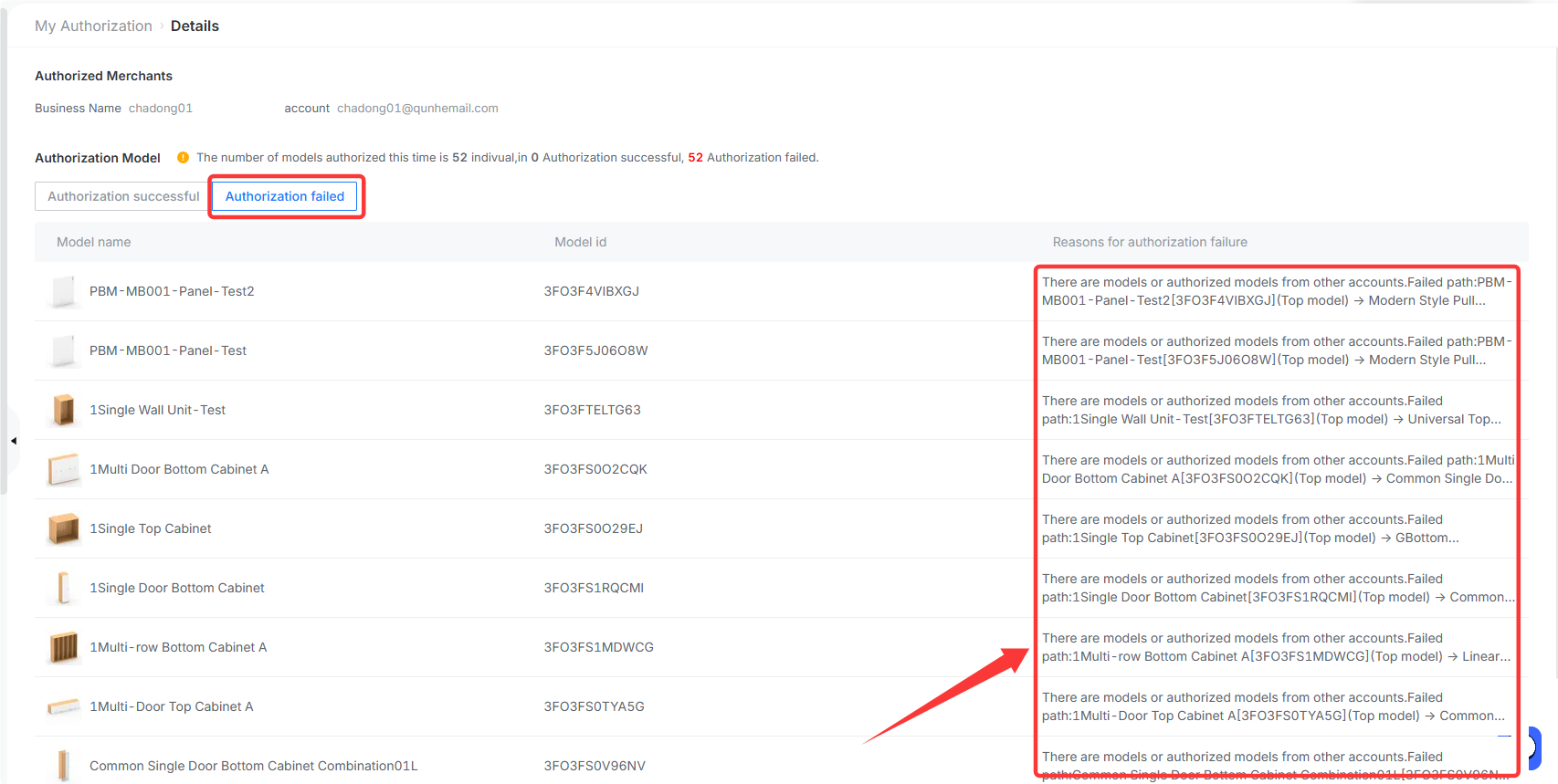
**Q4:** How can I view the reason for an authorization failure?
**A4:** For models with failed authorization, you can view the specific reason for failure in the details page.