# coohom-shortcuts
> Explore Coohom's system operation shortcuts to enhance your design workflow effortlessly. Learn efficient keyboard and mouse controls to streamline tasks. Start designing now!
- **URL**: https://www.coohom.com/helpcenter/coohom-shortcuts
- **Locale**: en_US
- **Updated**: 2026-06-10
## Content
This article will introduce the shortcuts of Coohom System Operation
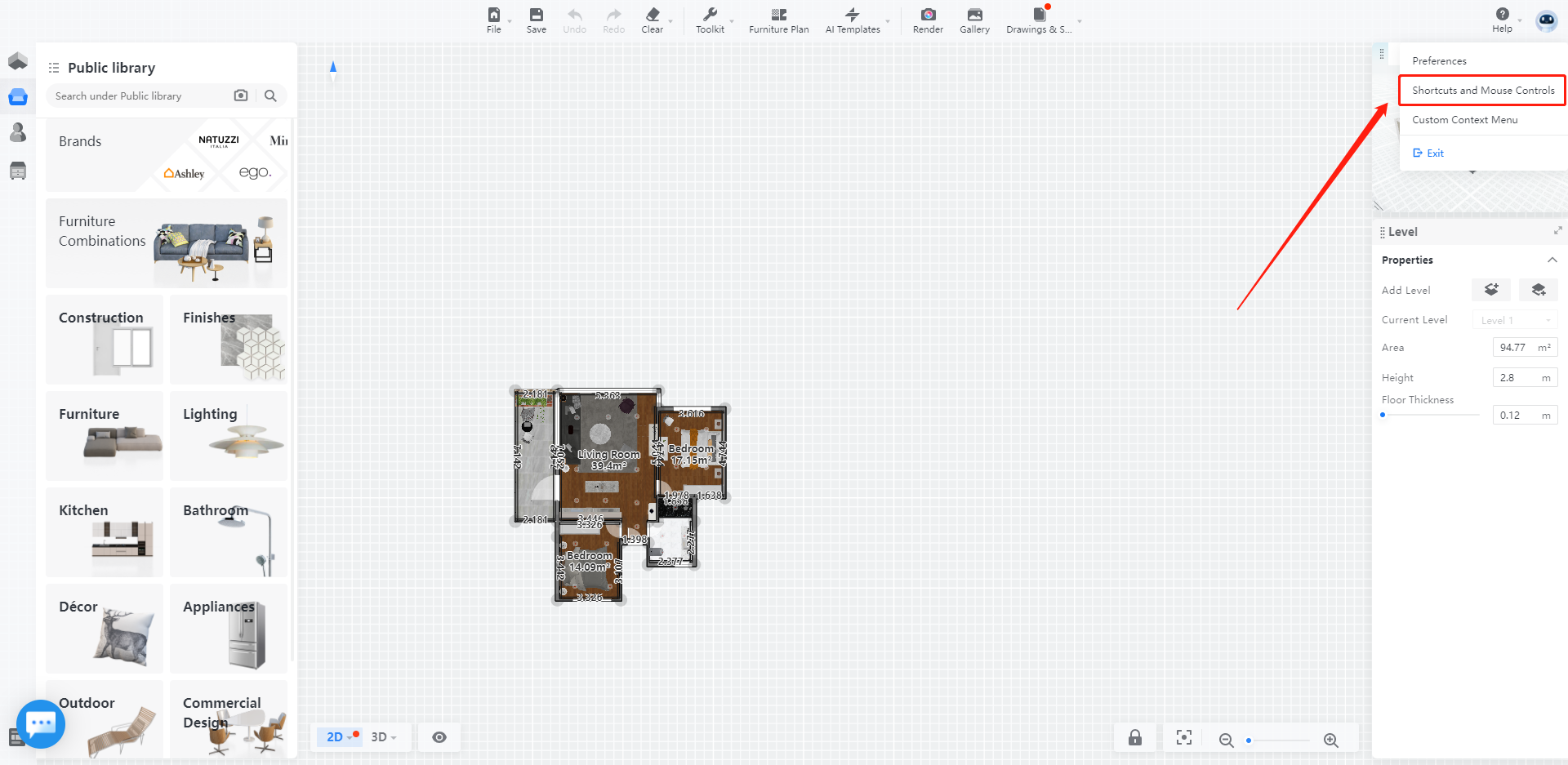
You can find the list of the shortcuts from ***Icon - Shortcuts and Mouse Controls***
### **General**
Cancel
ESC
Confirm
Enter
Undo
Ctrl+Z
Redo
Ctrl+Y
Save
Ctrl+S
**View**
Floor
1
Ceiling
2
Top view
3
Walk
4
Zoom extents (Space)
Space
Move left
A
Move forward
W
Move right
D
Move back
S
Raise camera
Q
Lower camera
E
Material mode
Ctrl+1
Wireframe mode
Ctrl+2
Material \& wireframe mode
Ctrl+3
Transparent Material mode
Ctrl+4
### Selection
Multiple / frame selection
Press Shift
Delete
Del
Group
Ctrl+G
Ungroup
Ctrl+Shift+G
Duplicate
Ctrl+C
Flip
G
Replace
C
Nudge selection
⬅⬆➡⬇
Disable snapping
Press Ctrl
3D move \& rotate
R
### **Floor Plan**
Draw wall
B
Draw room
F
### Customize
Select Furniture/Parts
Tab
Material Brush
M
Cancel
Hold Alt+Ctrl
Sizing Limit
Ctrl+m
Open/Close Doors
Ctrl+O
Show or Hide Cabinet Doors
SHIFT+ALT+D
Style Brush
N
Random Texture Brush
J
Categories under model catalogs
Ctrl+X
Place
P
Rotate
Ctrl+R
Draw Edge
L
Draw Rect
R
Cabinet Outline
C