# enterprise-quotation-list-template-configuration-guide
> Customize and configure unique quotation templates for your enterprise with Coohom. Discover a simple way to meet diverse pricing systems. Start designing now.
- **URL**: https://www.coohom.com/helpcenter/enterprise-quotation-list-template-configuration-guide
- **Locale**: en_US
- **Updated**: 2026-08-24
## Content
Different enterprise users may adopt distinct quotation systems and methods, hence requiring different quotation templates. Coohom enables template configuration in the backend and supports custom‑built exclusive quotation templates.
For Users
=========
**All Coohom enterprise designers** (the solution includes production capabilities). Only the main account can set a quotation list template. Sub-accounts can use the function of exporting quotation list. If you need custom configuration, you can contact CSC for consultation.
Entrance
========
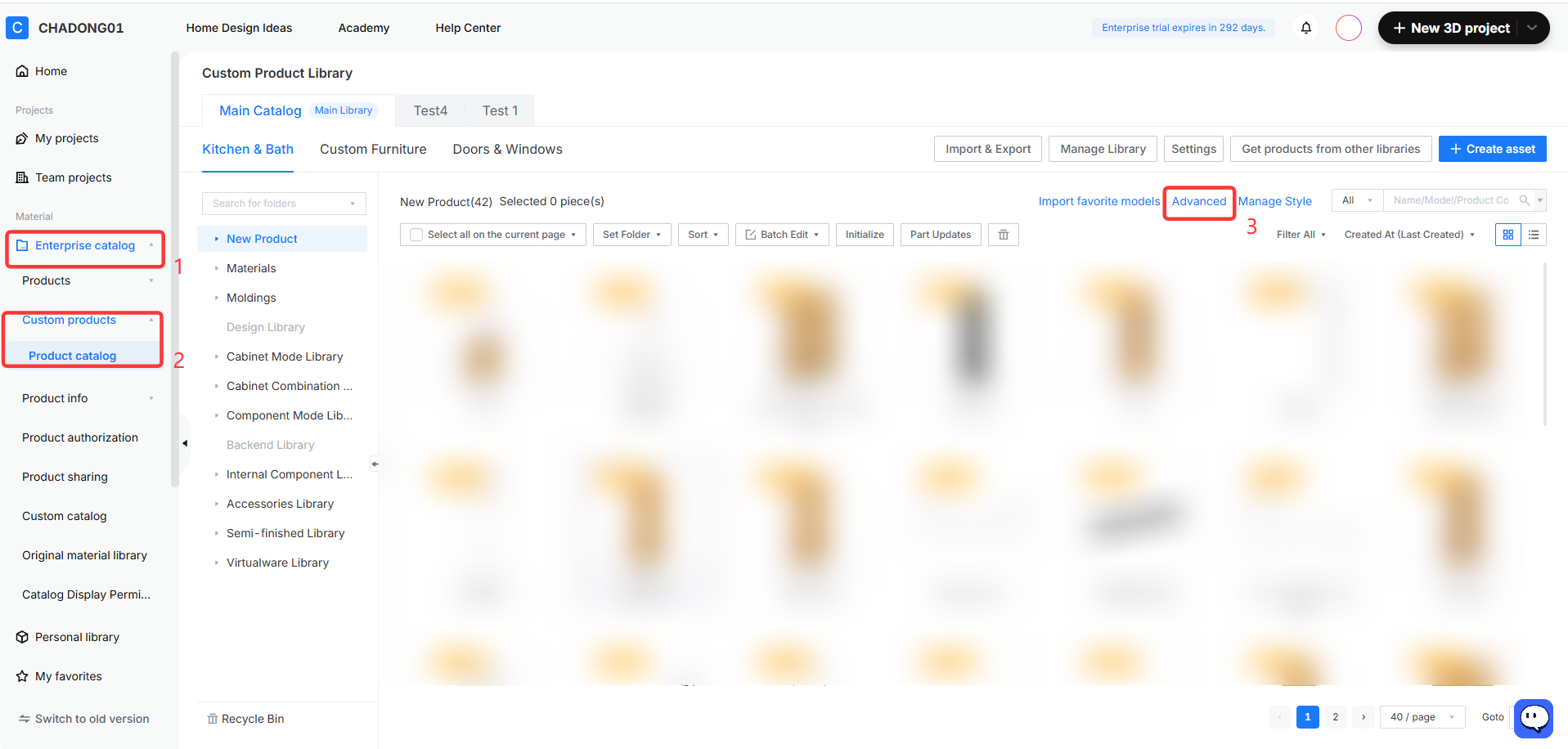
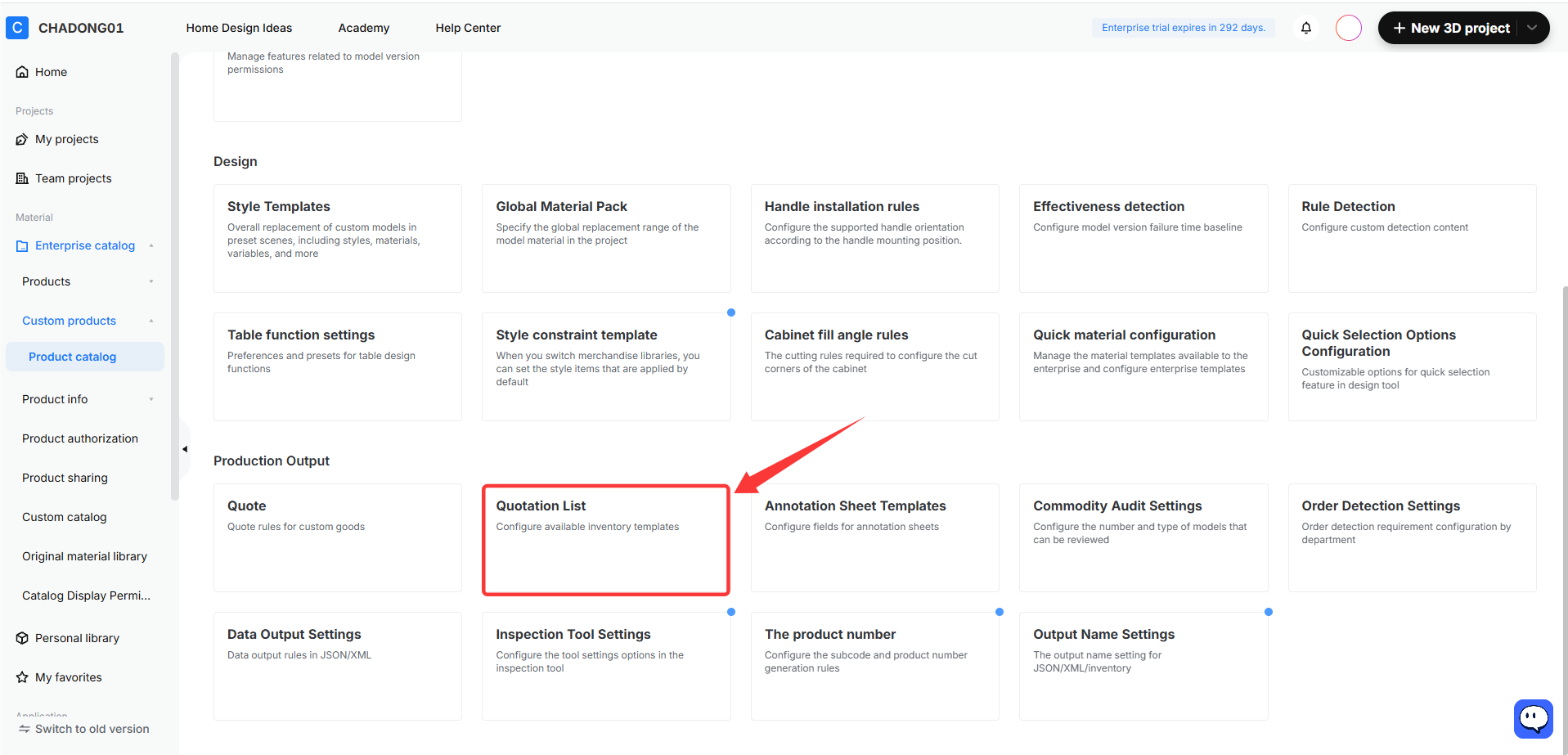
In the enterprise backend, go to **Enterprise Catalog** - **Custom Products - Product Catalog - Advanced -** **Quotation List.**
Configuring a List Template
===========================
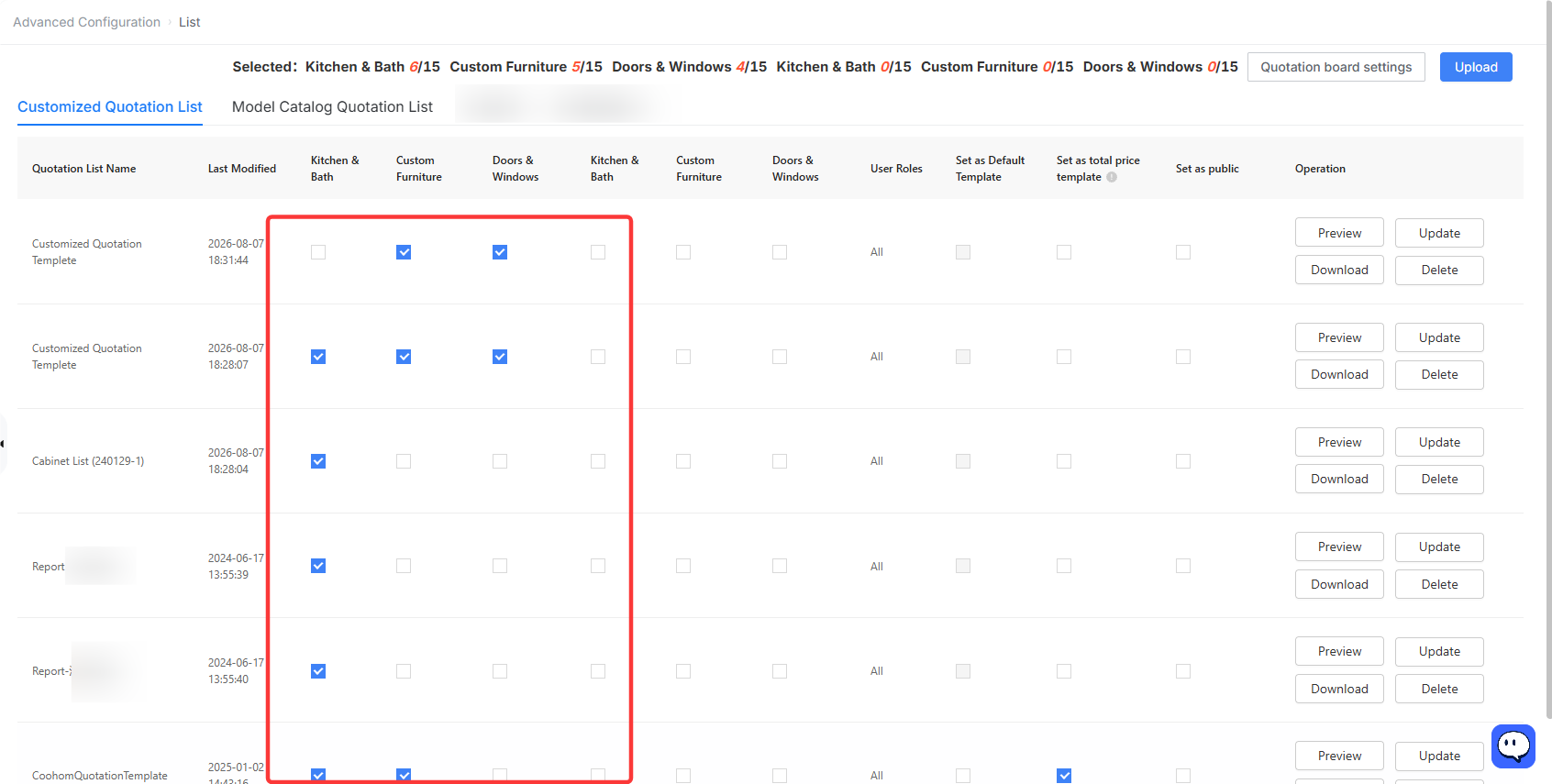
⭐ Note: You can select up to 6 templates at a time. These templates will then appear in the tool.
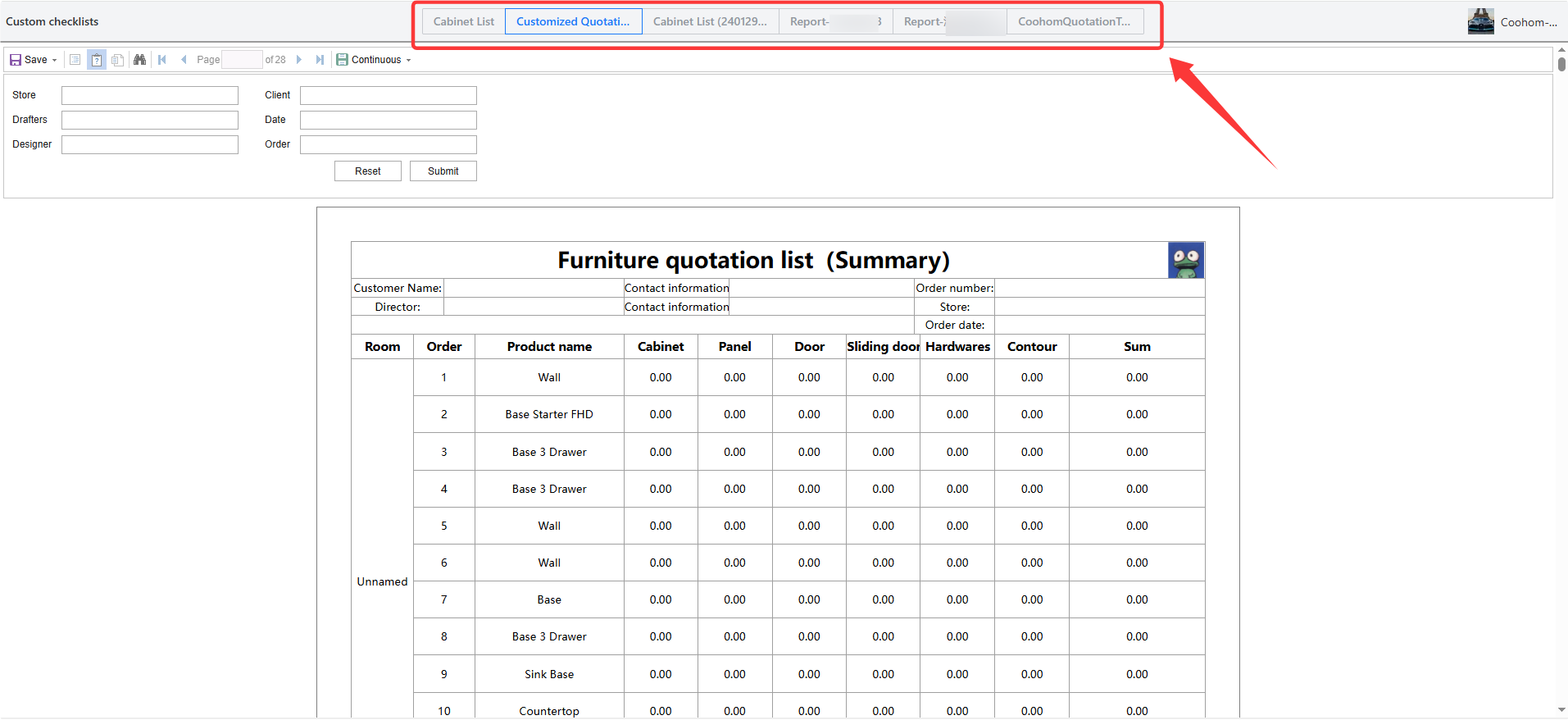
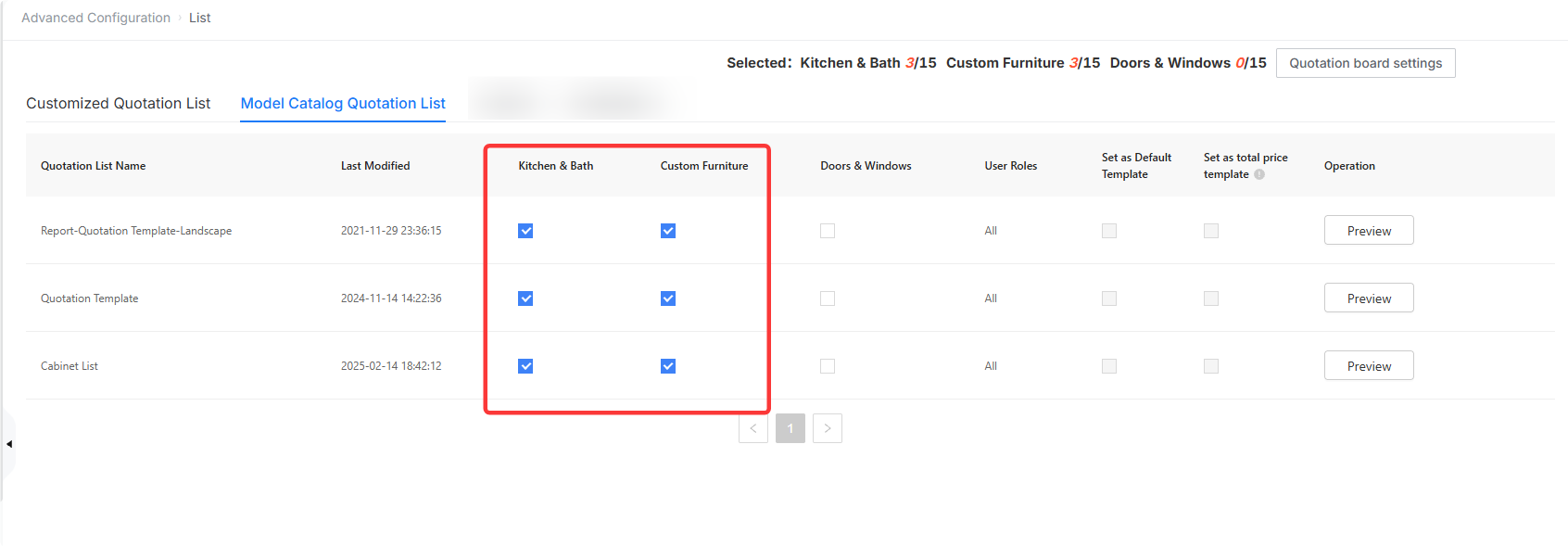
1. On the list page, click **Model Catalog Quotation List**. Select the available tool lines for your target template. Once selected, you can export a custom quotation list in the tool via the corresponding tool line and switch between different templates to preview the results.
* For detailed instructions on exporting a custom quotation list, see the online documentation: [Click to view](https://www.coohom.com/helpcenter/enterprise-one-click-generation-of-quotation-list?kjl_source=hc).
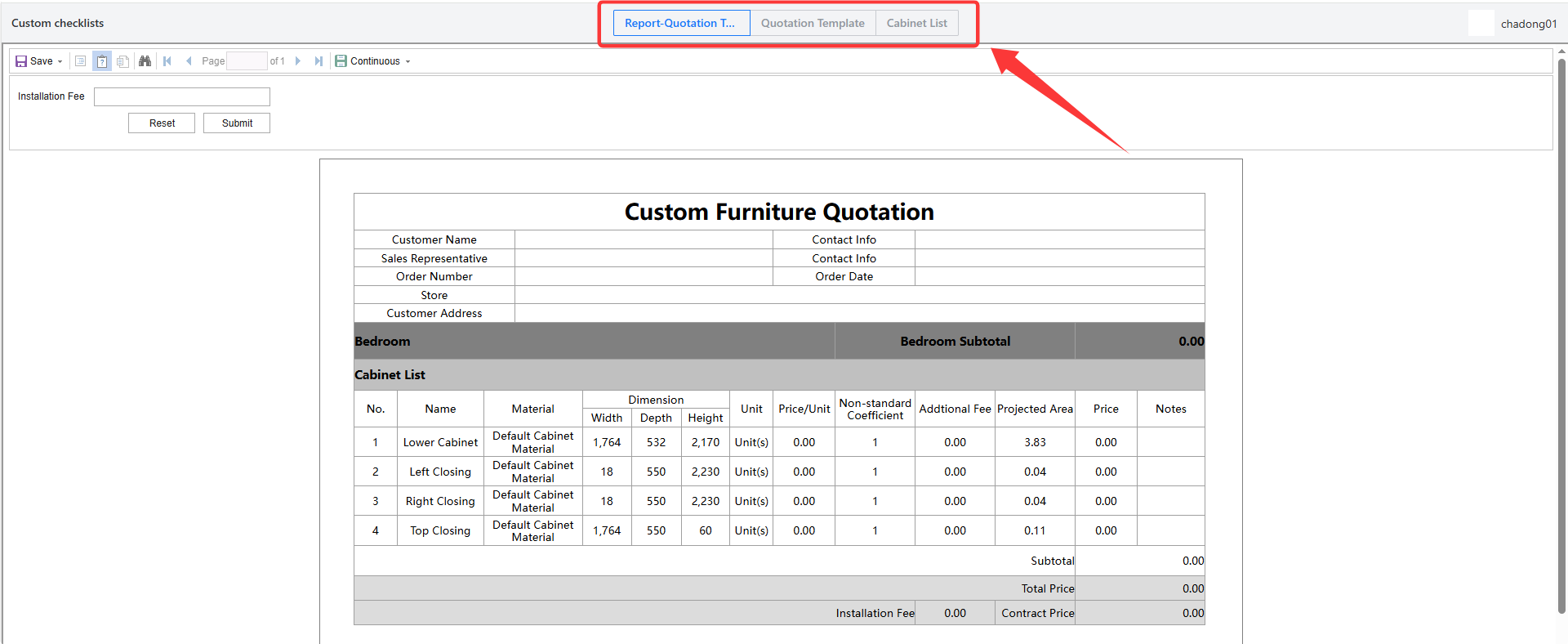
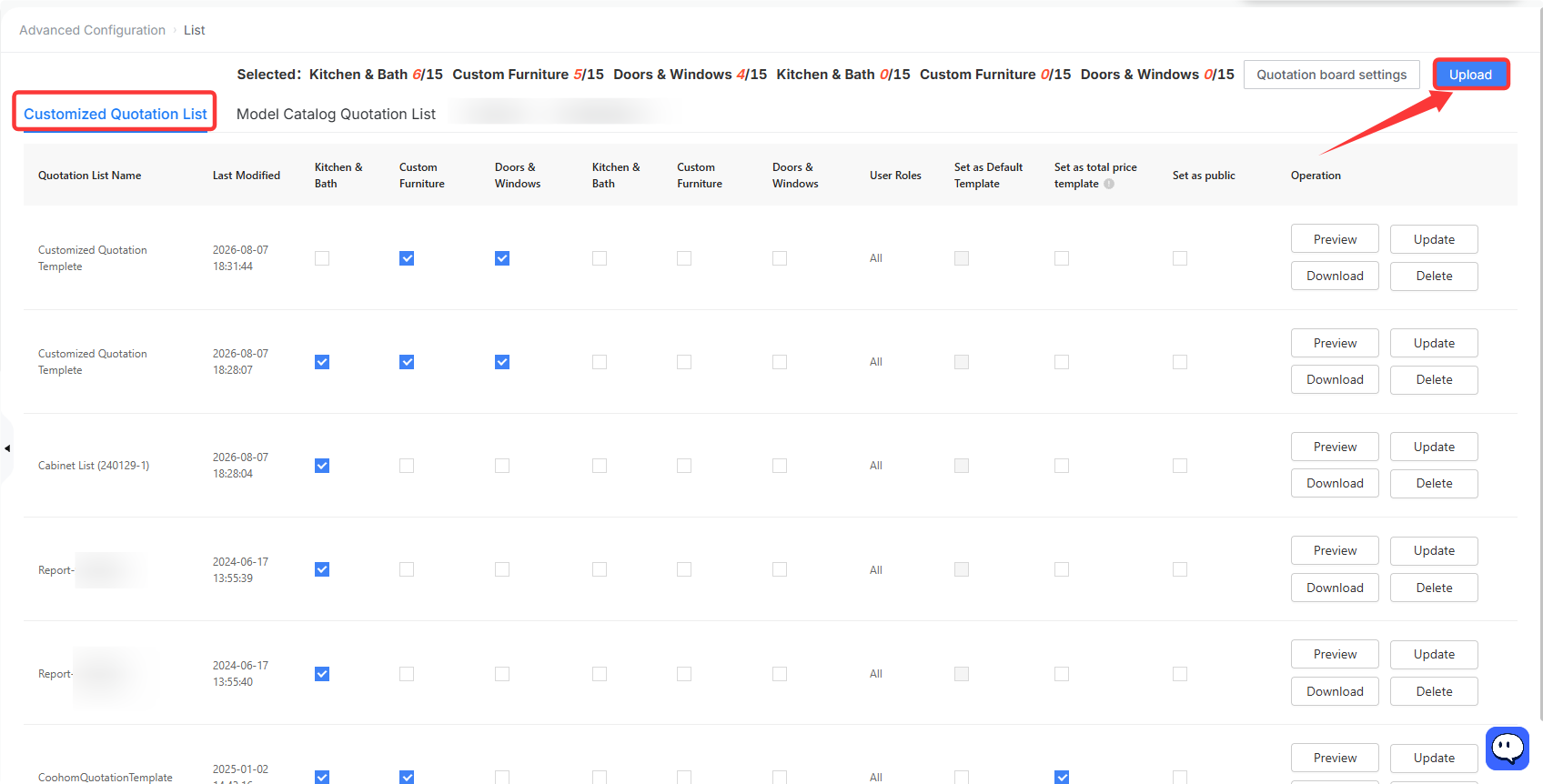
2. You can also create your own custom list template. Click **Customized Quotation List** , then click **Upload** in the upper-right corner. Import your prepared template file and configure it in the same way. Once set up, it will be available for use in the tool.
* Templates must be created with specialized equipment before being imported into the Coohom system. This process requires training. Please contact CSC for details.