# enterprise-model-part-update-prompt
> Easily update kitchen and bath models to maintain the latest style and functionality. View and select models you wish to refresh. Start designing now.
- **URL**: https://www.coohom.com/helpcenter/enterprise-model-part-update-prompt
- **Locale**: en_US
- **Updated**: 2026-07-24
## Content
During the maintenance of the model library, it is often necessary to modify models within the library. When a sub-model is updated, a prompt will appear for models with parts pending update, and you can update them directly with one click. This helps avoid issues such as outdated sub-model parts when dragging models from the frontend tool, or outdated preview images of the models.
For Users
=========
Enterprise users
One-Click Model Update
======================
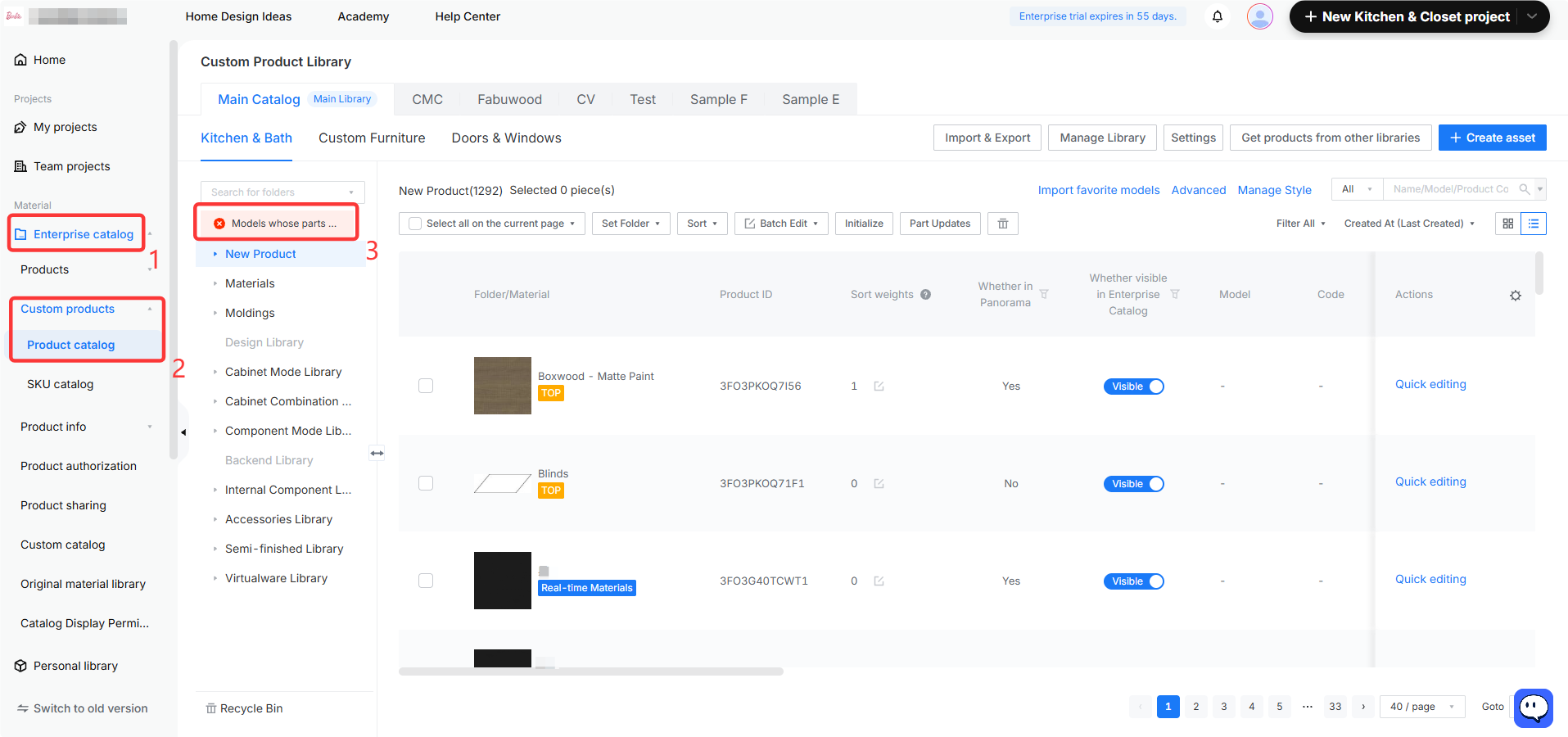
1. On the workspace page, click **Enterprise Catalog --- Custom Products --- Product Catalog** . If there are **Models Whose Parts are to be Updated** under the **Kitchen \& Bath /Custom Furniture/Doors \& Windows** tool lines, a prompt will appear, as shown below:
2. On the **Models with Parts to be Updated** page, you can select one or multiple models, then click **Update Part** at the bottom to complete the update with one click.
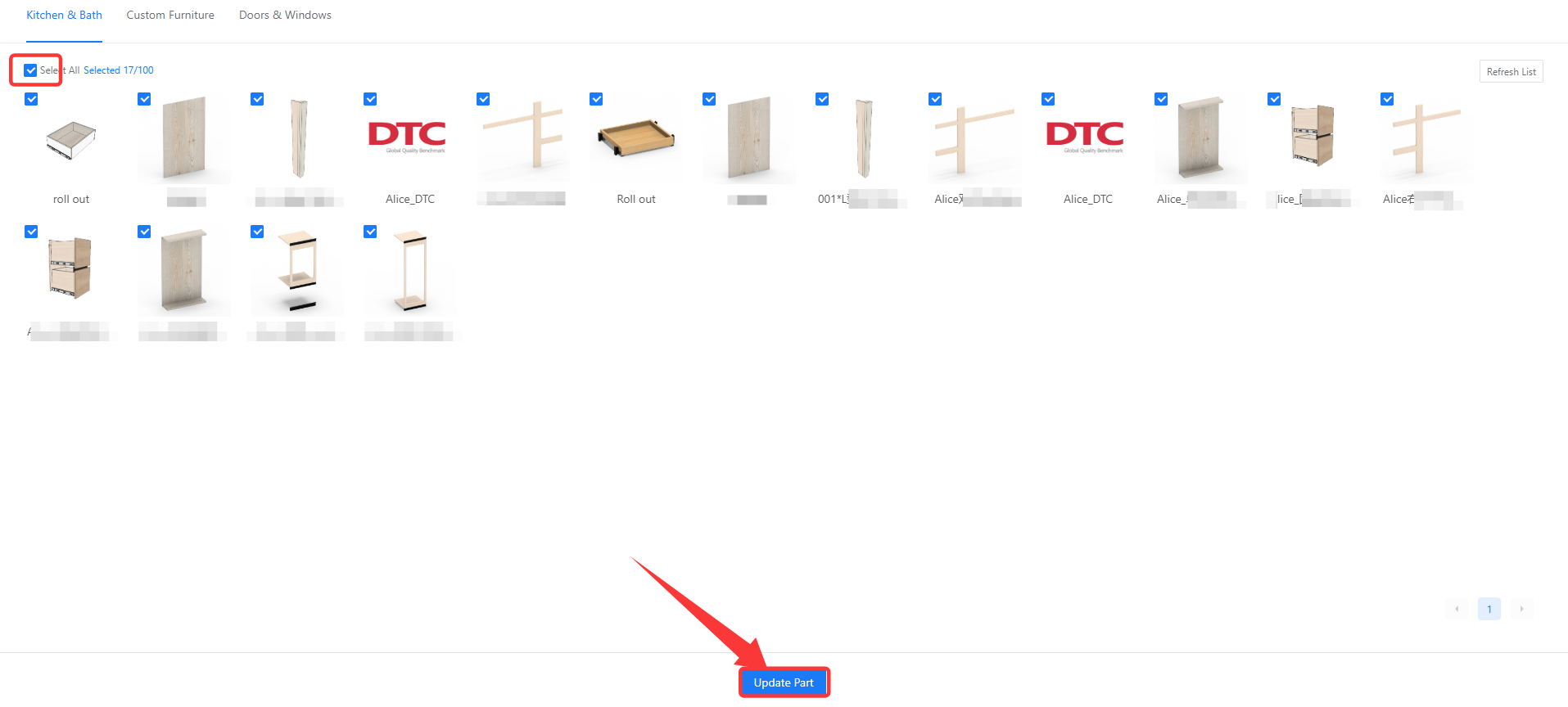
3. After the update, the model product will be automatically stored initialize and can be used normally in the tool. **(Since this operation only synchronizes the changed sub-model data rather than modifying the model, it will not be recorded in the operation history.)**