# render-rendering-gallery-usage-guide
> Effortlessly download rendered images and videos in perspective or top view from Coohom's gallery with original and material maps. Start designing now.
- **URL**: https://www.coohom.com/helpcenter/render-rendering-gallery-usage-guide
- **Locale**: en_US
- **Updated**: 2026-10-09
## Content
Every image from Coohom's **[3D home render](https://www.coohom.com/case/3d-render-home)** tool lands in the Gallery. From there you can download, share by link or QR code, favorite, upscale, or pull back something you deleted by mistake.
⭐Before reading the article, it is recommended to watch the video tutorial first for easy getting started.
\[Video URL\](https://www.youtube.com/watch?v=UiVtmgZ0q7o)
For Users
=========
All Coohom interior designers
Open the Gallery
================
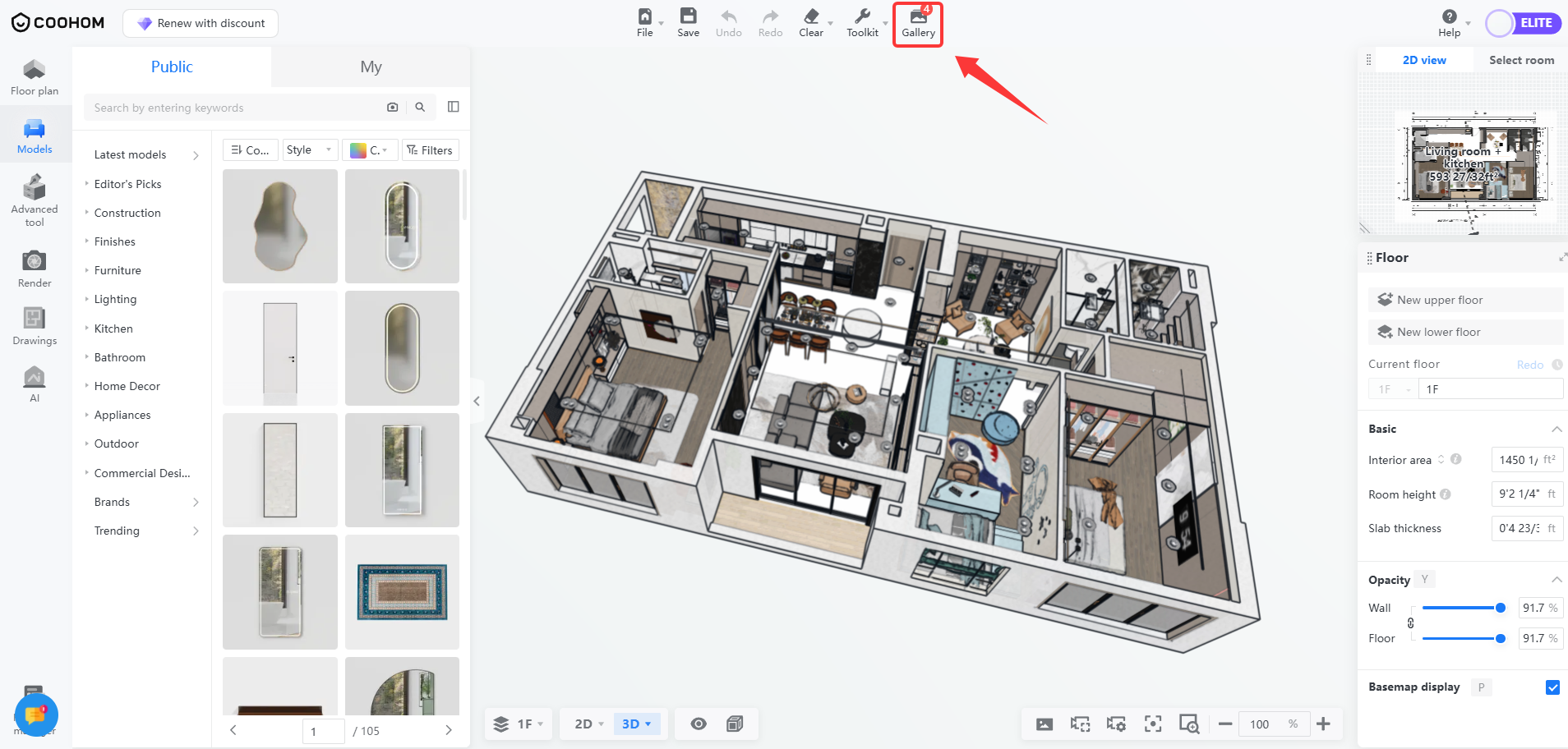
**Method 1:** Enter the interior design tool page, click the **Gallery** on the top toolbar to enter.
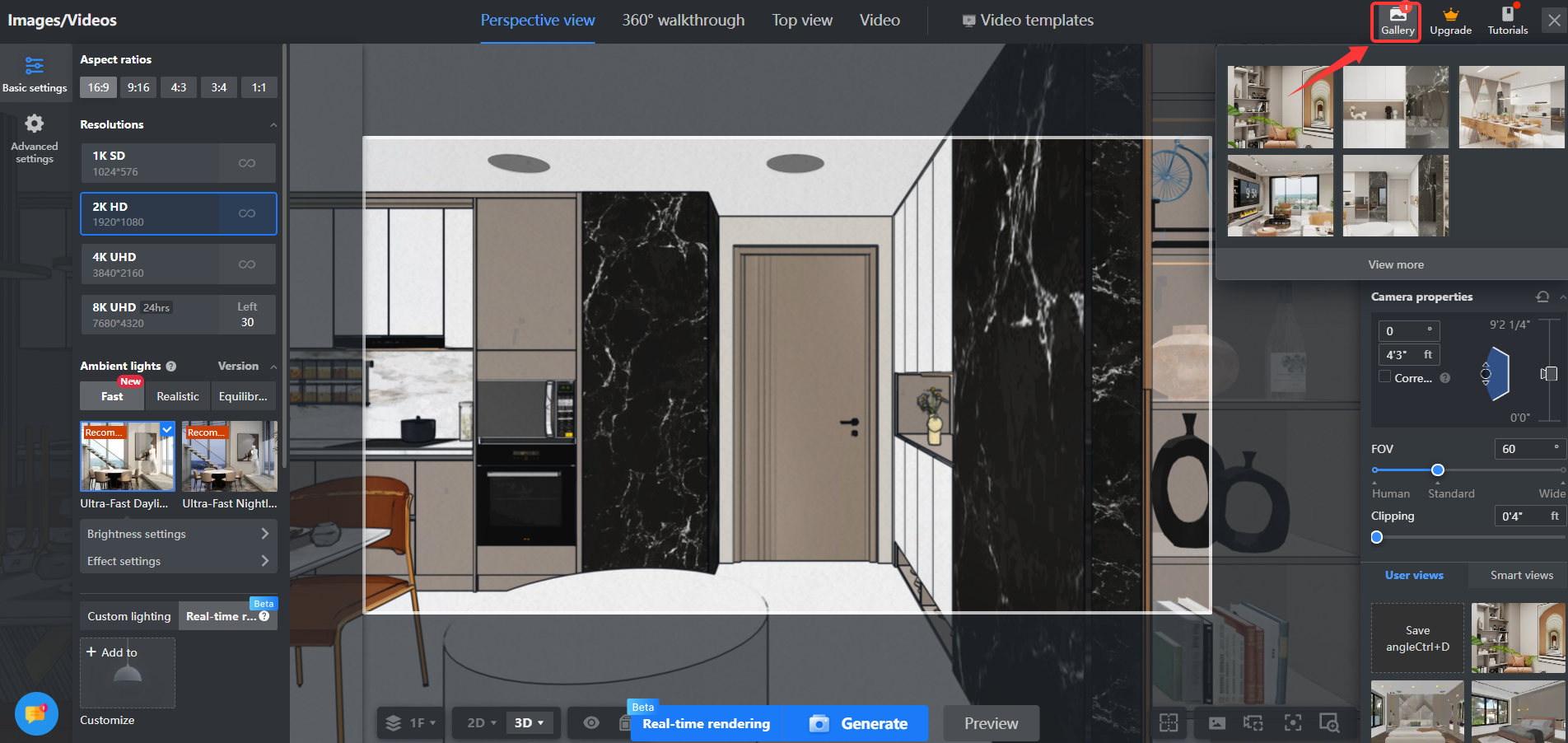
**Method 2:** Enter the **Render** tool, click the **Gallery** at the top right to enter
Download or Delete Images
=========================
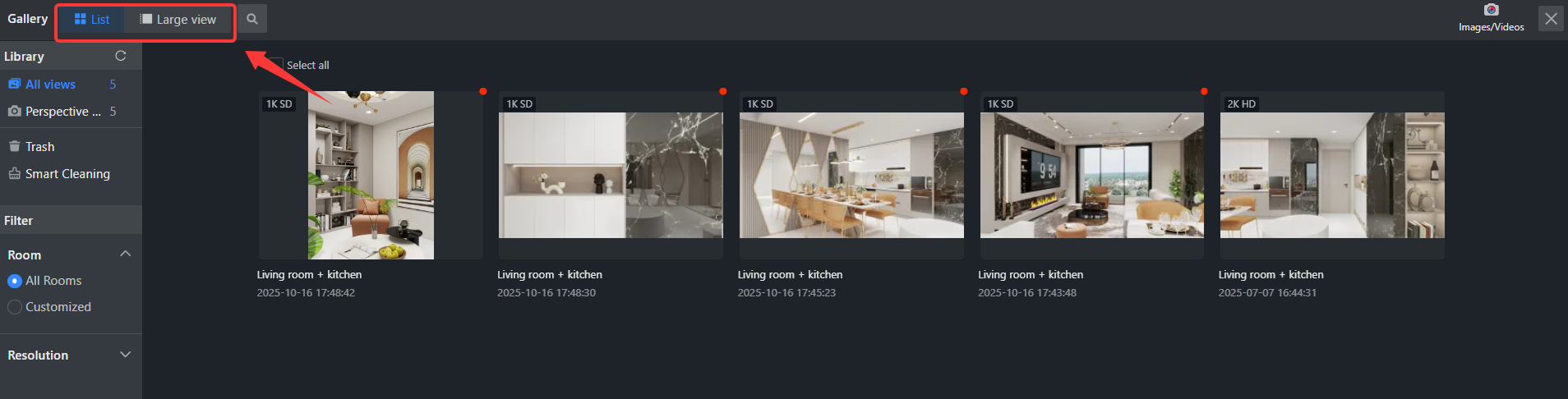
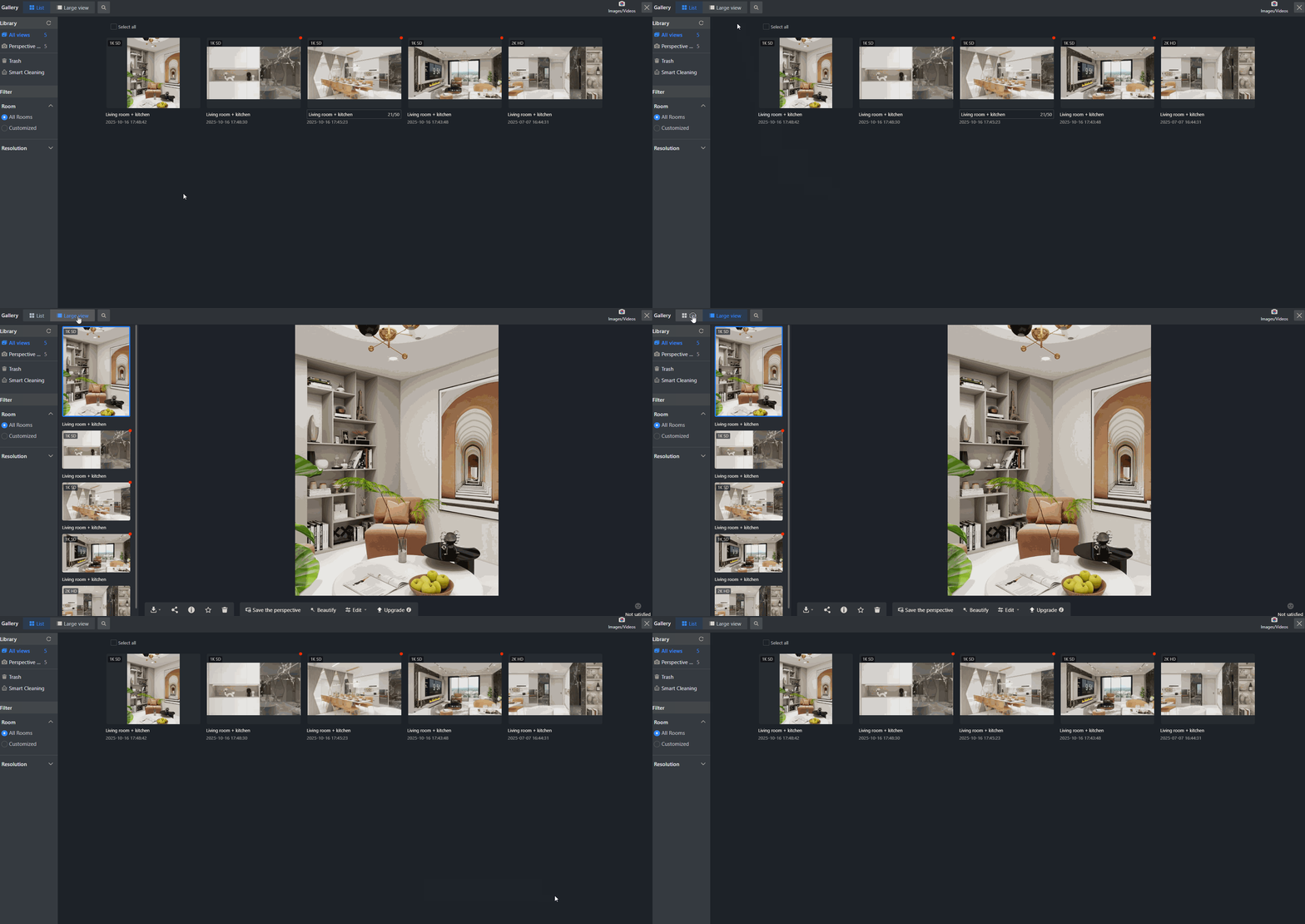
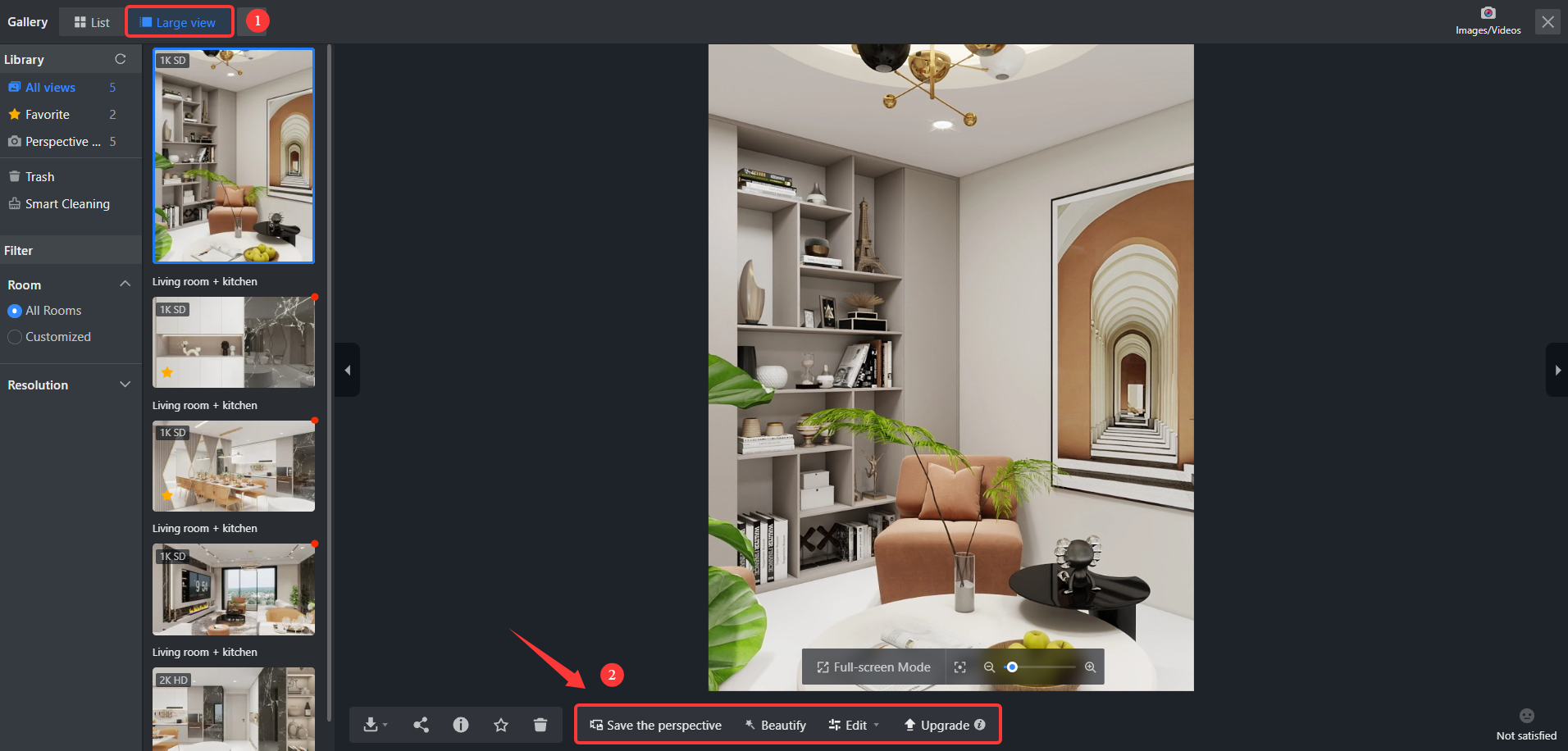
1. After entering the gallery, you can click on the top left to select **"List"** or **"Large View".**
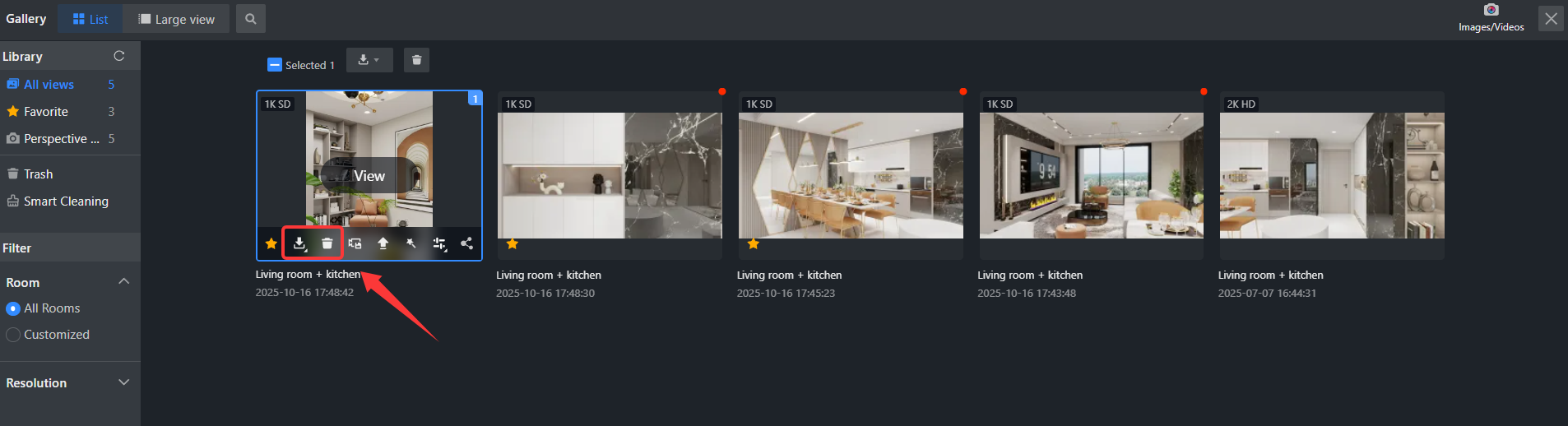
2. Click the toolbar in the rendering to download or delete a single image.
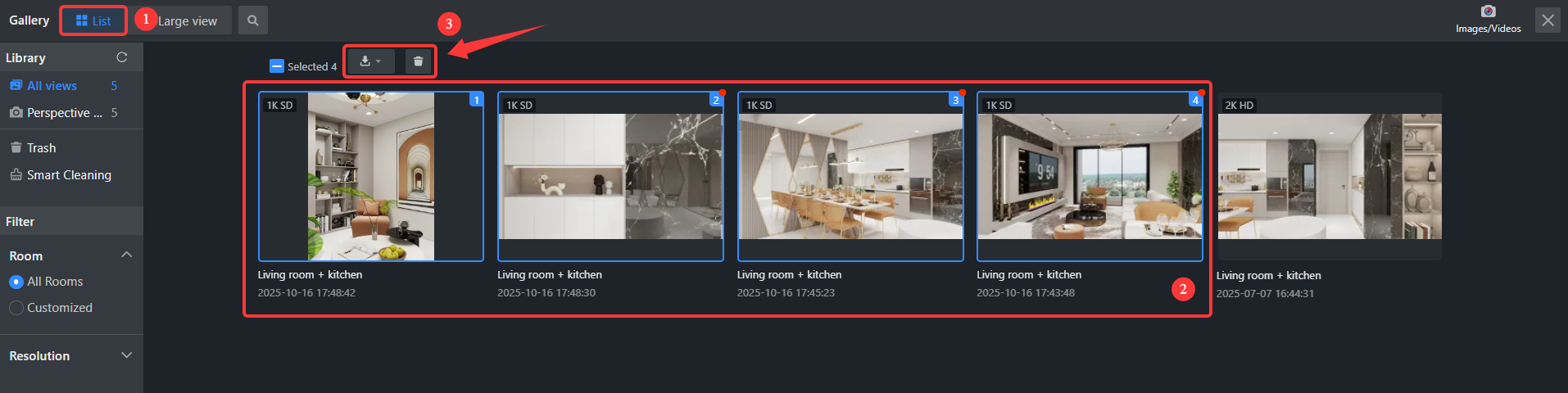
3. Click **List** to select multiple images for download or deletion.
Share Images
============
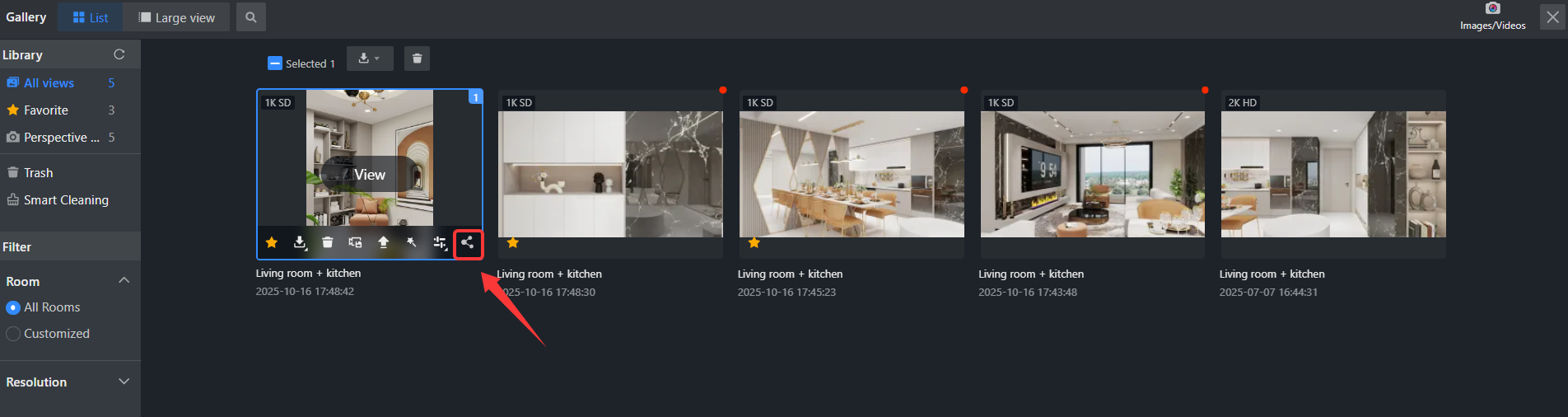
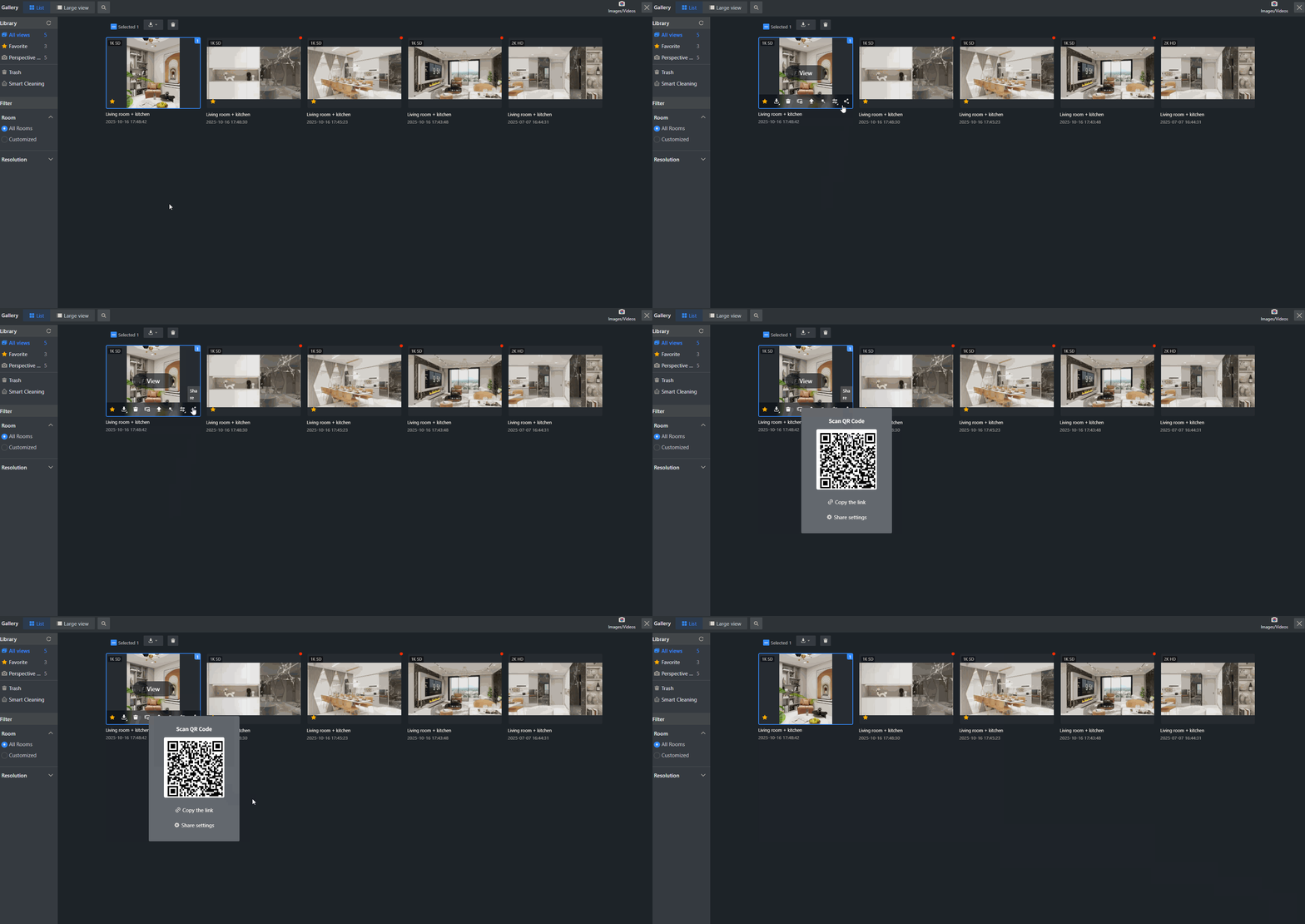
Click the toolbar in the rendering to share your images with others in the form of a QR code or link.
Favorite Images
===============
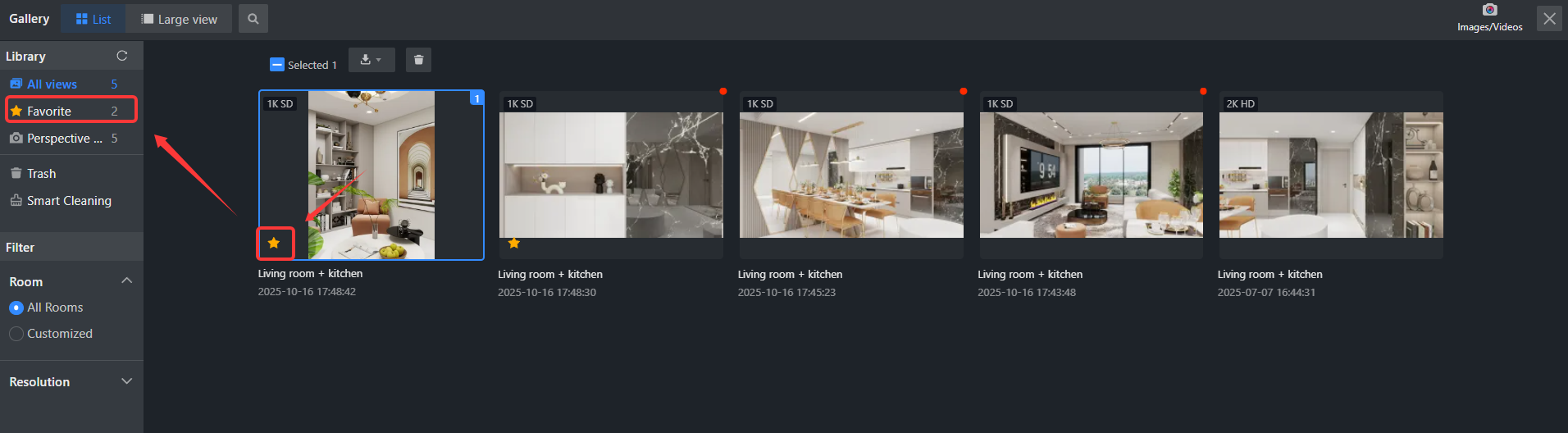
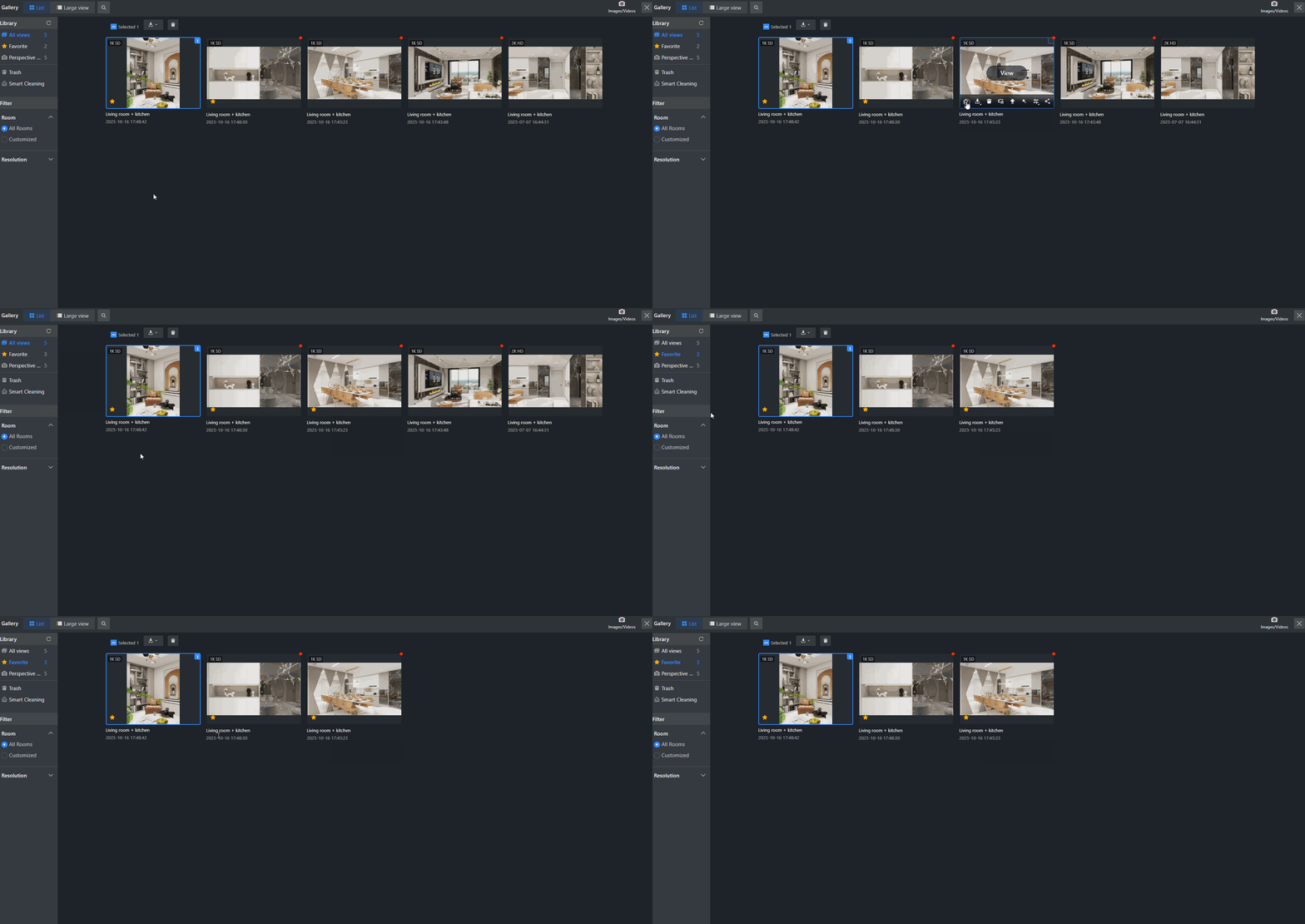
Outstanding images can be favorited by clicking the favorite button in the rendering, which can be viewed in the left **Favorite** sidebar.
Edit Images
===========
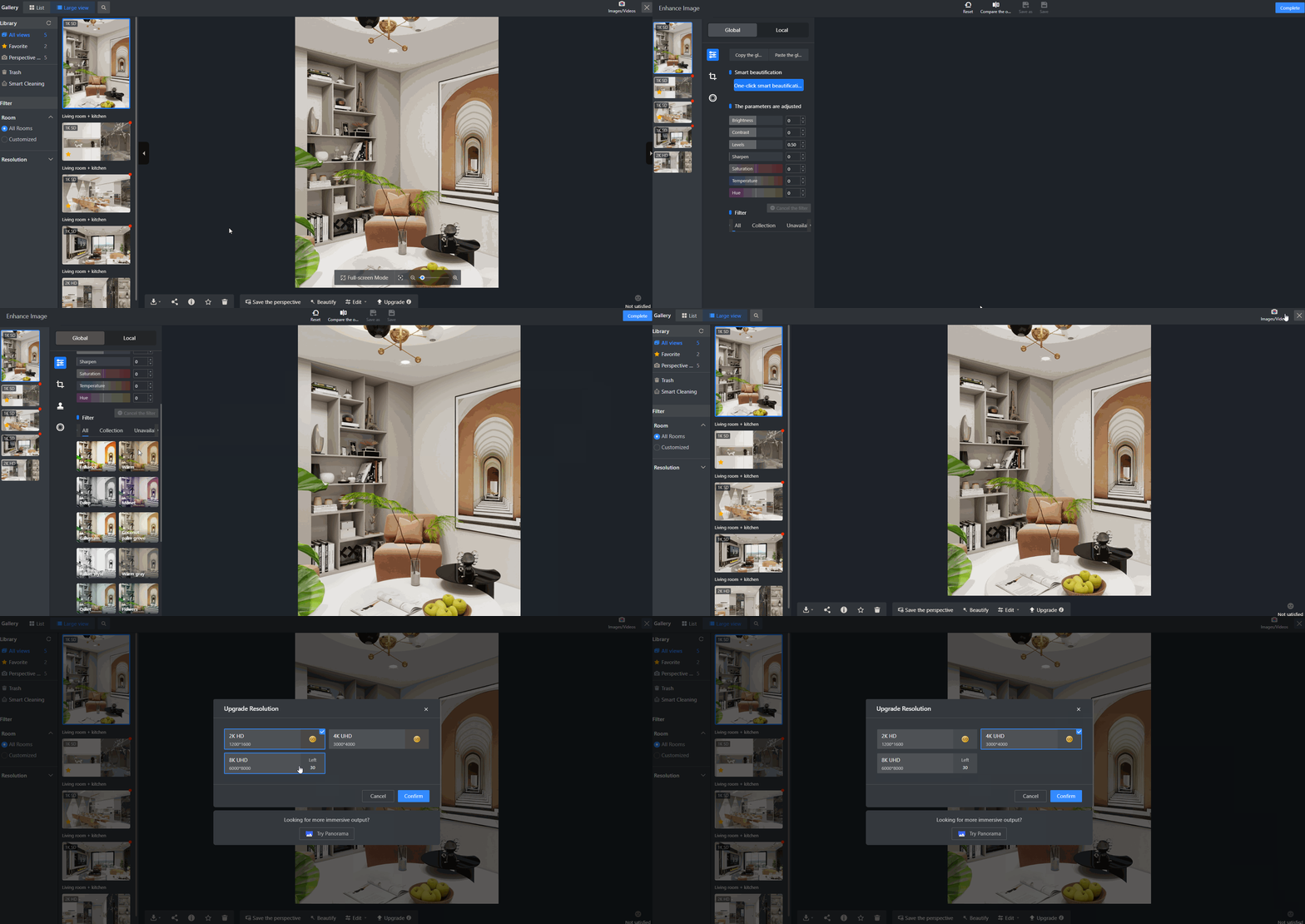
Select **Large View**, and on the toolbar below, you can save the perspective, beautify the image, and upgrade image clarity.
* **Note:** Upgrading image clarity cannot be undone.
Restore Deleted Images
======================
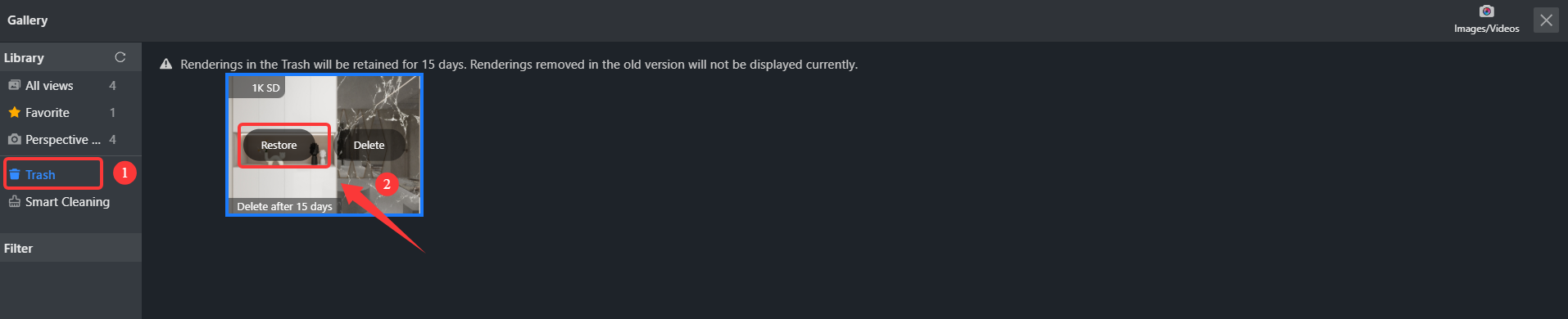
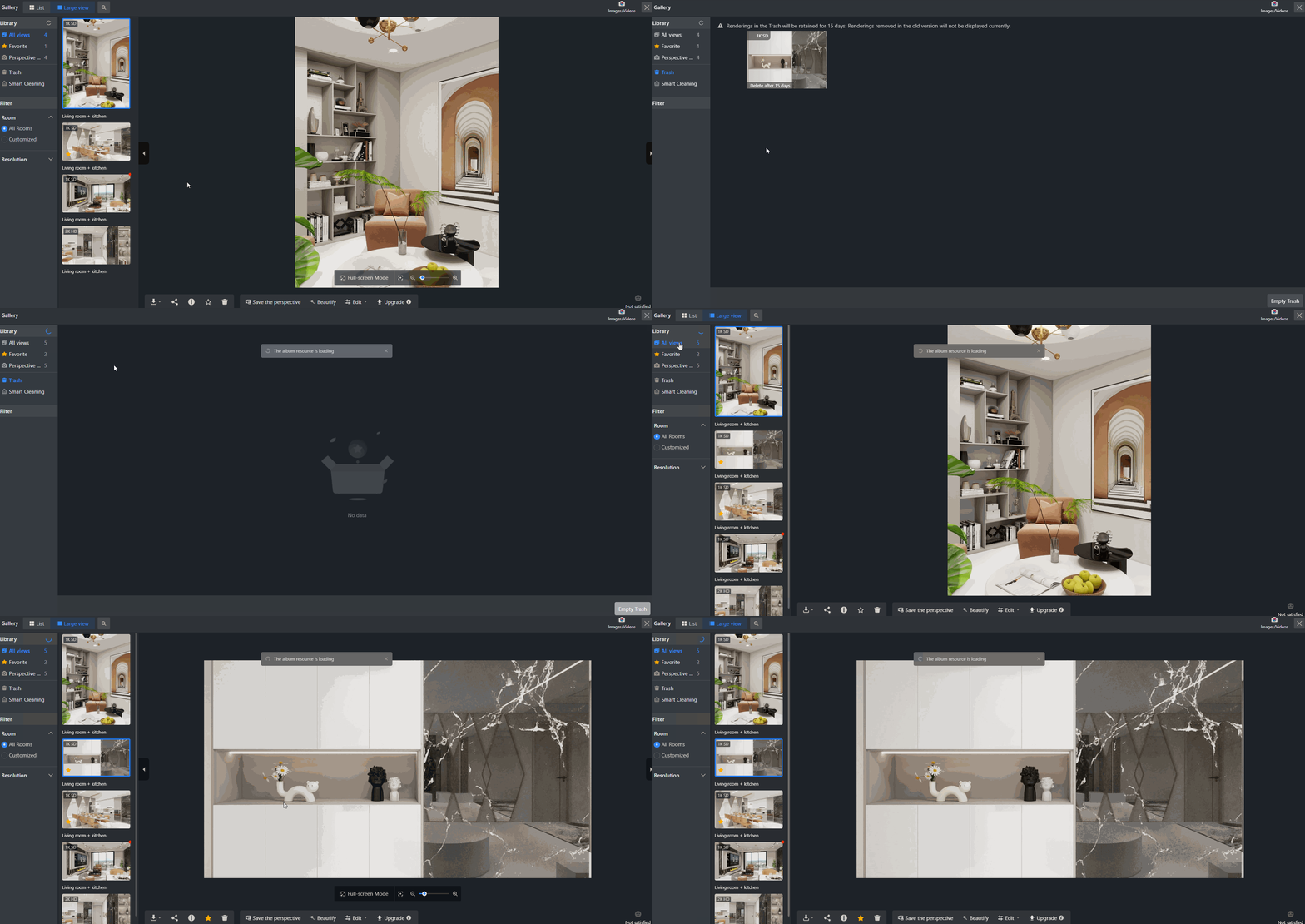
Click the **Trash** on the left sidebar, select the images you want to restore, and click **Restore.**
* **Note:** Renderings in the trash are only kept for 15 days and will be automatically removed after 15 days.