# render-set-ambient-light-blocking-ao
> Enhance realism and depth in your interior design renders by setting up ambient occlusion. Learn to adjust parameters for optimal results. Start designing now.
- **URL**: https://www.coohom.com/helpcenter/render-set-ambient-light-blocking-ao
- **Locale**: en_US
- **Updated**: 2026-06-11
## Content
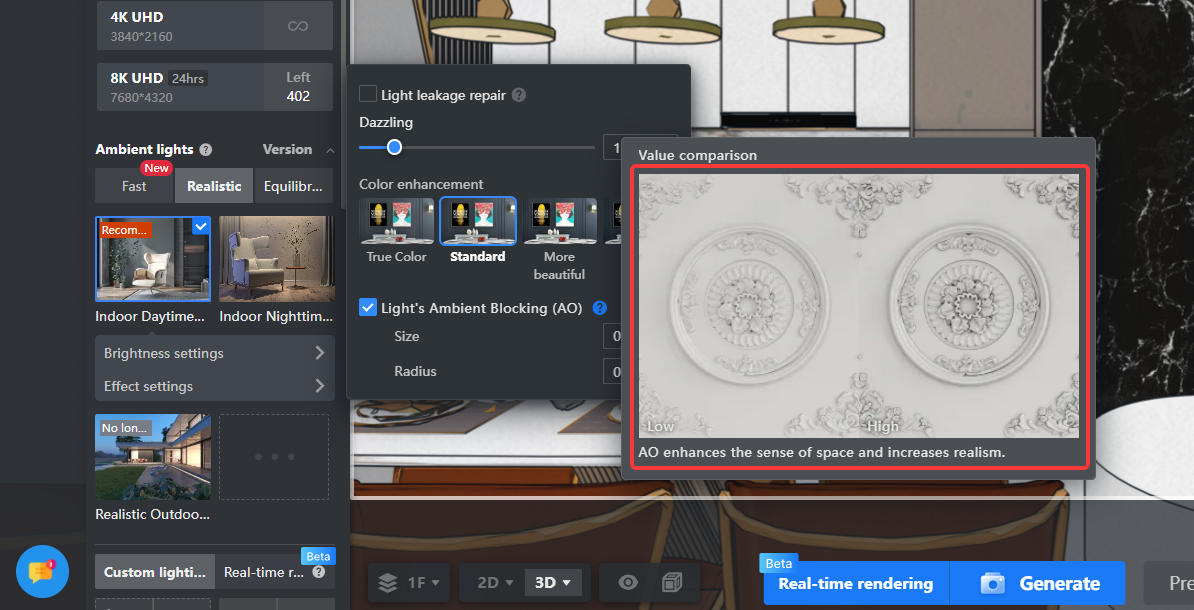
Ambient occlusion primarily makes certain textured lines more clear and realistic during rendering, enhancing the spatial sense of depth. This effect is particularly noticeable on lines with white latex paint materials, such as ceiling moldings. This article will explain in detail how to set up ambient occlusion in render tools.
⭐Before reading the article, it is recommended to watch the video tutorial first for easy getting started\~
\[Video URL\](https://www.youtube.com/watch?v=bvQgbVyQVE4)
For Users
=========
All users
Entrance
========
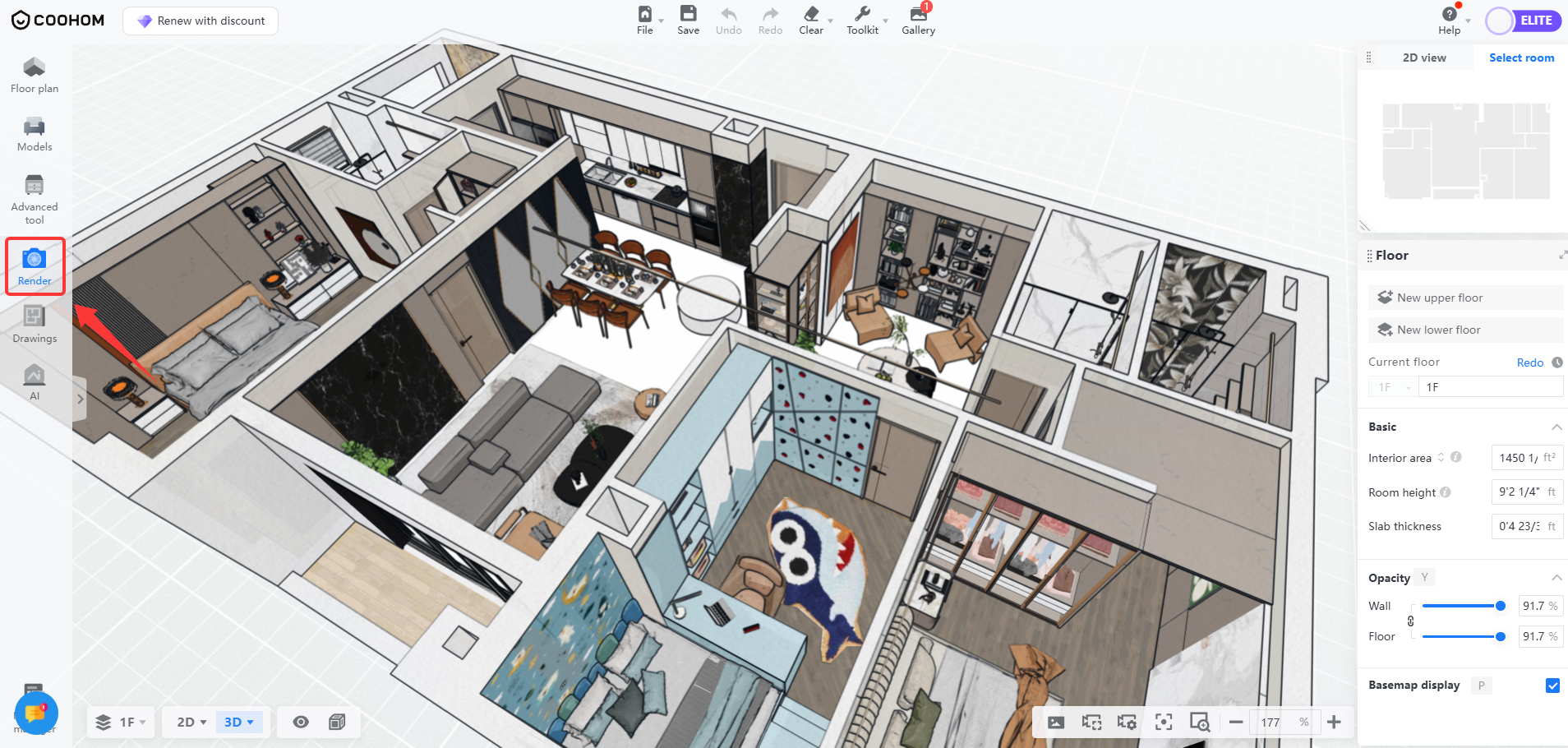
1. Enter interior design, select **Render** from the toolbar on the left.
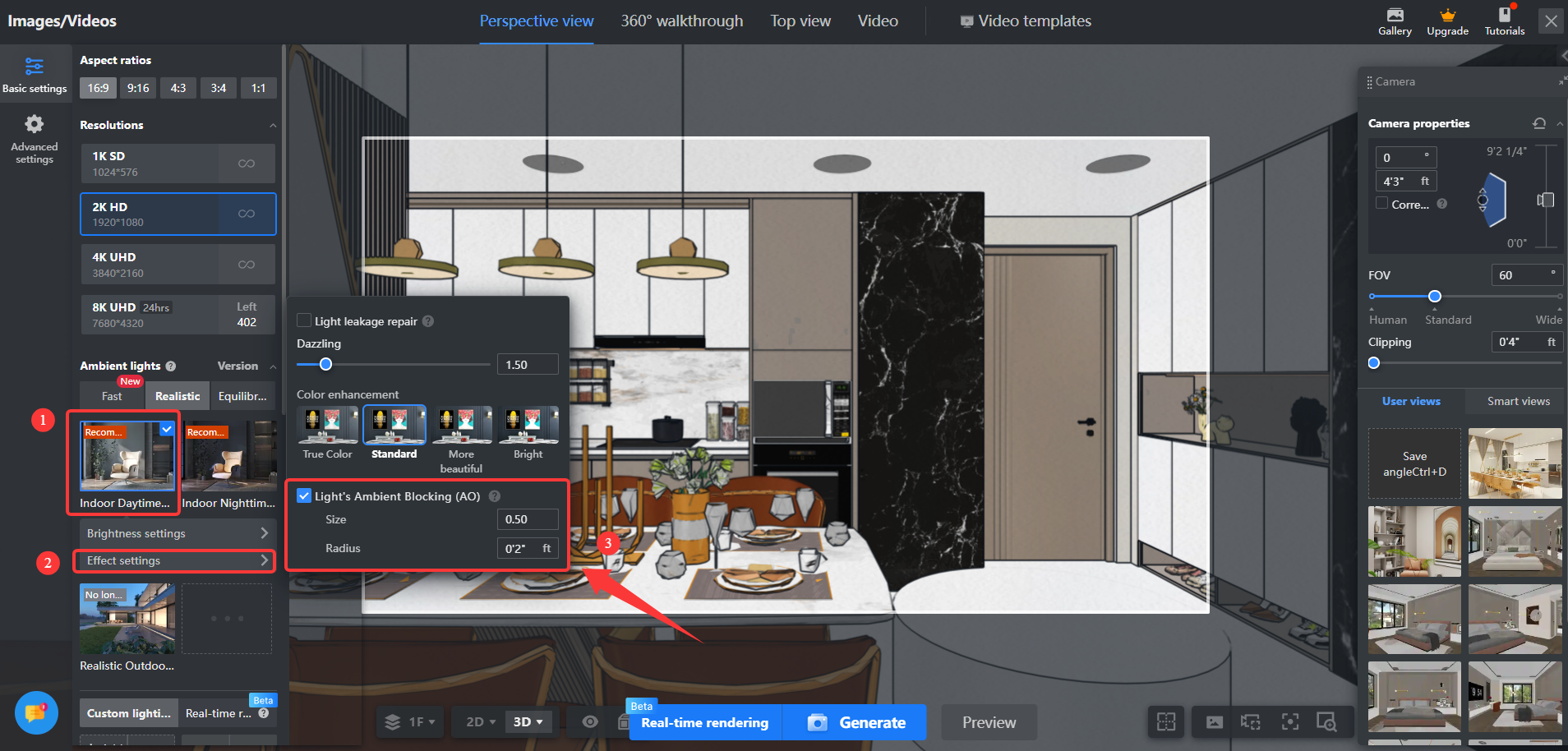
2. Some lighting schemes have exclusive ambient occlusion settings, choose a lighting scheme that supports ambient occlusion and click **Effect Settings** . The right panel will expand to show the **Light's Ambient Blocking (AO)** section.
* **Note:** Indoor Daytime/Nighttime 2.0 and below versions do not support ambient occlusion. Ultra-Fast Daylight/Nightlight 3.0 and Indoor Daytime/Nighttime 2.0 and above versions have exclusive ambient occlusion settings.
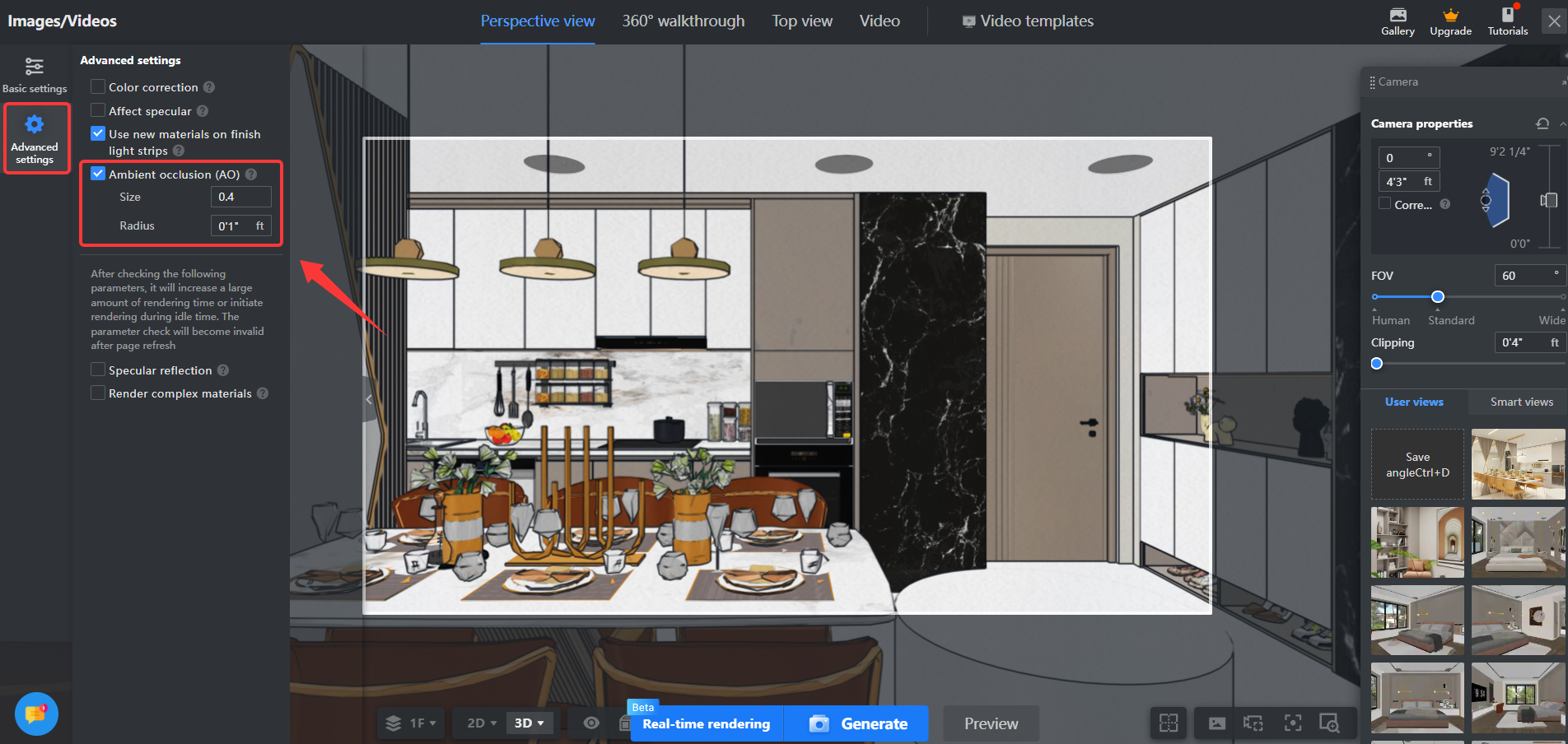
3. Other lighting schemes can set ambient occlusion parameters in **Advanced Settings.**
Set Ambient Occlusion Parameters
================================
Ambient occlusion has the following two values that can be adjusted freely:
* **Size:** This value can change the contrast, usually set between 0-1. It is generally recommended to set it to 0.8, and too low will appear unrealistic.
* **Radius:** Refers to the area of shadow in dark parts, typically set to 0.05 ft, as overly large shadows will also appear unnatural.